💡 Challenge:
Considering its scalability in agile development phases, how did I refine engineer’s skeleton to build a minimally-viable Warehouse Management System (WMS) for domain-user retention?
✅ Outcome:
Successful handed-off of a new MVP, which Increased retention rate by 12.3% Monthly; Decreased Customers’ Communication Cost by 20%; Impacting 35+ active companies and 3000+ shipments per day.
01. Problem & Solutions Overview
What did I achieve at Batchship?
Business Goal
Retain Sales-Acquired Customers
From 1:1 with PM, I learned that most of our current relationships are acquired through sales. With an existing customer base of 3000+ shipment / day, the goal is to keep these users happy.
Business Problem
20% client drop-off rate after 1 month
High Communication Costs
With 1/5 user drop off after a month and the communication costs spent on the client tickets, Batchship is losing large revenues/year.
My Assigned Scope
Optimize Core Workflow
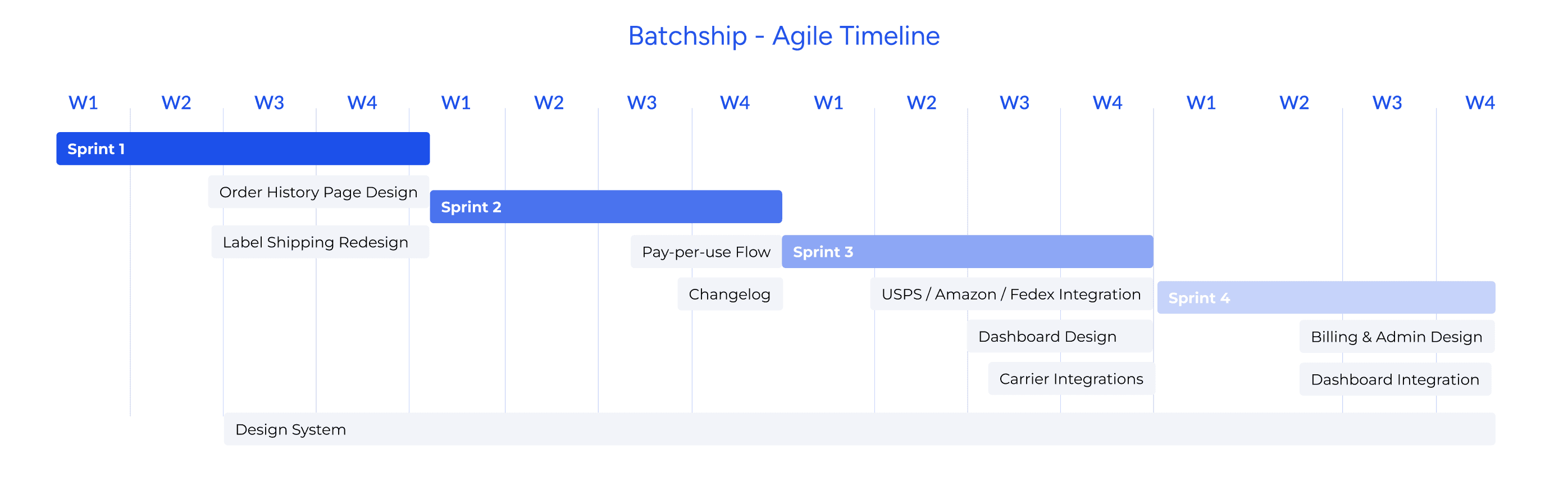
4 month, 4 Sprints 🚨
I need to learn quickly and handle multiple deadlines.
Design in Solo 🚨
In a flat structure, I had to take full ownership of my design decisions with limited structural feedback.
AGILE TIMELINE
The team’s approach uses Agile Project Management to design, develop, and refine the WMS in multiple, subsequent phases.
The Deliverables: 3 Prioritized Flows
SOLUTION 1
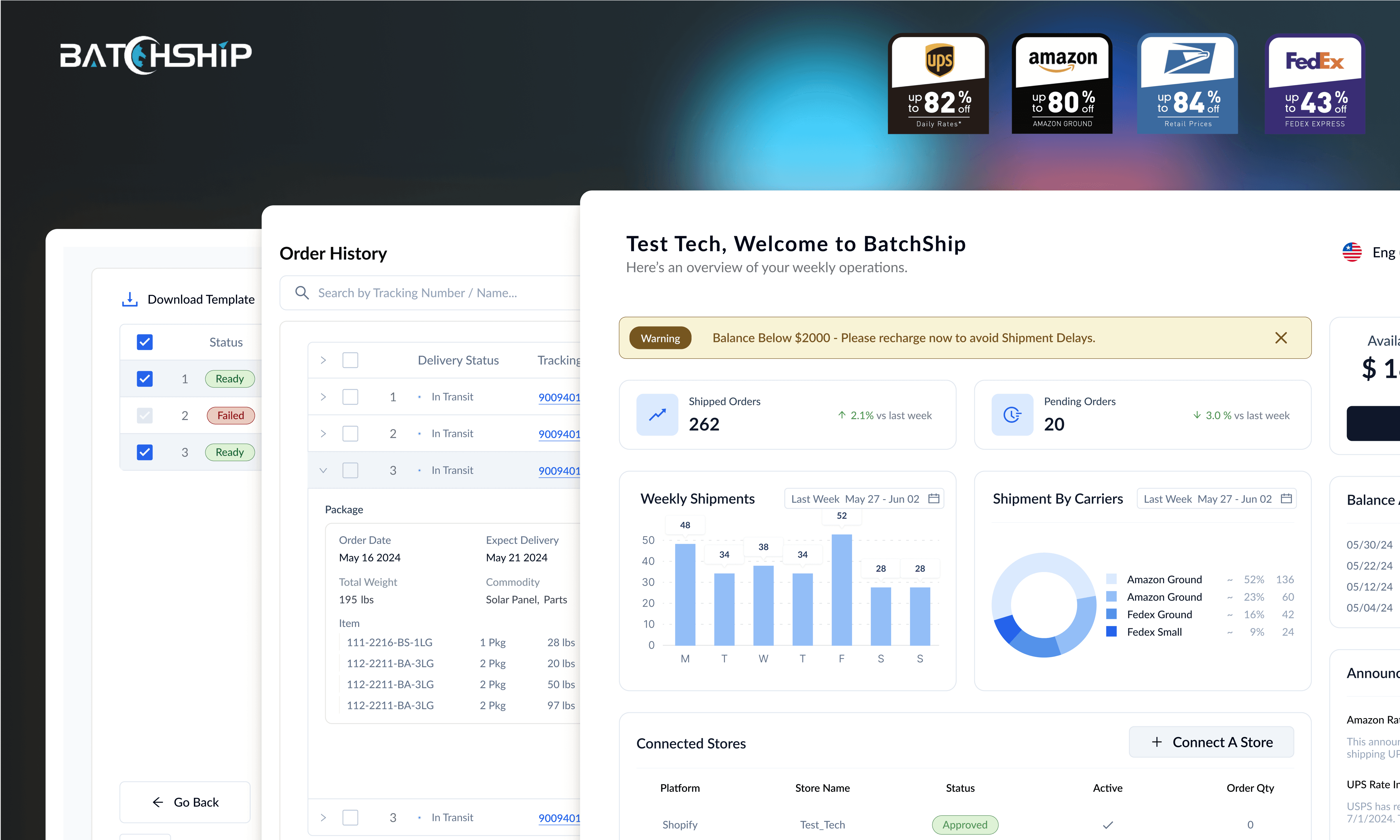
Dashboard with Summative Shipment Data
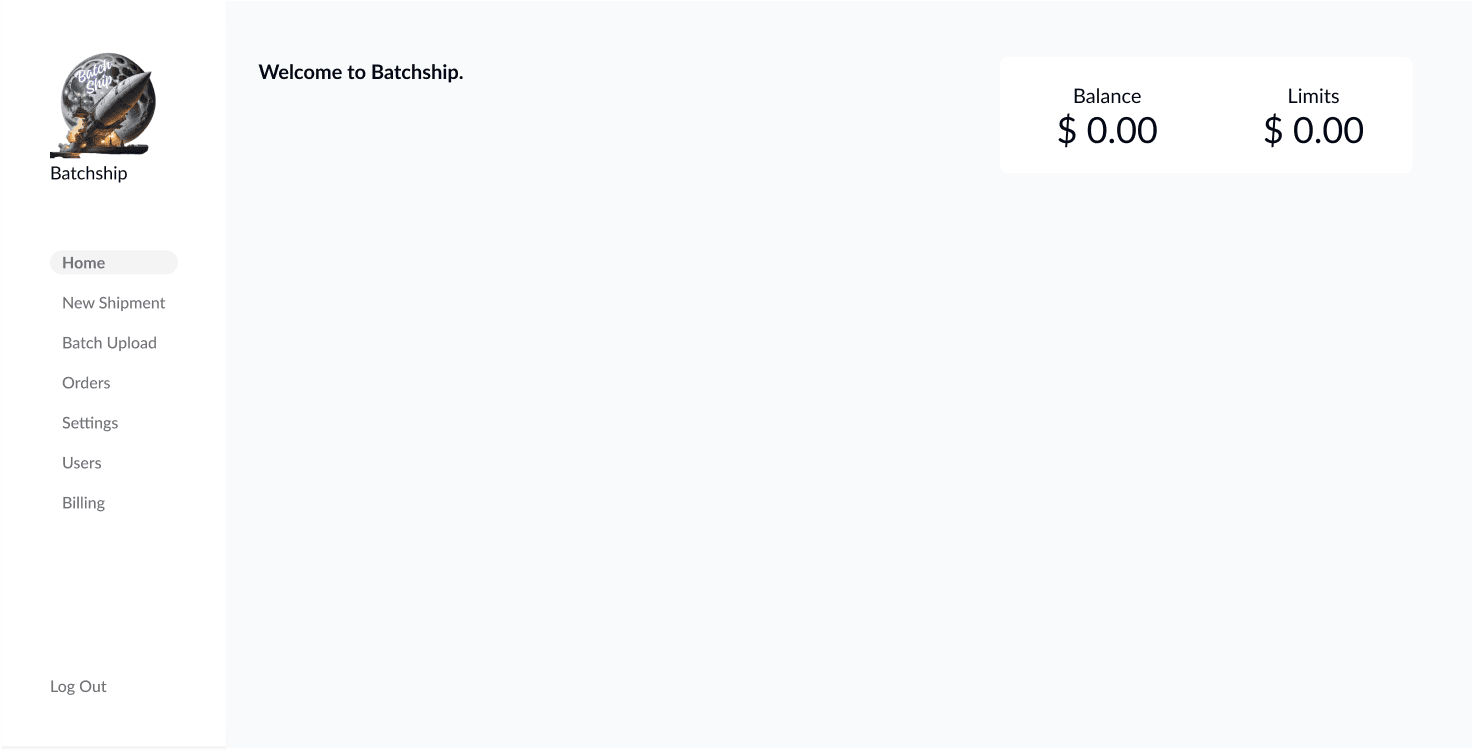
Before
Solution Priority
Balance Reminder
Payment Flow
Metrics
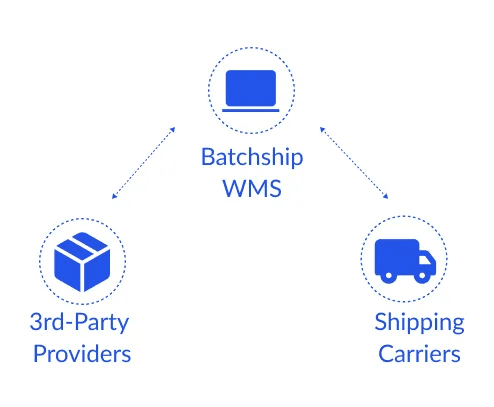
3rd Party Interoperability
SOLUTION 2
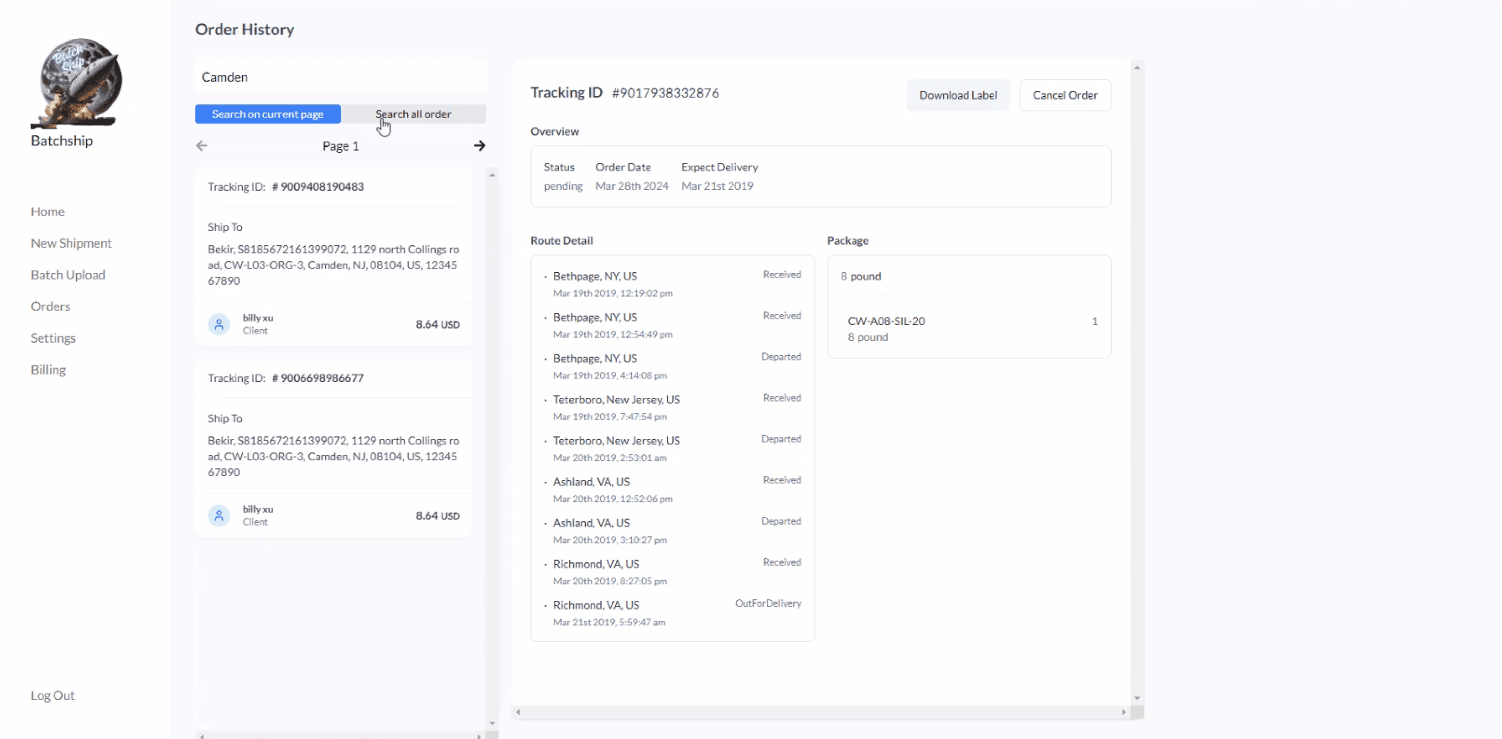
Optimizing Batch Actions into Existing Flows: Order History
Before
Solution Priority
Customized Filters
Batch vs. Individual Viewport
SOLUTION 3
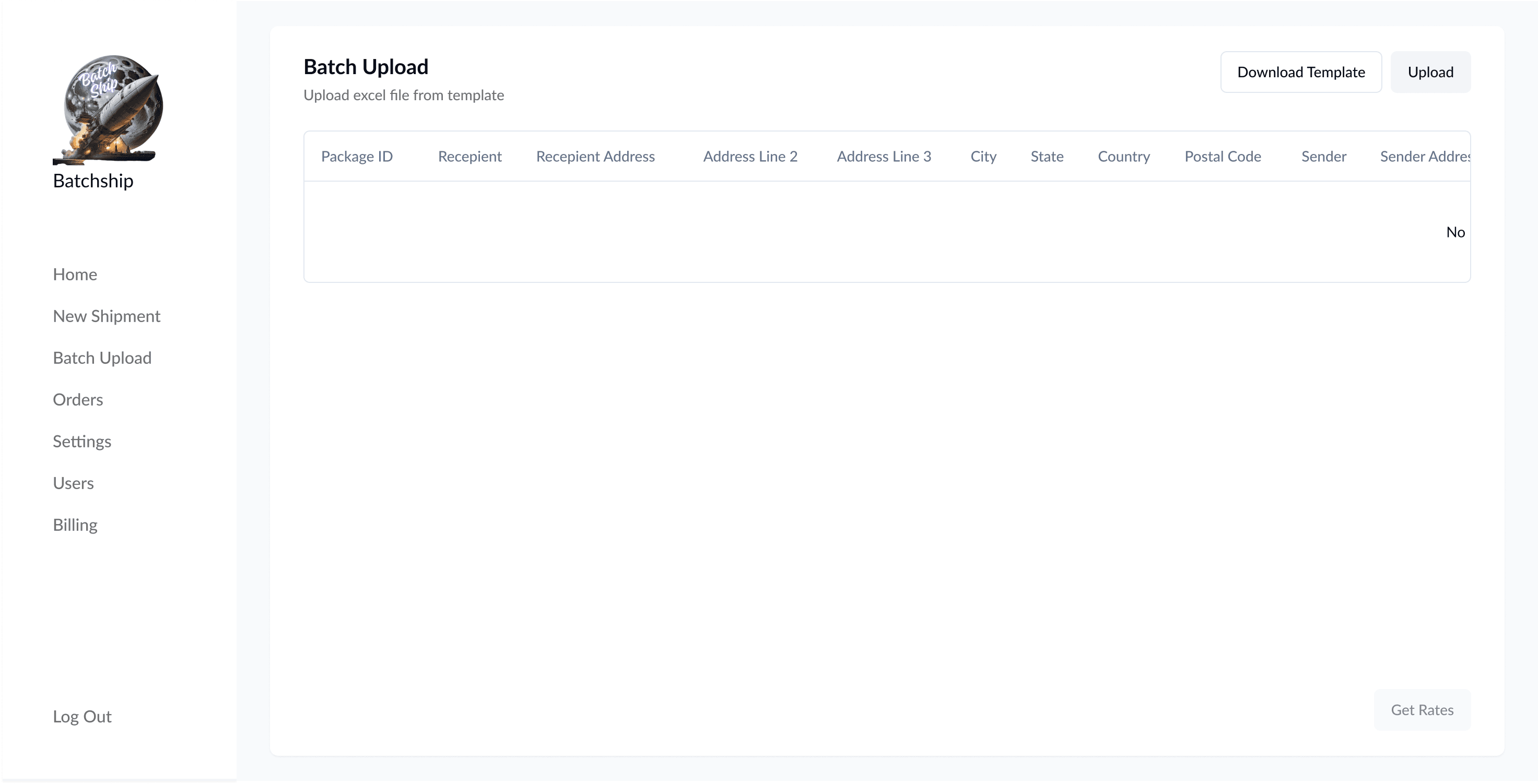
Batch Label Printing: Error Prevention & Major Carrier Integration
Before
Solution Priority
Batch Upload Flow
Carrier Comparison
Customized Option
Design Impact
SATISFACTION
80% User Satisfaction Rate
*feedback from stakeholders
RETENTION
↑ User Retention Rate by 12.3%
*from data tracking (monthly)
EFFICIENCY
↓ Label Completion Time by 30%
*3m30s to 2m40s
CLIENT COMMUNICATION
↓ Client Ticket by 20%
*product roadmap backlog
02. The Process & Reasoning
How did I explore, narrow down, and make high-level decisions?
GENERAL FINDINGS From Talking with PM + 6 Users
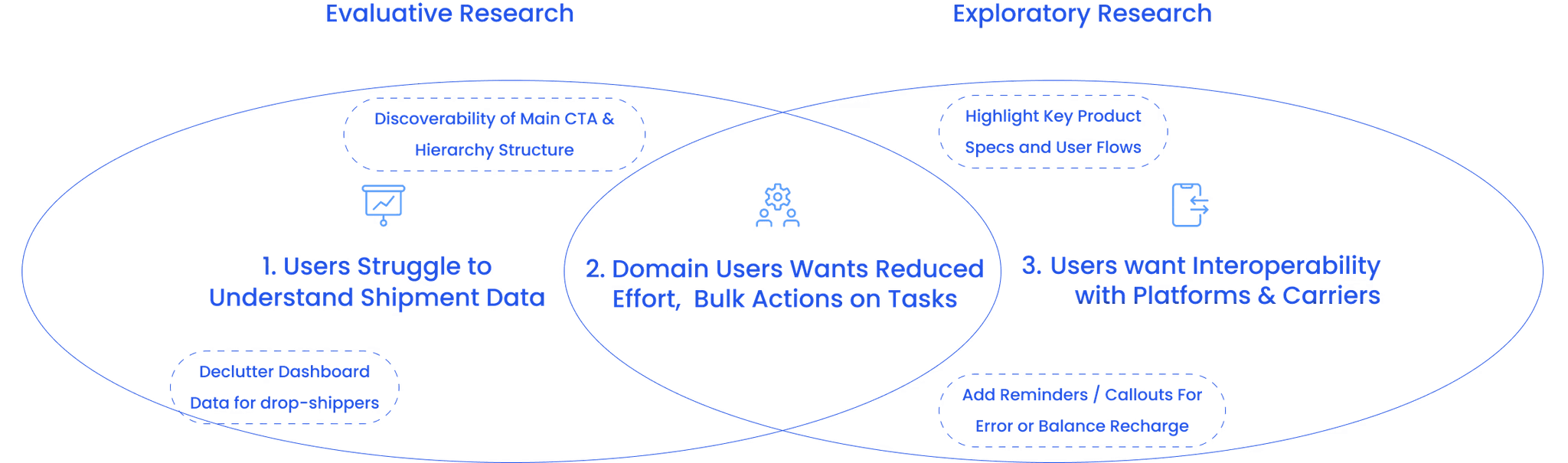
High-Level Goal Recap: Prioritize Retention, Domain-expert Users
>>>>>
Current users are acquired from sales outreach and past relationships.
>>>>>
Retention over Acquisition: Prioritize retaining returning users. However, the WMS should also guide new users.
Each user ships large amount (~500-3000 packages per week).
>>>>>
Setting Design Principles: Simple, Minimized, Clear
With our aligned goals in mind, I established the following design principles to guide my decisions:
Start Simple, Scale Up:
Offer only necessary choices initially.
Minimize Primary Engagement Path:
Streamline key features.
Clear Hierarchy:
Prioritize clarity in design.
How Might We:
Optimize the bulk order process for operational efficiency and user retention?
Present key reminders, customizations, and viewport in a more visible, actionable way?
03. Challenges and Iterations
What are the main UX challenges and the design iterations I made?
Challenge 1
Current Capabilities doesn’t support batch actions
Given that users handle 500-3,000 orders daily, this gap mapped their workflow inefficient. Users stop at order history for about ~ 5min.
The Ideal Batch Viewport Use Case:
Search Order > Select Card > View Route/ Download label / Cancel at Once
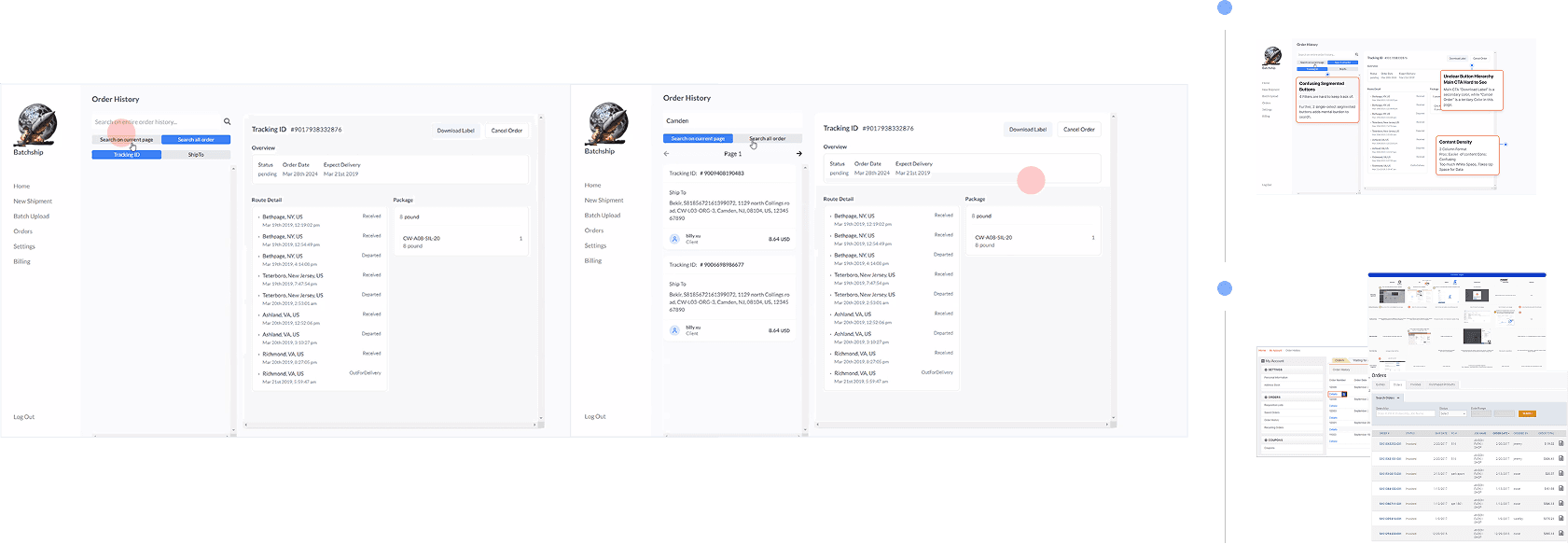
From Competitive Analysis
Table May Be a Better Practice for Our User?

2-Column layouts
✅ Quick Scan vs. Detailed Information
❌ Poor responsiveness on mobile devices
❌ Low affordance context if batch is priority
Table Layout
✅ Scannability for large datasets
✅ Customizability
❌ A flat hierarchy may obscure important data columns
User Testing
3 Alternative Layouts, A/B Testing on 6 Users
I built two options upon the current two-viewport layout, and one option on a 1 viewport- table-based redesign optimized for batch selection and actions. I then conducted rapid usability tests with 6 of our core users.
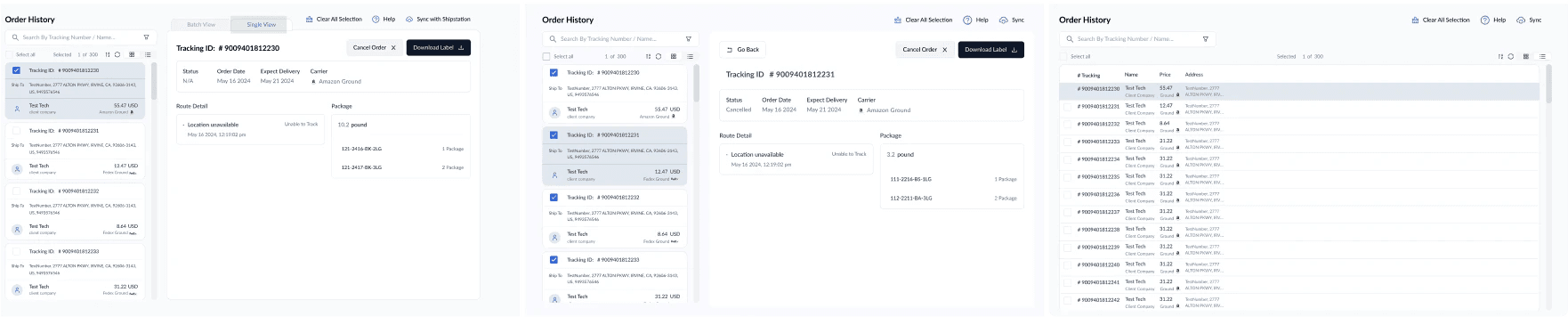
Keep Existing Layout
Tab Switch
Keep Existing Layout
Nested Link
New Layout
Table Nested Link
Prototype details
Testing 1: One Viewport Nested Table Layout
Testing 2: Two Viewport Nested Layout
Testing 3: Two Viewport Tab Switch Layout
The results were more definitive than I'd expected: 90% of users preferred the table design as batch order view is the priority. 60% and 80% finding the two column layout confusing for their core tasks.
From User Testing: Another Rounds of Iterations
Users need both information level, Reconsidering Table Viewport
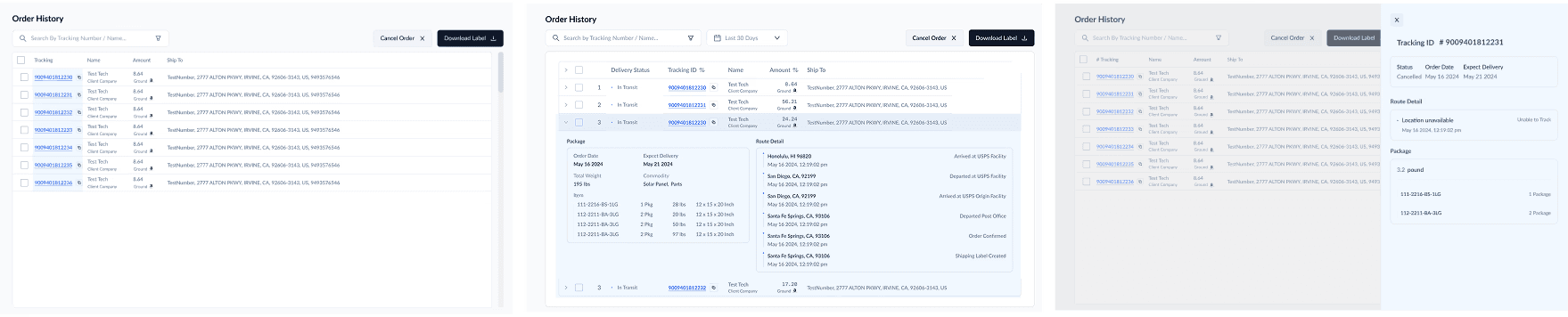
Nested Link
✅ Best for complex, detailed views
✅ Clear separation of summary vs. details
❌ Requires page navigation, disrupting workflow
❌ Harder to compare multiple orders quickly
Inline Expansion (Accordion Rows
✅ Quick, in-table access to details
❌ Limited space for complex info
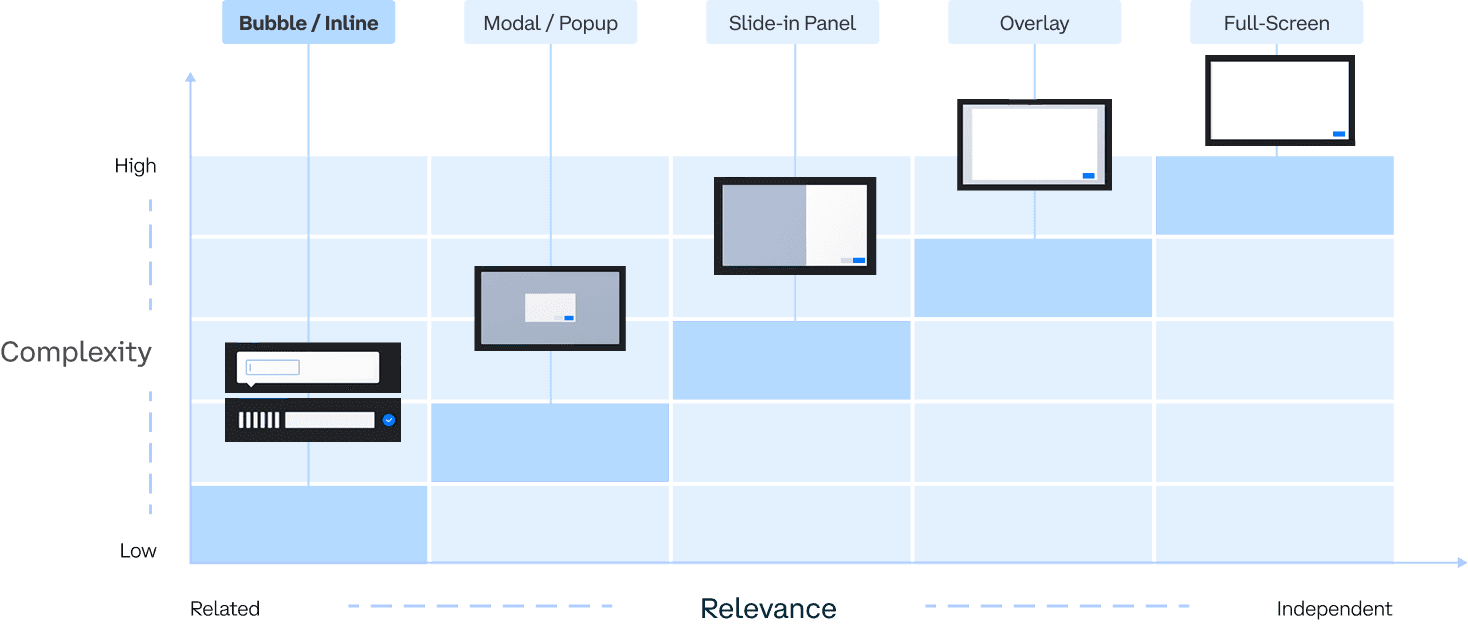
Drawer Panel (Slide Out Panel)
✅ Maintains context while viewing details
✅ Easy switching between items
❌ Can feel cramped if overloaded with content
🌈 The Shipped Design: Inline Expansion (Accordion Rows)
✅ 100% of the users tested successfully completed the tasks of finding nested information and downloading multiple labels under 2 minutes.
✅Despite the risk of clutter from expanded rows, keeping everything in one view allows quick scans vs more detailed view.
Challenge 2
2% rate of label error, but no correction & preview mechanisms
Currently, users can’t easily identify which orders failed.
Poor information scanning in the table .
Issue piles up communication costs.
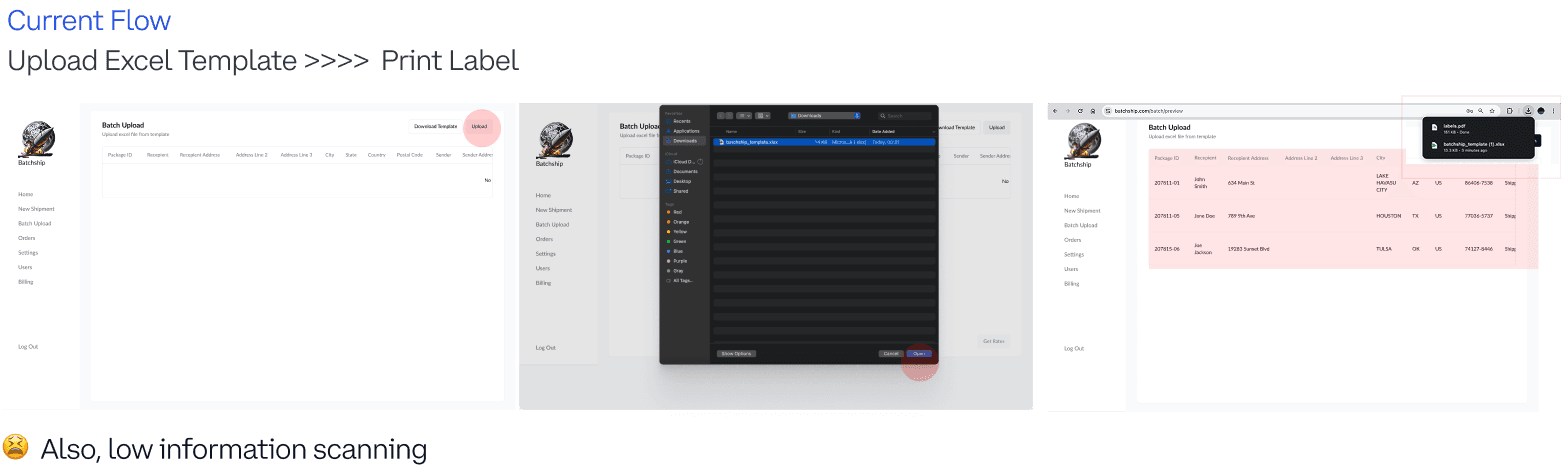
2.1: Explorations on Error Verification
Two Directions for Error Verification & Edits
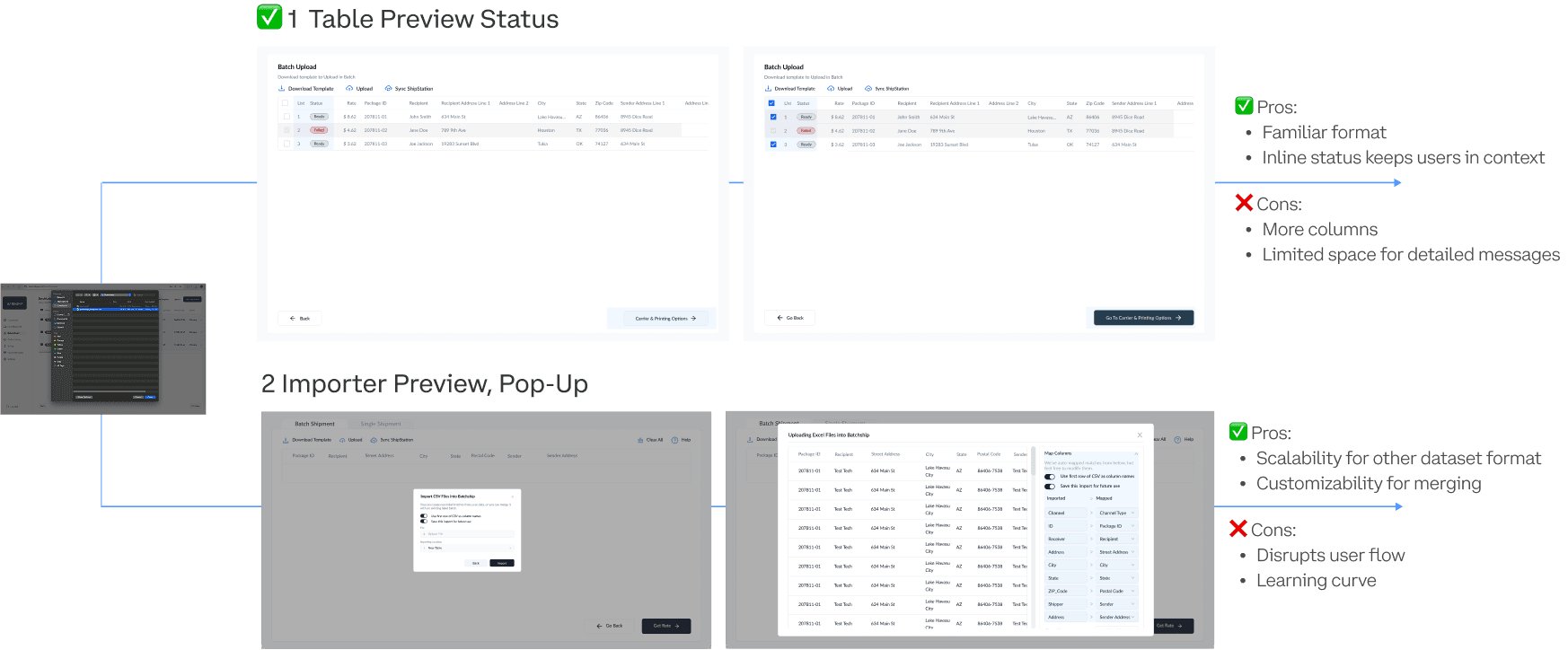
After discussions with the team, we proceeded with Table Preview Status because it:
fits naturally into the current system
has less development effort
makes it easier for users to adapt with minimal cognitive load.
Users are already familiar with tables.
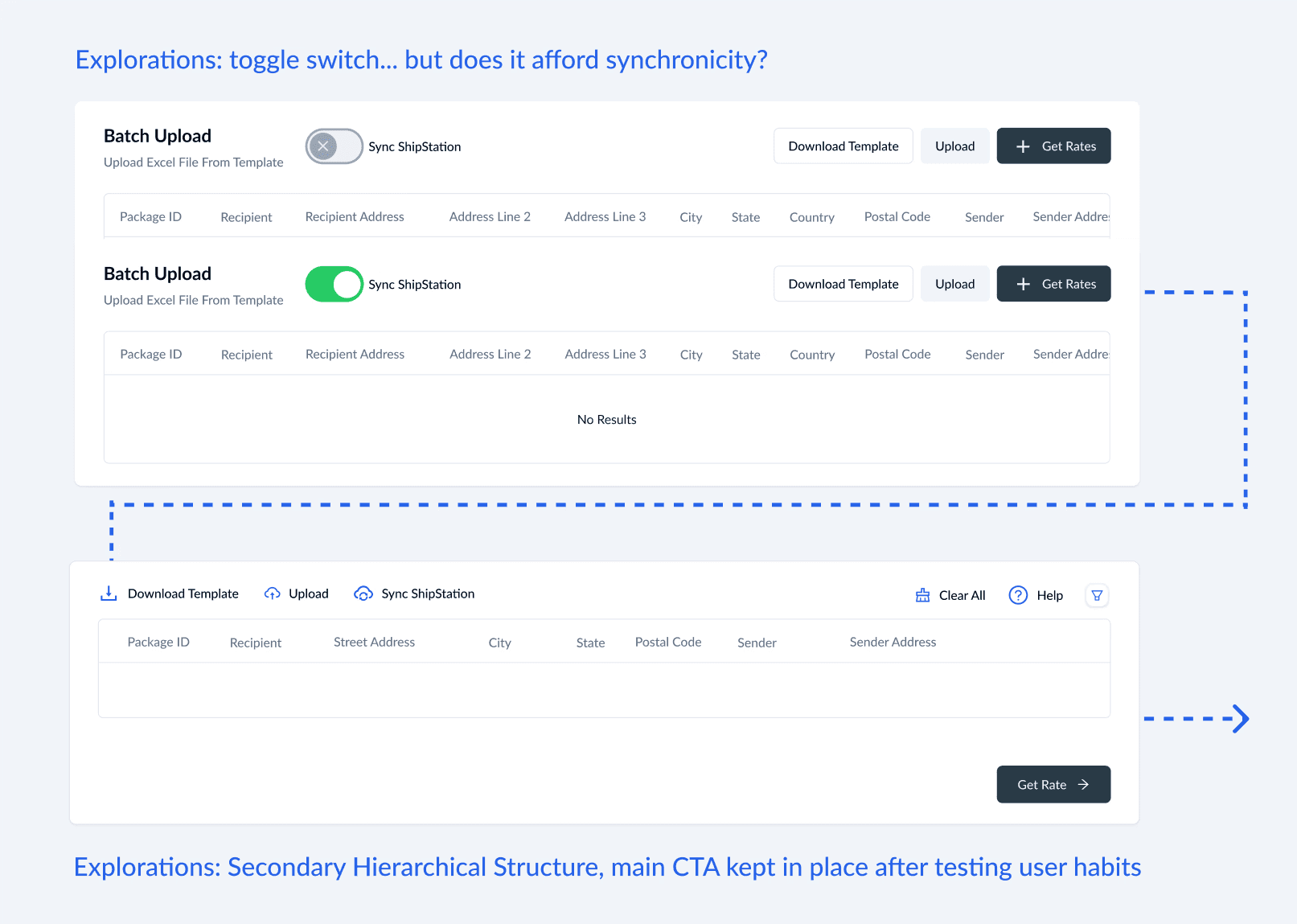
2.2: Explorations on Edits
Considering Edits in Tables for Batchship's use cases
Iteration 2.4
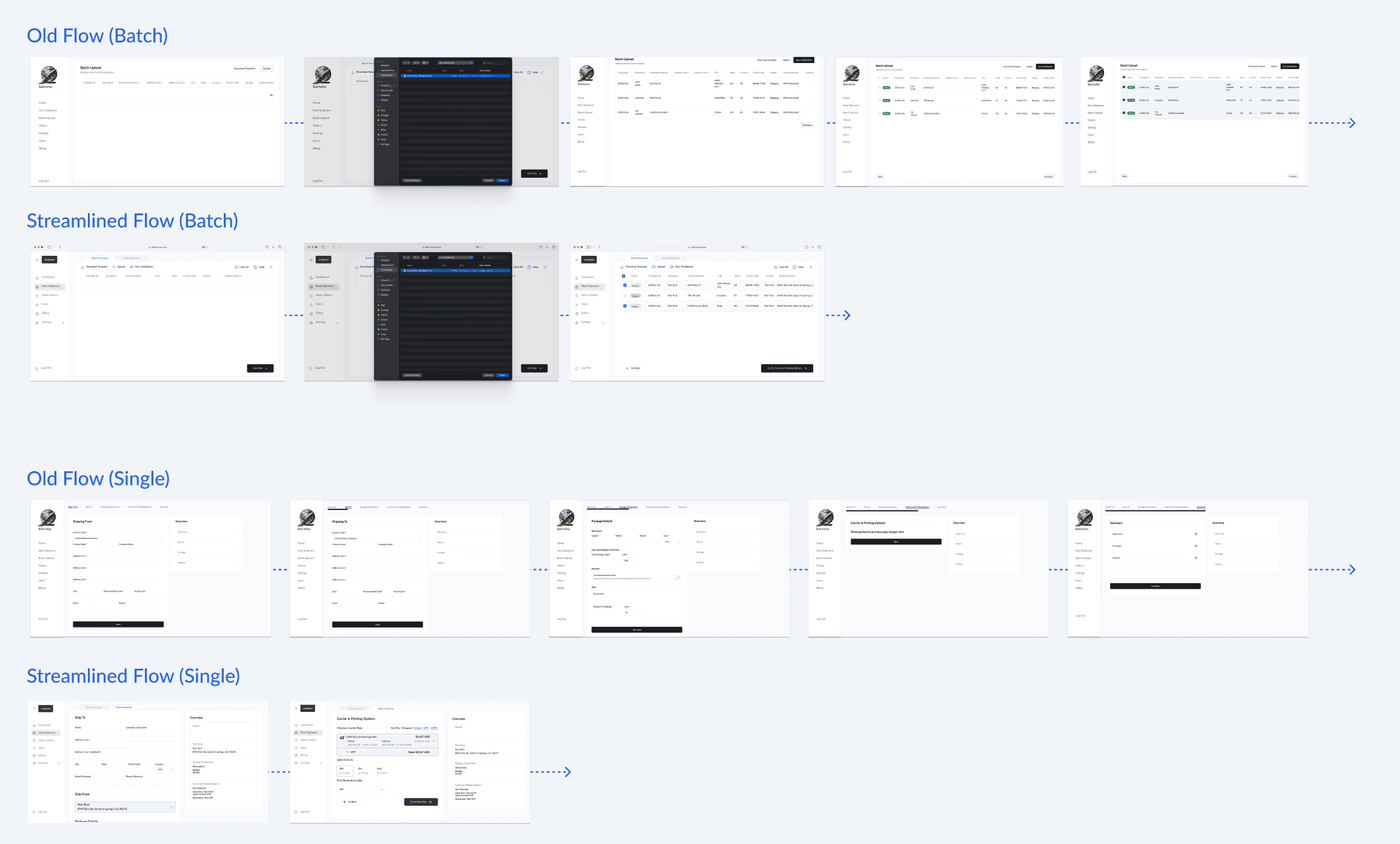
Reduced Steps
By comparing the workflows side-by-side, I identified excessive steps in the label printing and batch upload process.
🌈 The Shipped Design: Inline Edits for Error Prevention
04. The Many Hats I Wore
So you launched a working WMS... there are still more things you worked on?
As the solo designer, my main responsibilities are to improve and re-design engineers’ proposed WMS skeletons. Beyond that, I poured myself into the team — from developing strategy, to scoping down the work and executing visual design, working with engineers and polishing the final product, to iterating based on metrics and stakeholder feedback afterward.
Design System
Based on the engineer’s WMS skeleton, I created a new, consistent design system that our team now uses:
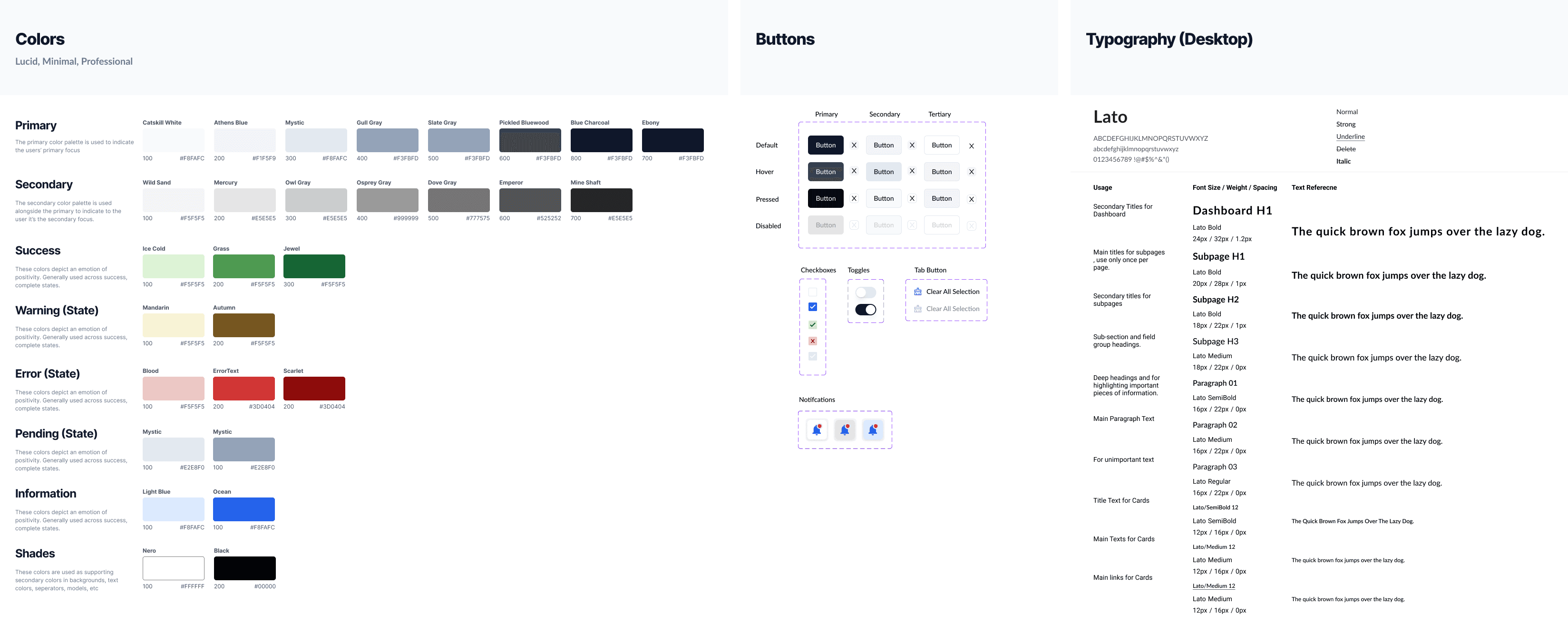
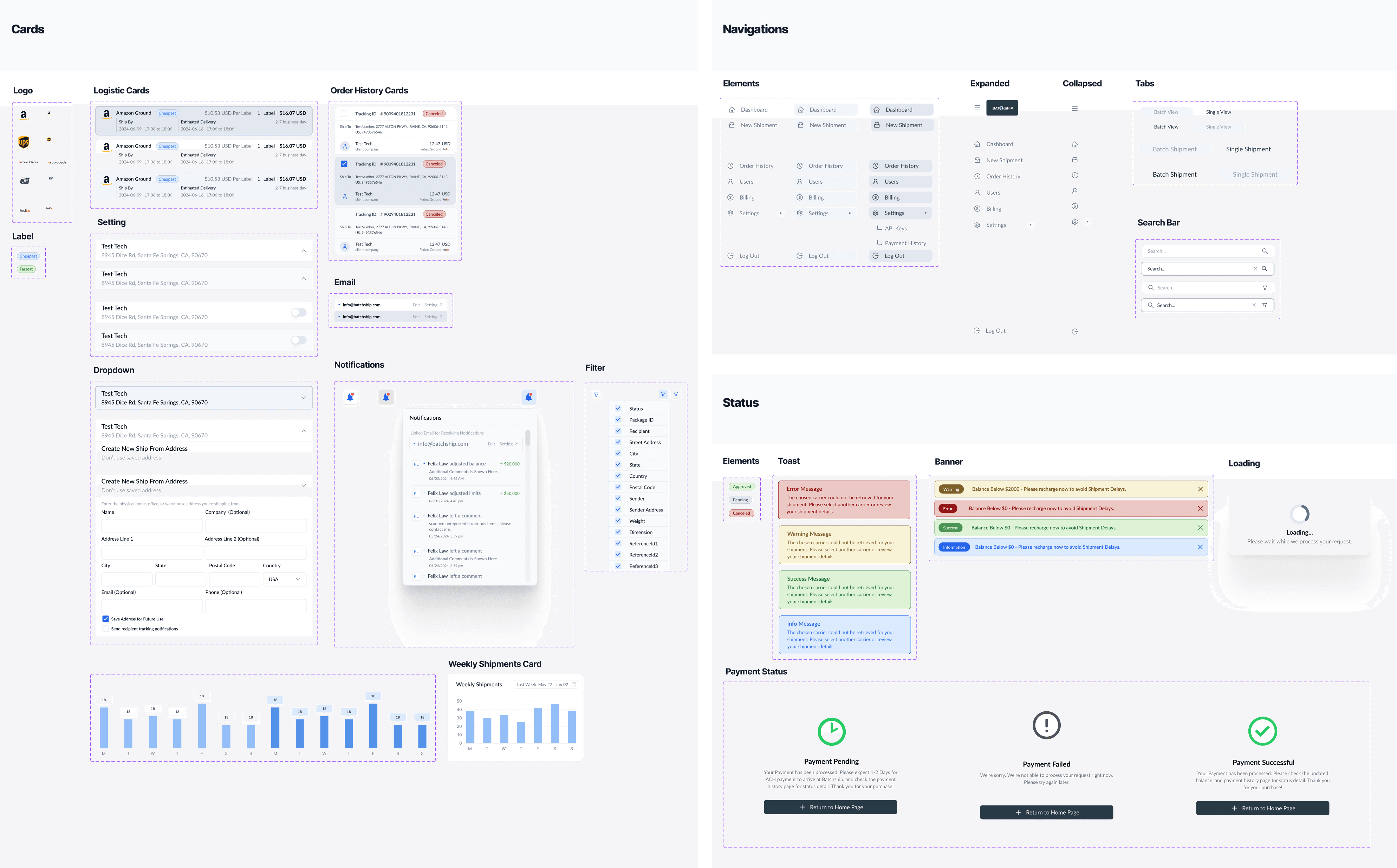
✅ Outcome: reduced implementation time and inconsistency across 4 Engineers and user friction, and influenced the onboarding experience and productivity of future Batchship users.
Business Outreach
Reached out to competitors to gather information on their Third-Party Logistics (3PL) pricing, providing insights of our market positioning and business potential.
Social Media Presence
Created graphics for Instagram and Red to improve brand presence and engagement on media.
Reflection & Lessons
Ownership through Communication
I poured a lot of effort early on to communicate multiple rounds and sought feedback help from mentors. — While I appreciate how such autonomy accelerates the launch of MVP, it also requires careful advocacy and responsibility.
Focused Prioritization, Rich-Features Later
As defined in our design principles, my objective was not to build a feature-rich product early but to scope down the core features to achieve each phase's focused goals. I believe that trust and confidence in a product will come naturally if a user is presented with a seamless experience.