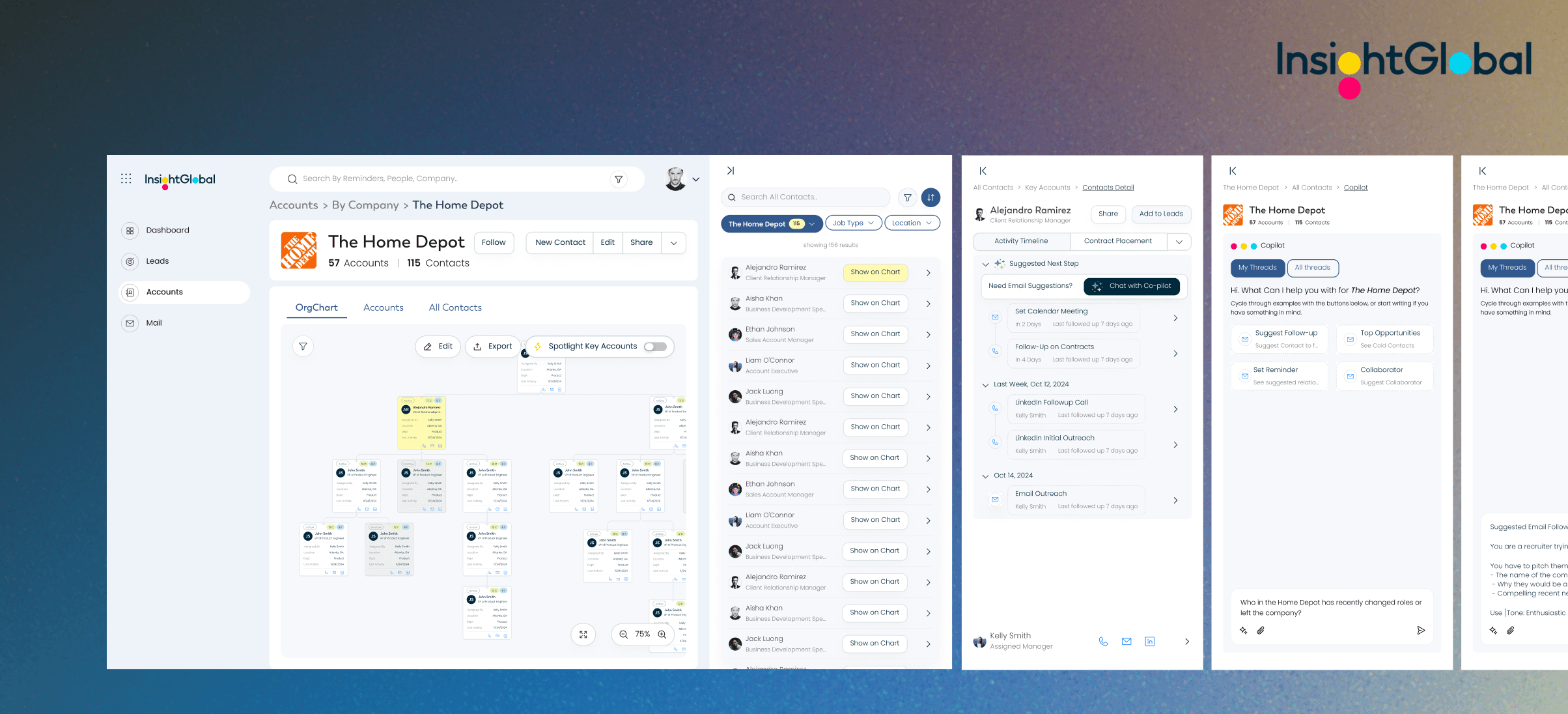
Insight Global: An AI-Enhanced Organizational Chart
Context —
B2B SaaS, Design System
Team —
Paul Josel, Jiehui Kwa, Chloe Jung
Stakeholder —
1 UX manager, 1 UX researcher, 1 VP of Product @ Insight Global
Duration —
Aug 2024 - Dec 2024 (4 Months)
💡 Problem:
How might we optimize the relationship building process for business consultants, narrowing down an ambiguous scope on client acquisition, retention, and credibility?
✅ Solution:
A centralized organizational chart and automated follow-up system for information-sharing transparency and workflow efficiency. 🕸️
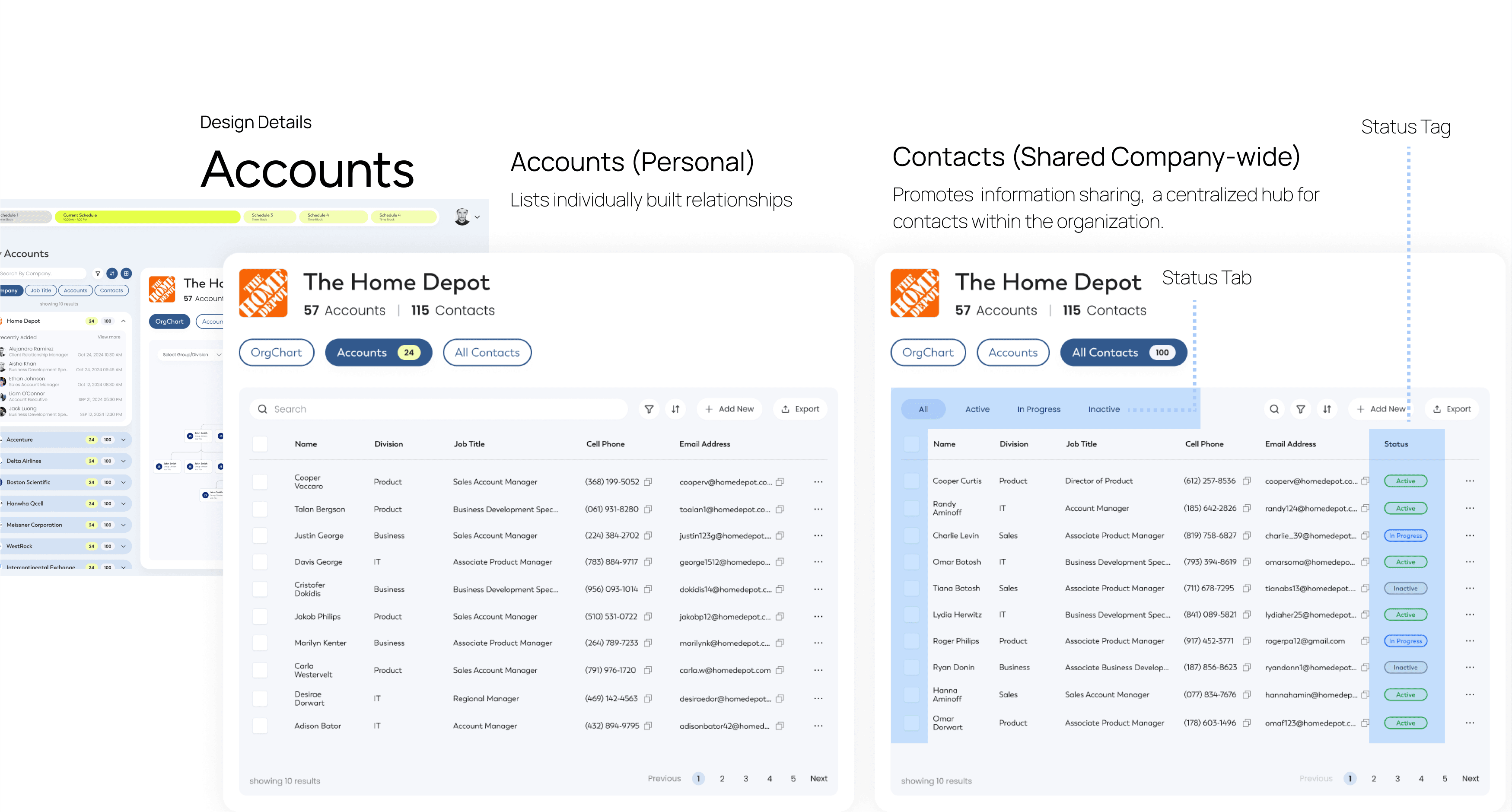
Drop New contacts, Internally Transparent across the company
Spotlight Key Accounts, Modify Relationships
MY ROLE
Co-Leading the Design🧑🎨, Involved in Research & Testing
In this partnership with Insight Global, I was heavily involved at every stage, from research and ideation to sketches and prototyping. I worked closely with my teammate Chloe to test potential design solutions through various rounds.
POTENTIAL IMPACT
Development in 2025 Q2? 🚧
At the final meeting, our sponsor disclosed plans to develop our organizational chart features in their system. This will serve over 3000 Account Managers in 67 offices across 6 continents!
01 Background & Problem Context
Who are we solving for and what is their stated issue?
BACKGROUND
Insight Global: 5th Largest U.S. Staffing Firm
TARGET USERS
Business Consultants
Business Consultants at IG help hiring managers at Fortune 1,000 companies find candidates to fill open roles.
Acquisition: get business to source talent
Retention: provide aftercare when talents dropoff
THE PROBLEM
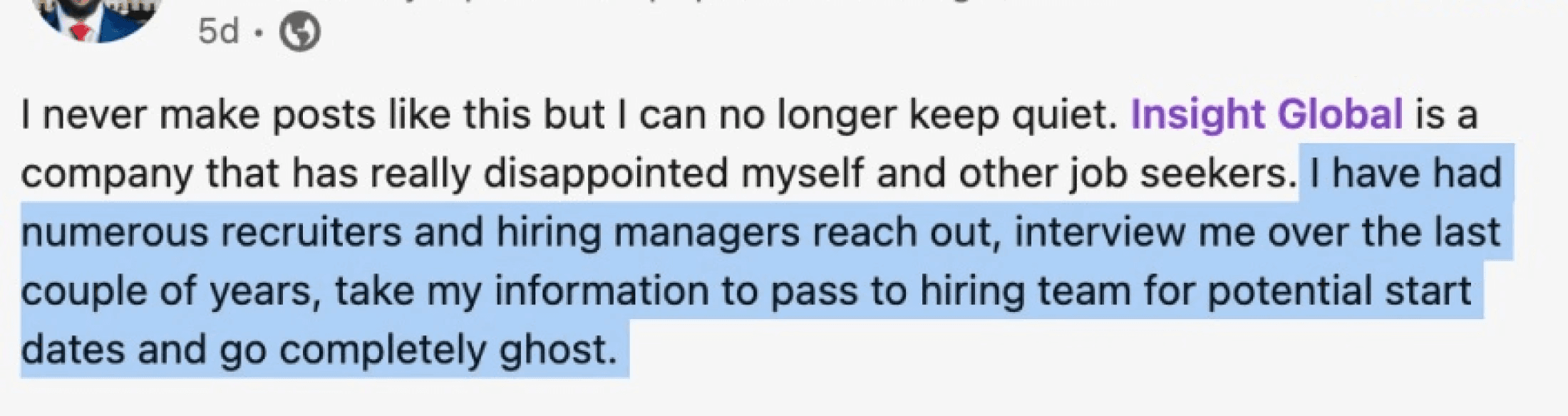
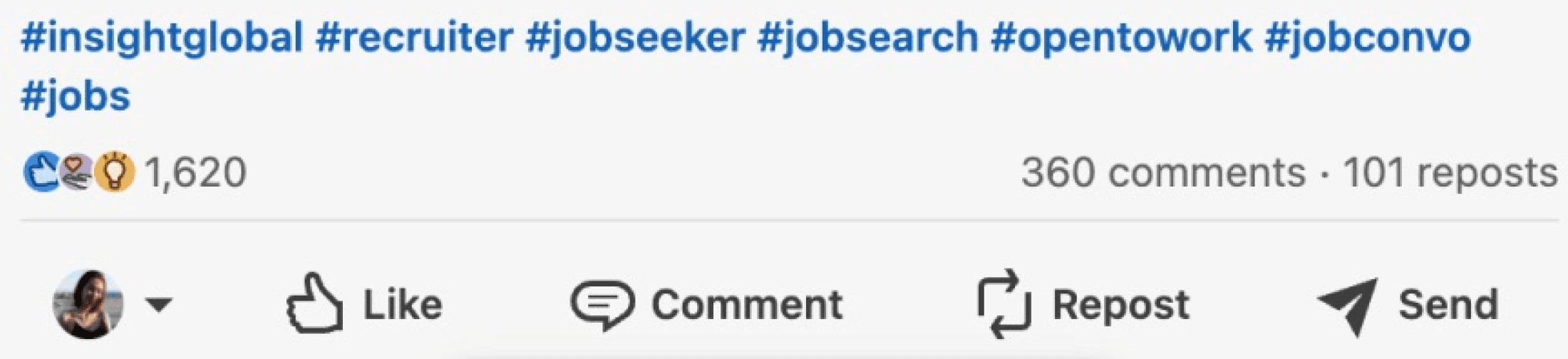
A Trend of Declining Trust
Business Consultants face a bad reputation in terms of two key issues: repetitive outreach and a disorganized recruitment process.
02. Narrowing down the Scope 🔍
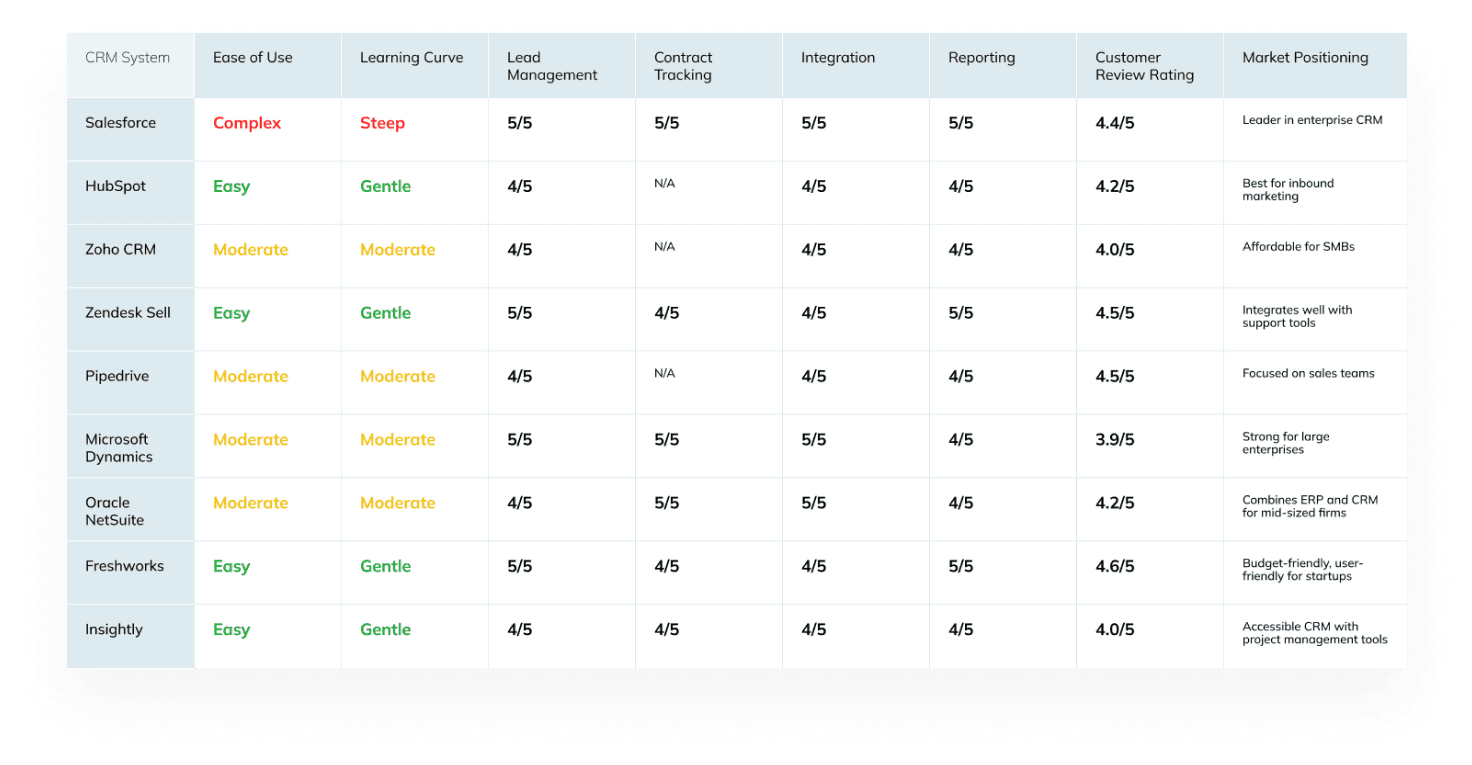
5 COMPETITIVE BENCHMARKING & 4 LITERATURE REVIEW


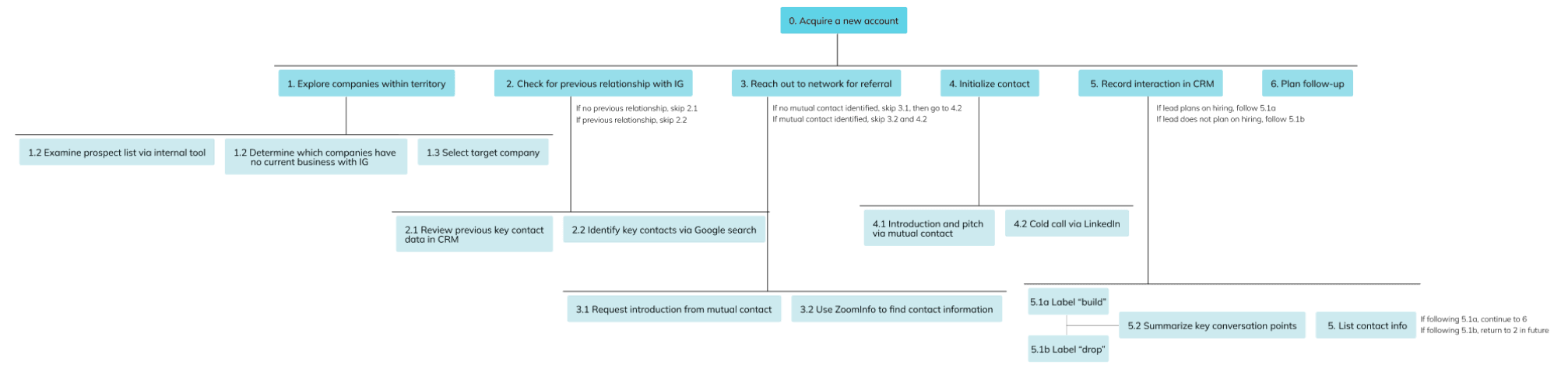
4 ONSITE SEMI-STRUCTURED INTERVIEW + 1 CRM AUDIT
2. What are users' frustrations related to client transitions or drop-offs?
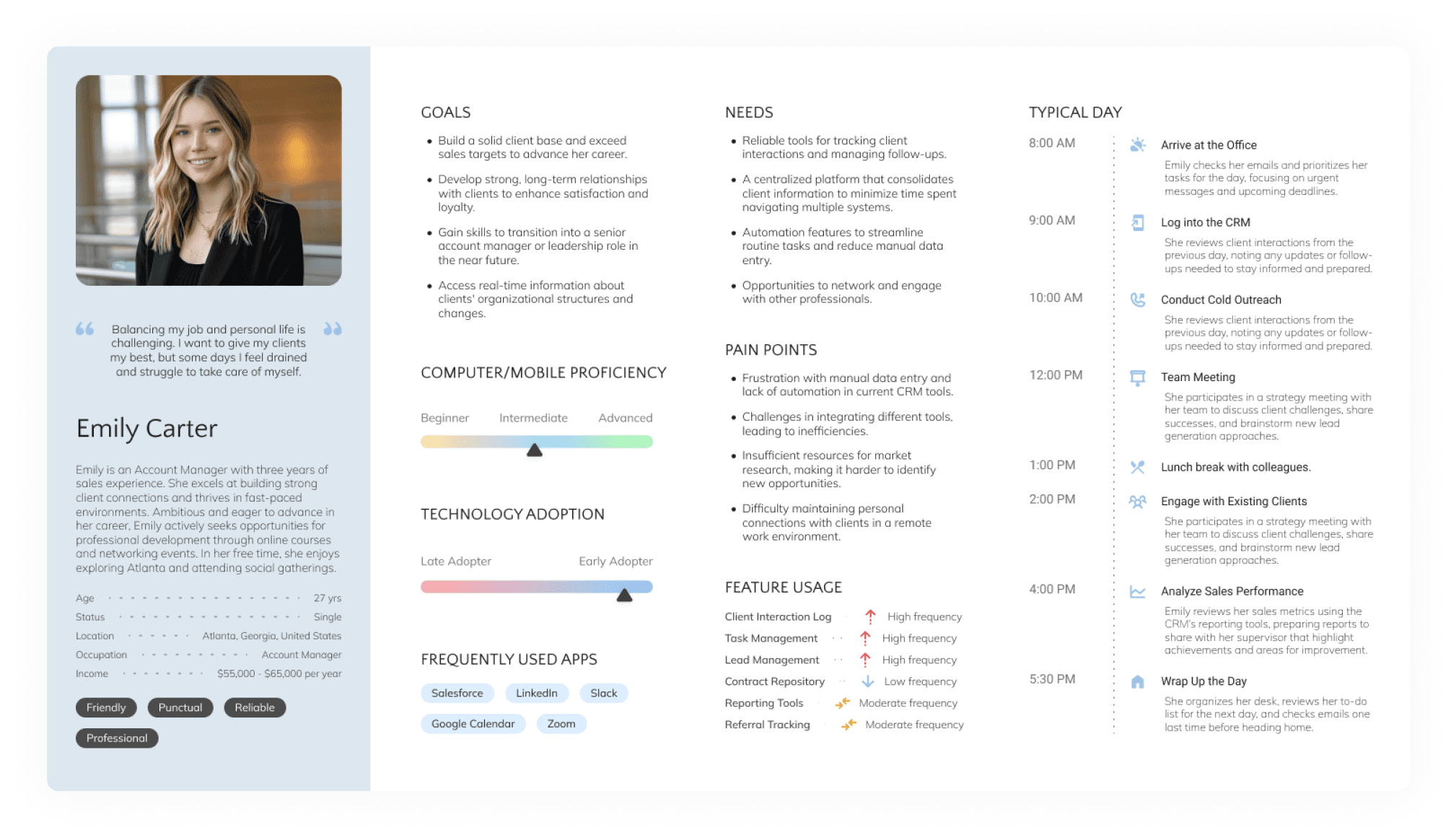
4 EXPERT INTERVIEW + 1 TASK ANALYSIS
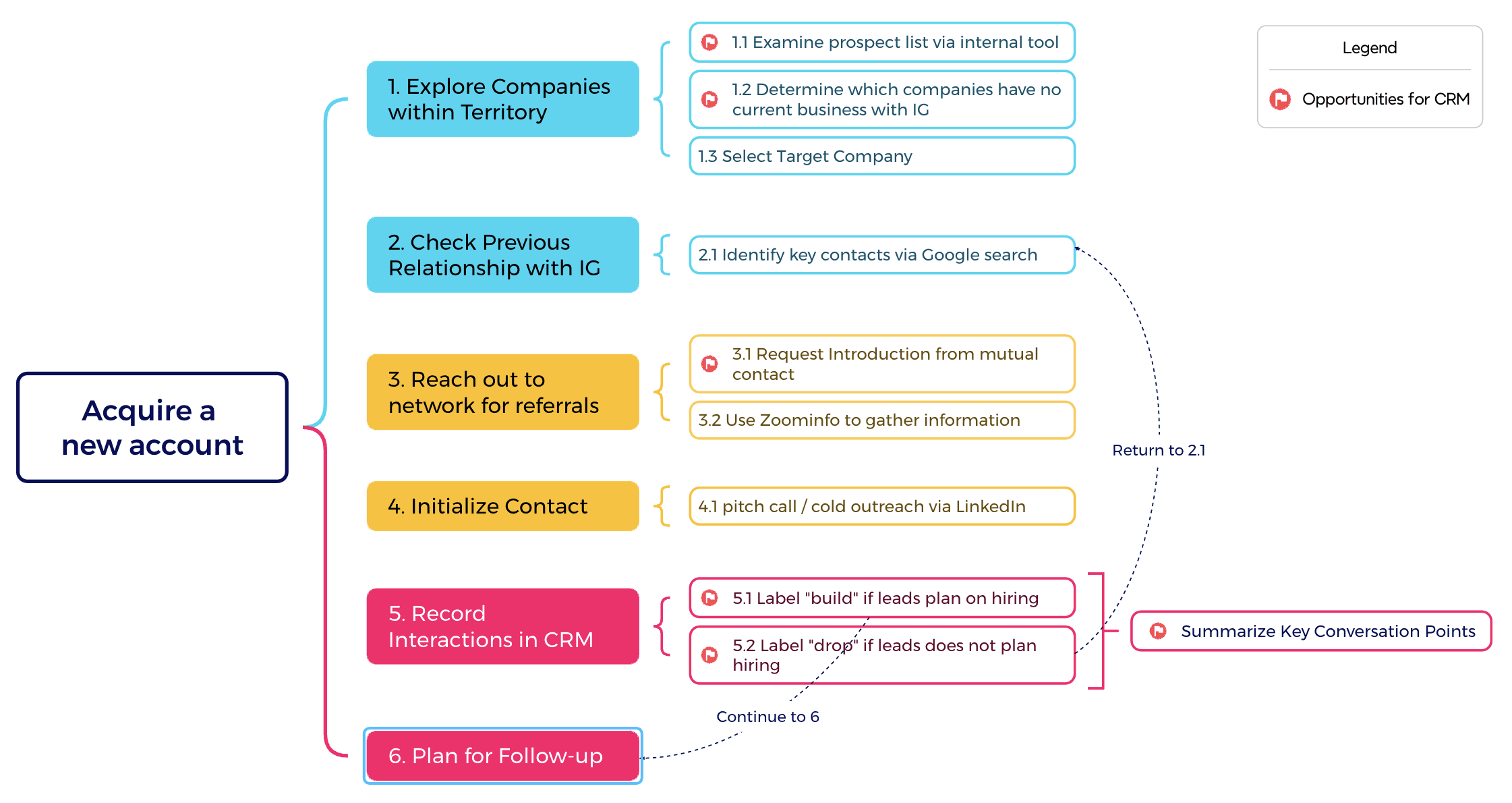
SURFACE LEVEL PROBLEMS
🧊 Low CRM usage
🧊 Delayed Follow-ups and Referral Searching
🧊 Repetitive Calling, Overlook of Small to Medium Accounts
Because of….
After talking to the our stakeholders, I realized that our initial scope was too broad - It's nearly impossible to build and customize a feature-rich products at early stages.
SO……..Validating Assumptions with Stakeholders
Feature Prioritization on Building Internal Efficiency
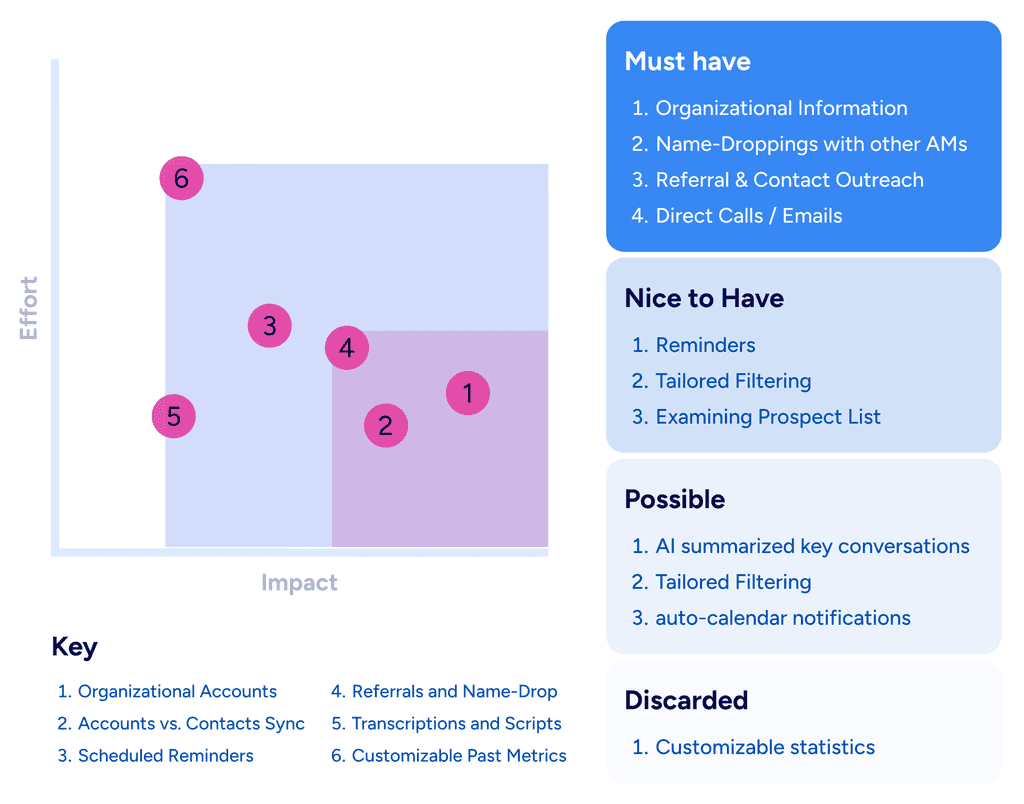
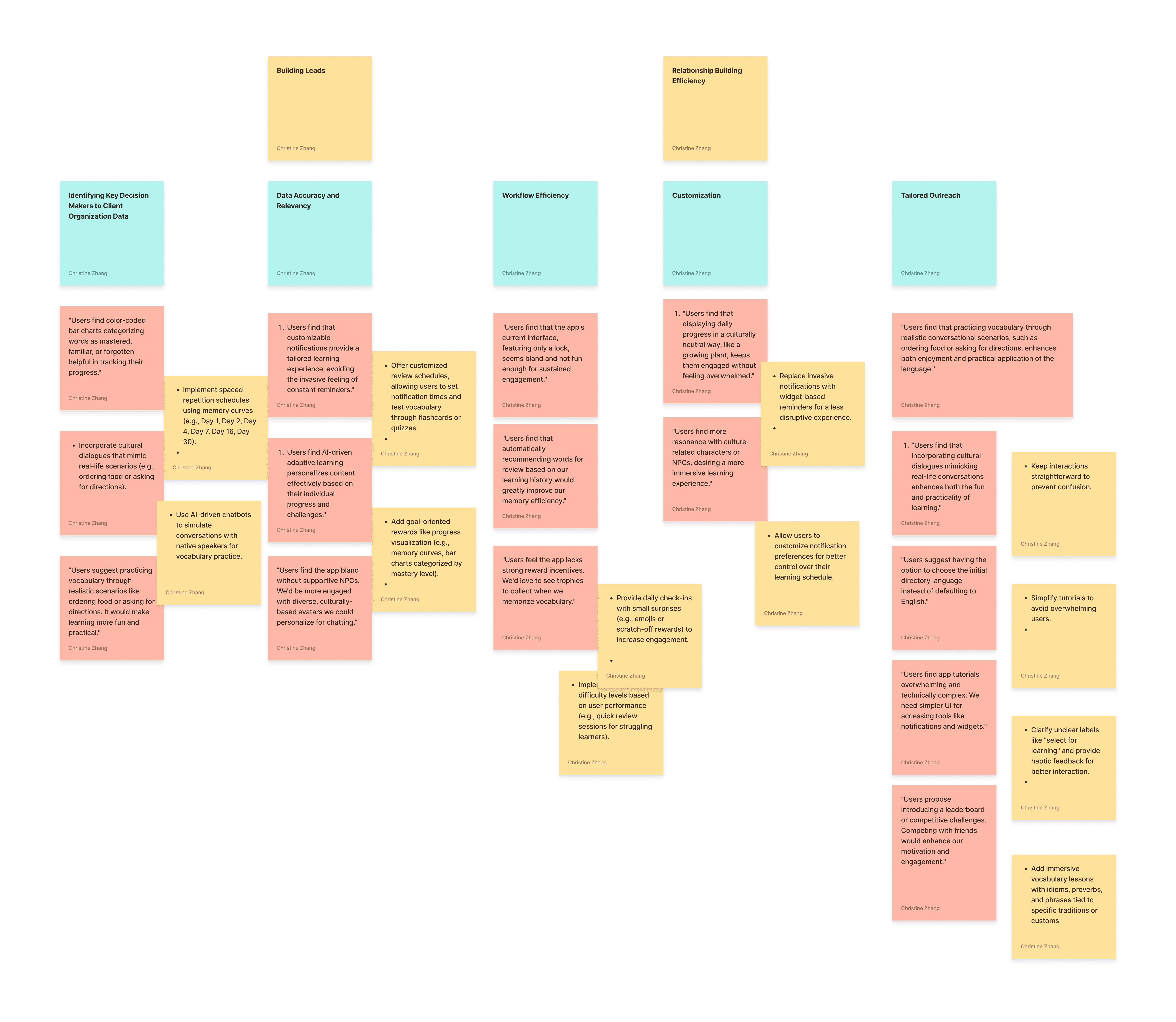
I facilitated a design workshop and led the team to map out our feature prioritization, which persuaded the team of the value of information-sharing and automated follow-ups.
03. Design Processes
Ideation + Scoping Down Details
Some Explorations of Information Sharing and Follow-Ups
CRAZY 8
Initial Brainstorming
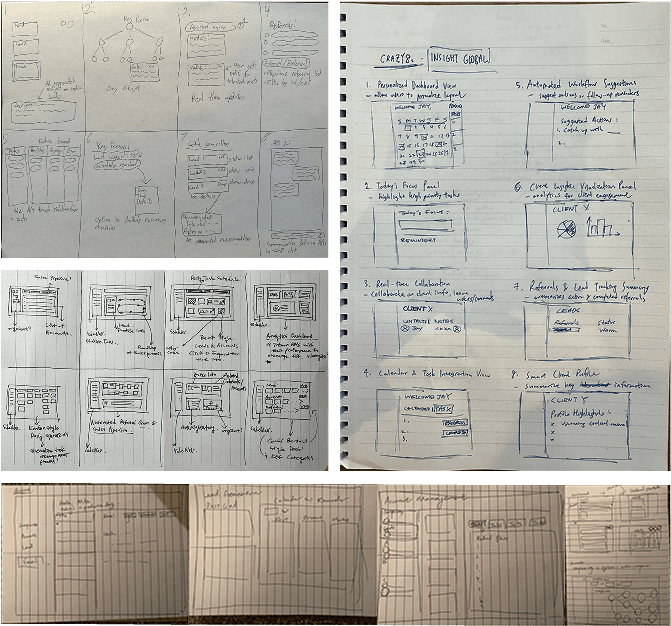
CONCEPT SKETCHING
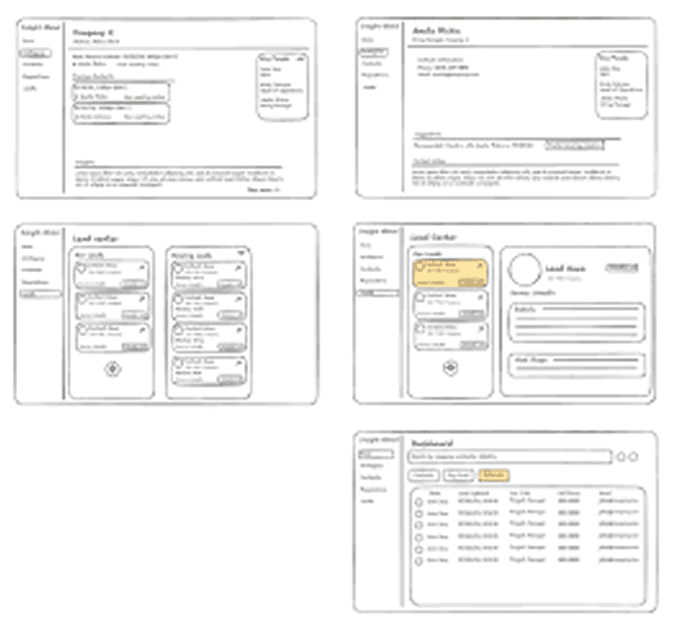
Low and Mid-fidelity Wireframes
Wireframe Testings with 4 Account Managers
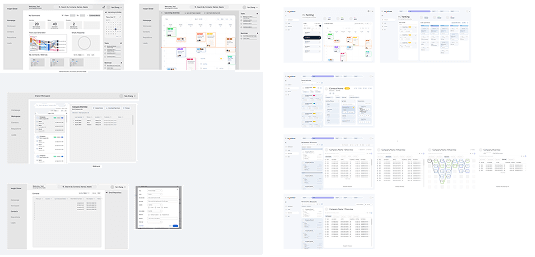
Intiial ideas
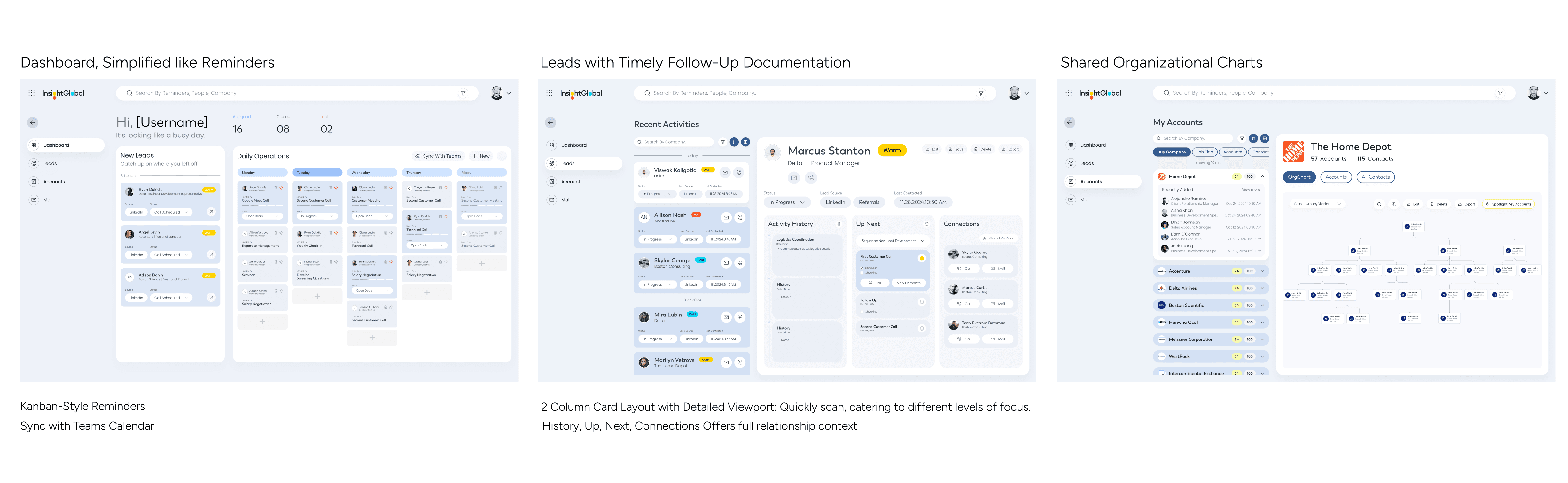
IDEATION FINDINGS
🗣️ Everyone thumbed-up the Org Charts, but needed Visual Clarity in Accounts
Users also requested clearer labeling and distinction to better visualize complex client relationships.
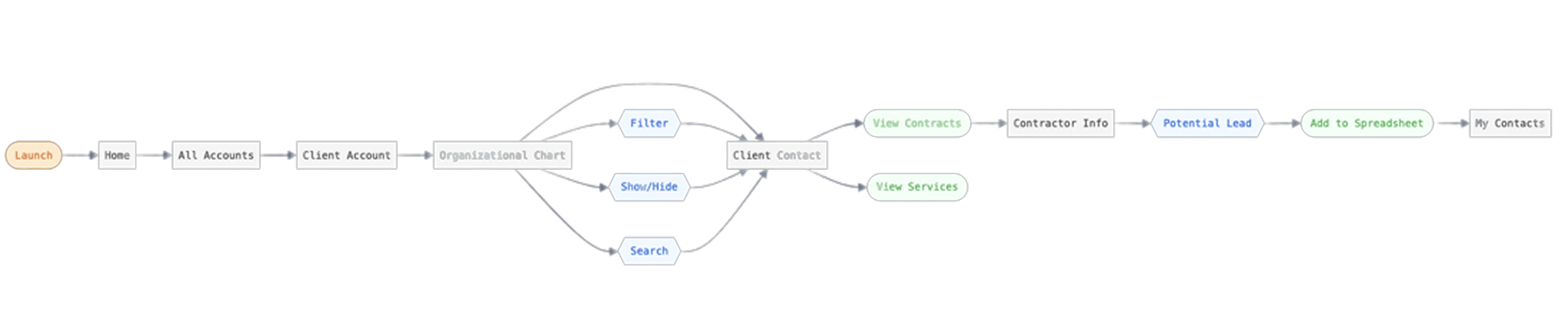
Building the key flows
Aligning with the stakeholder, we prioritized the most important 3 MVP feature user flow based on value and effort.


The VERY FIRST versions of our prototype
Spotlight Key Accounts in the organizational chart
Shared Charts: eliminates manual work and reduces cognitive load.
USER TESTING: Cognitive Walkthrough + Usability Testing
3 Account Managers + 2 Industry Experts
Five participants (n=5) completed four tasks on our prototype. We then compared the time taken and the number of clicks required to complete each task.
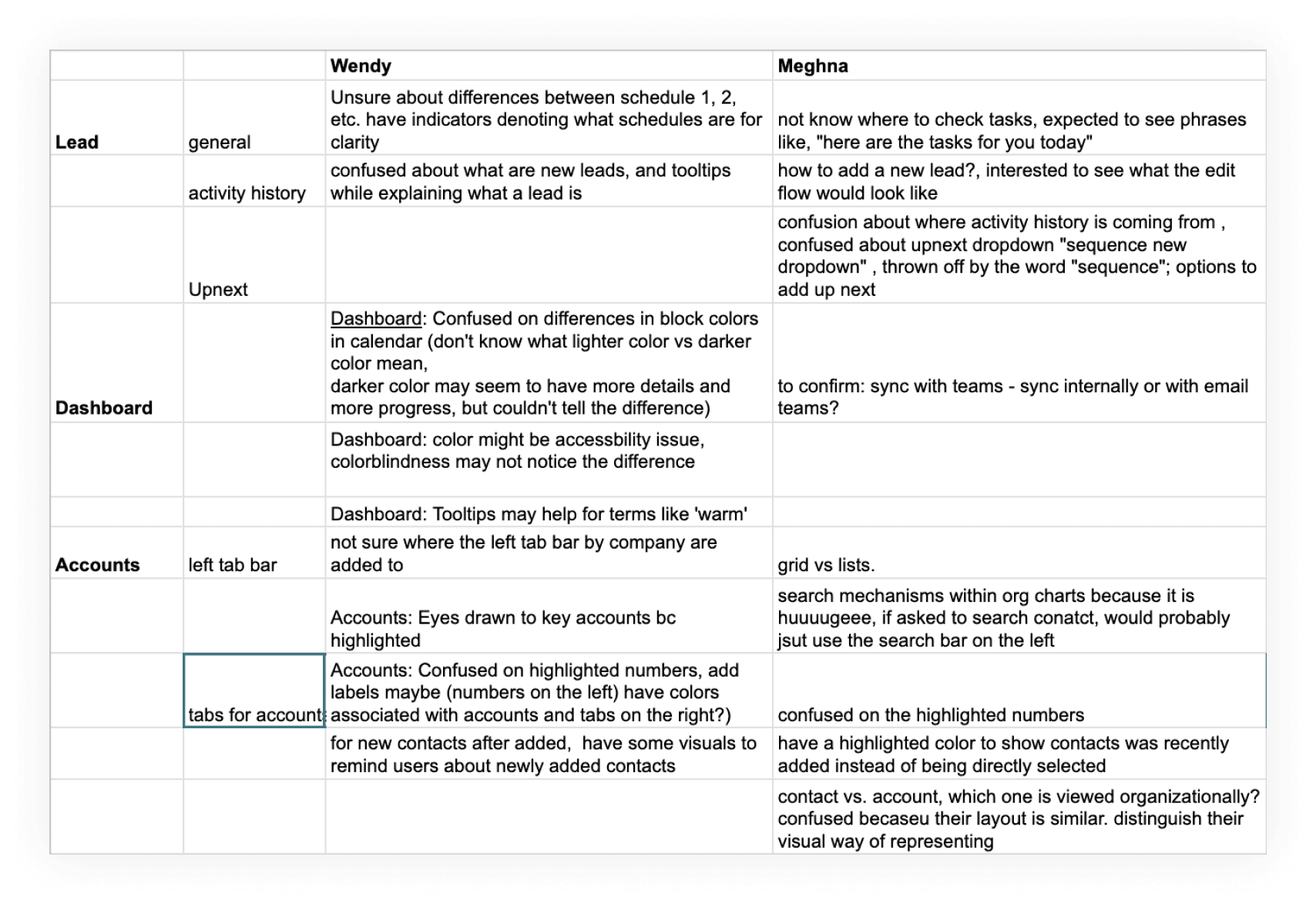
Analyzed expert's responses for the usability issues
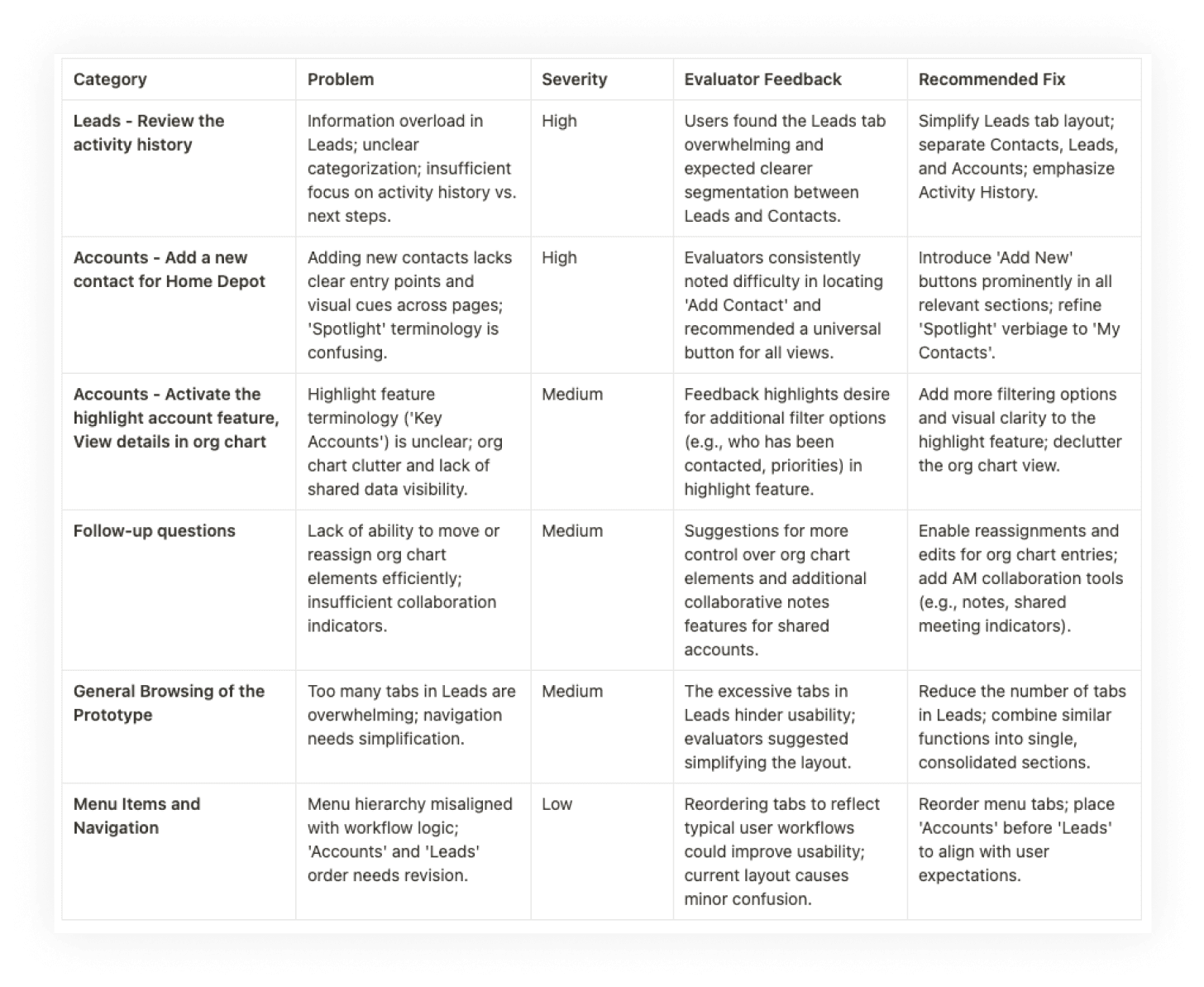
Coded Evaluations in table form, Rated each each based on degree of severity
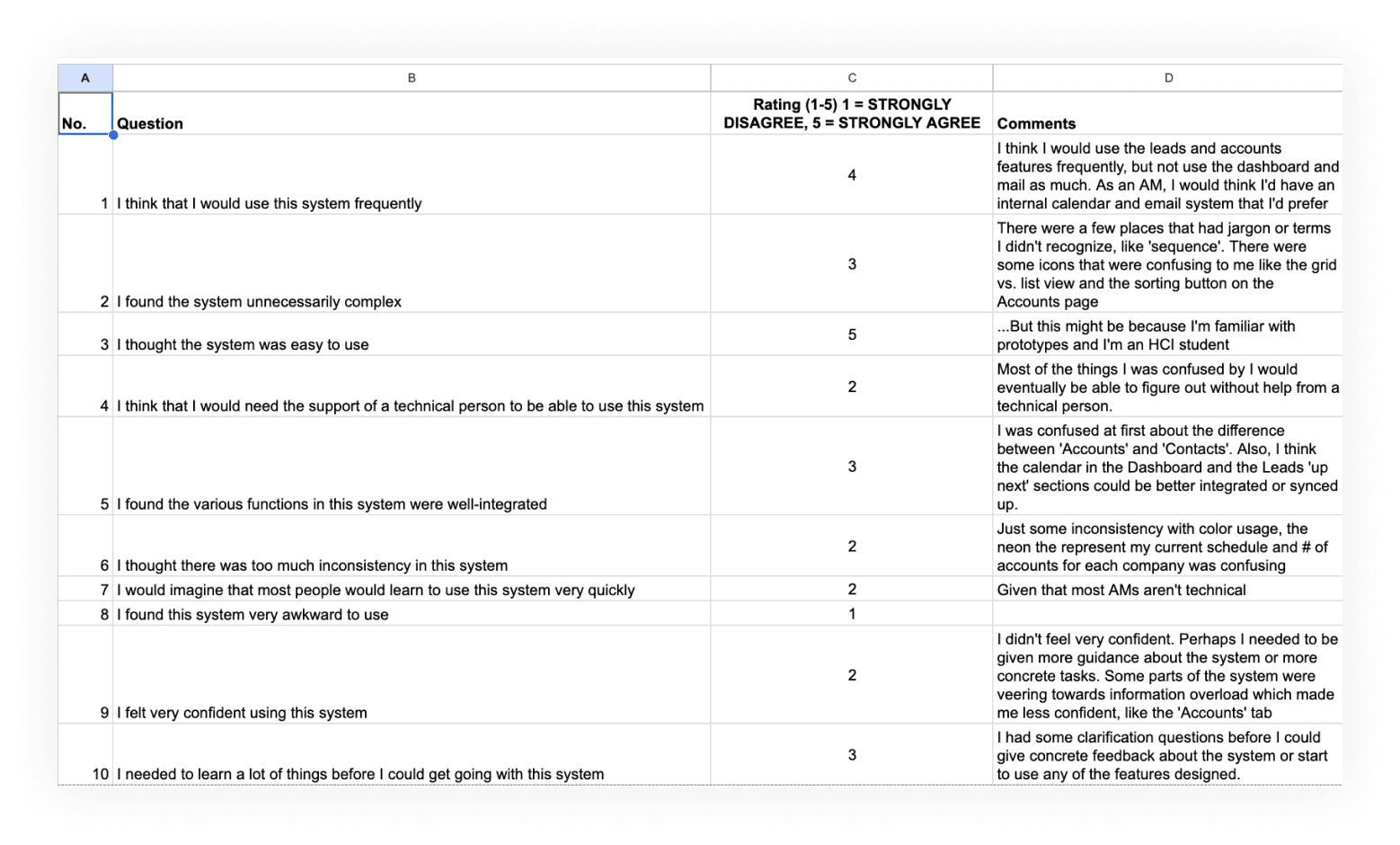
Analyzed SUS Questionnaire Results
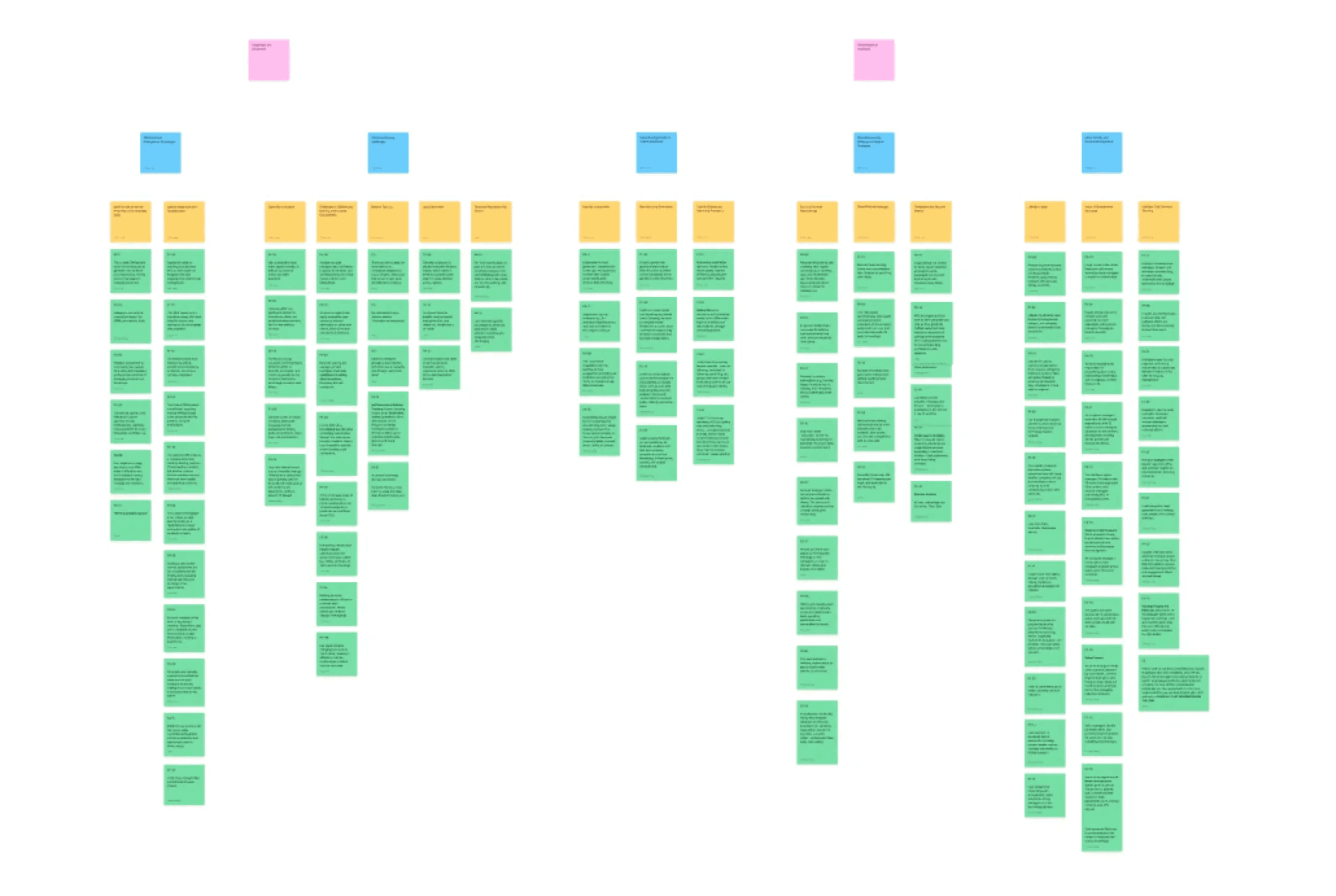
Synthesized By Affinity Mapping
WHATS CHANGED
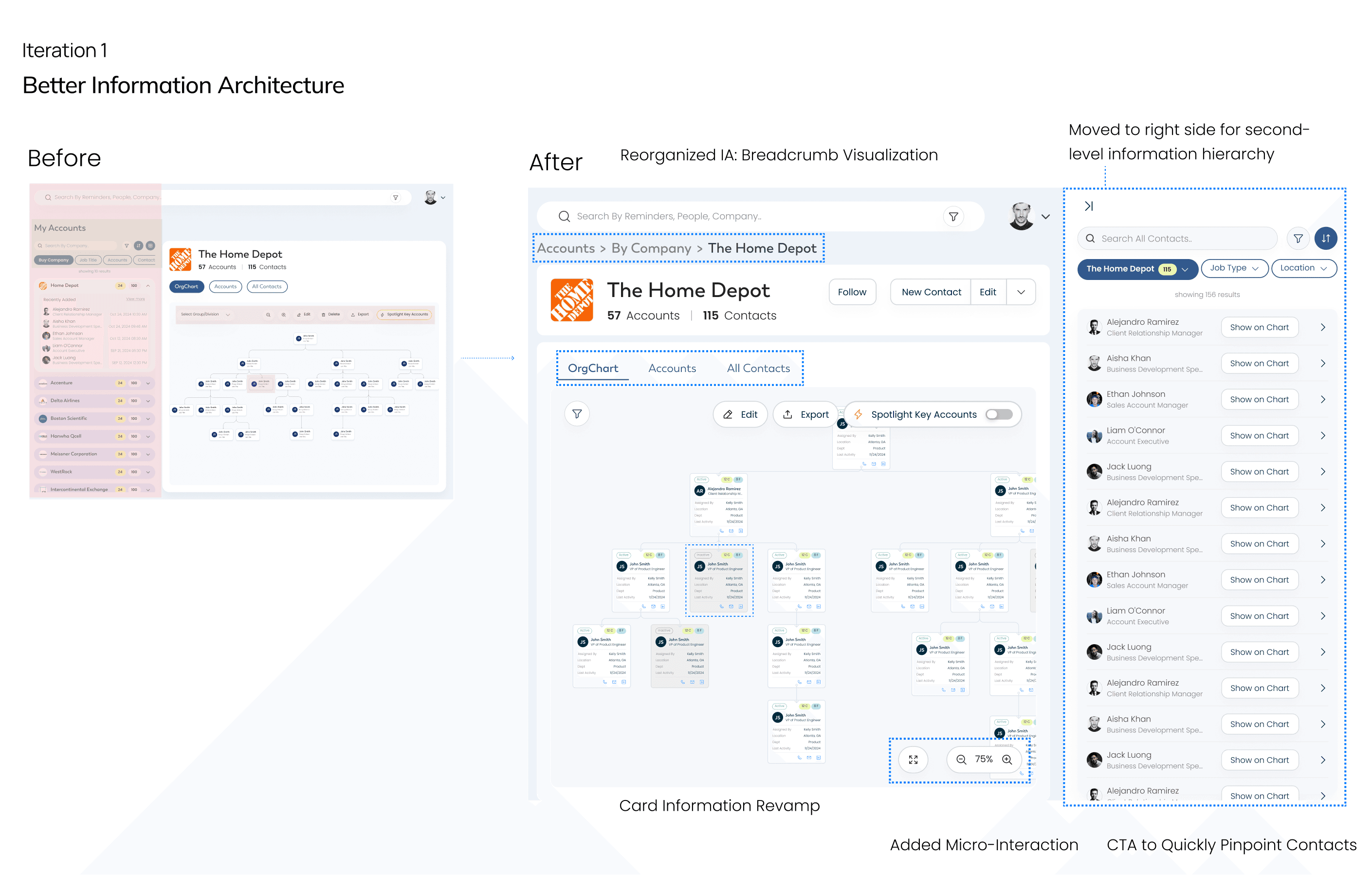
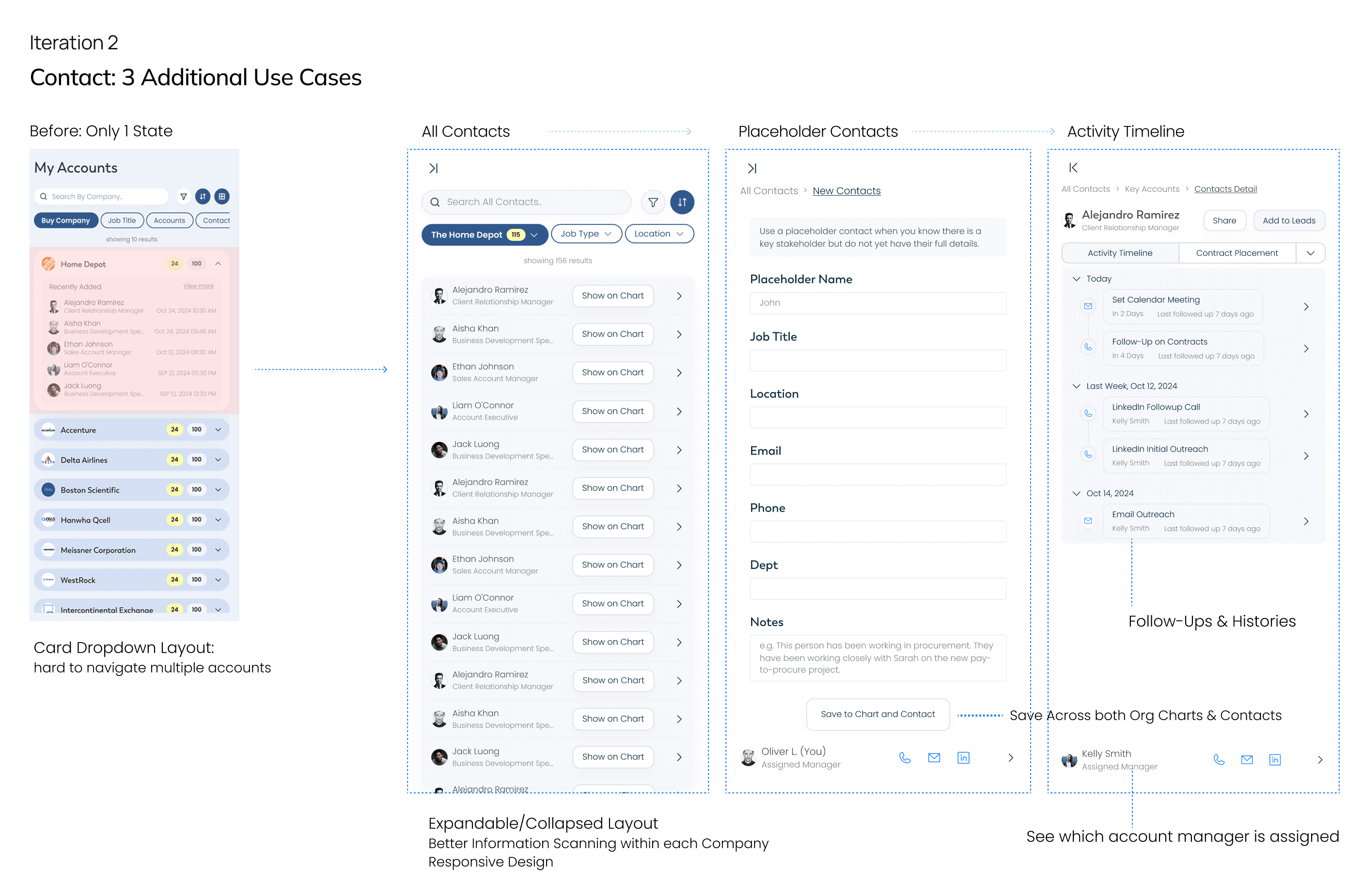
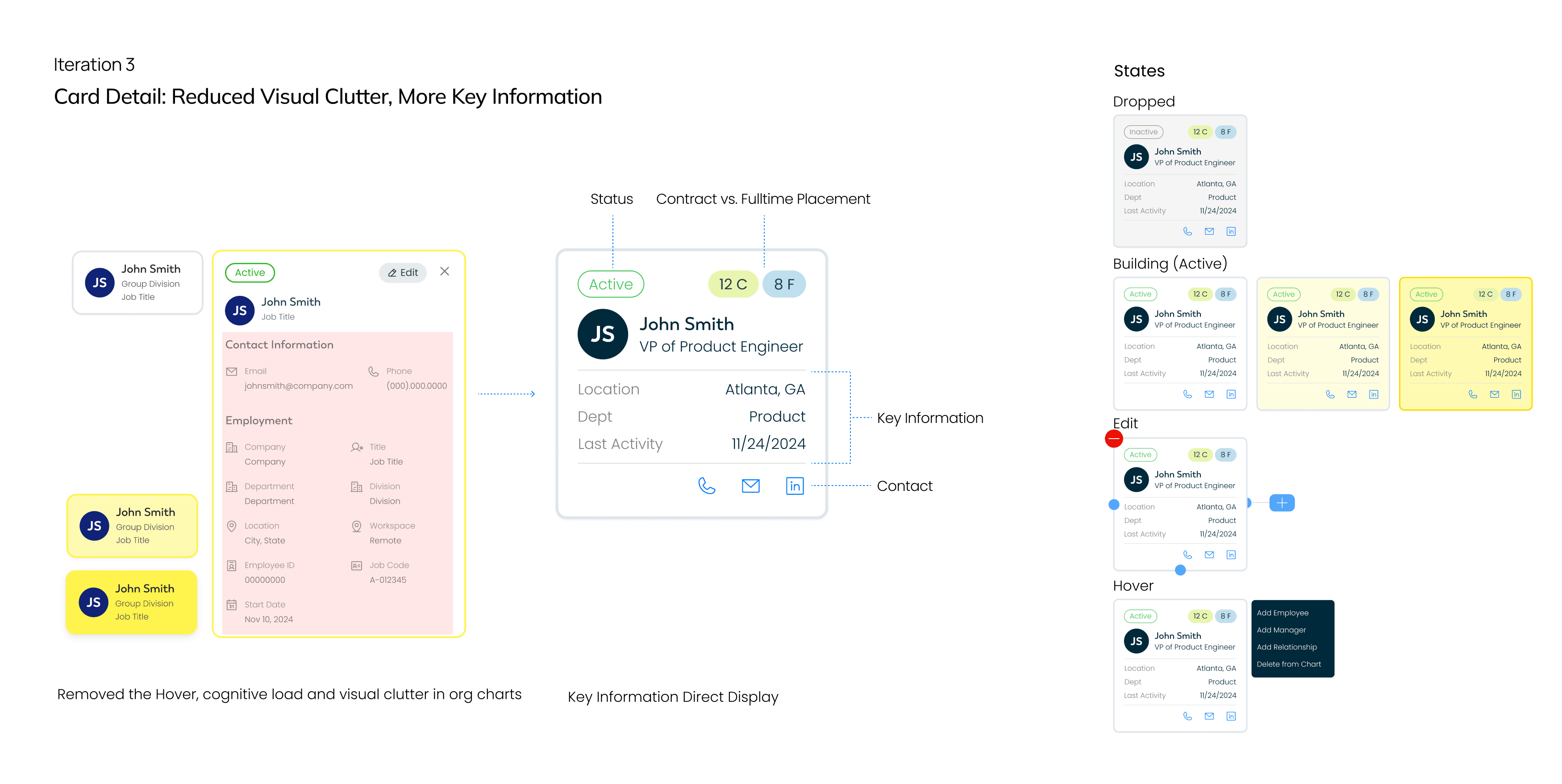
After User Testing Iterations
The Final Prototype
Key Highlights:
Expandable Contacts: 3 Additional Use Cases for key tasks
Breadcrumbs: Reorganized to clarify grouping by companies
Cards: Improves scannability and reduces time spent
04. Digging Deeper on Value-Additions
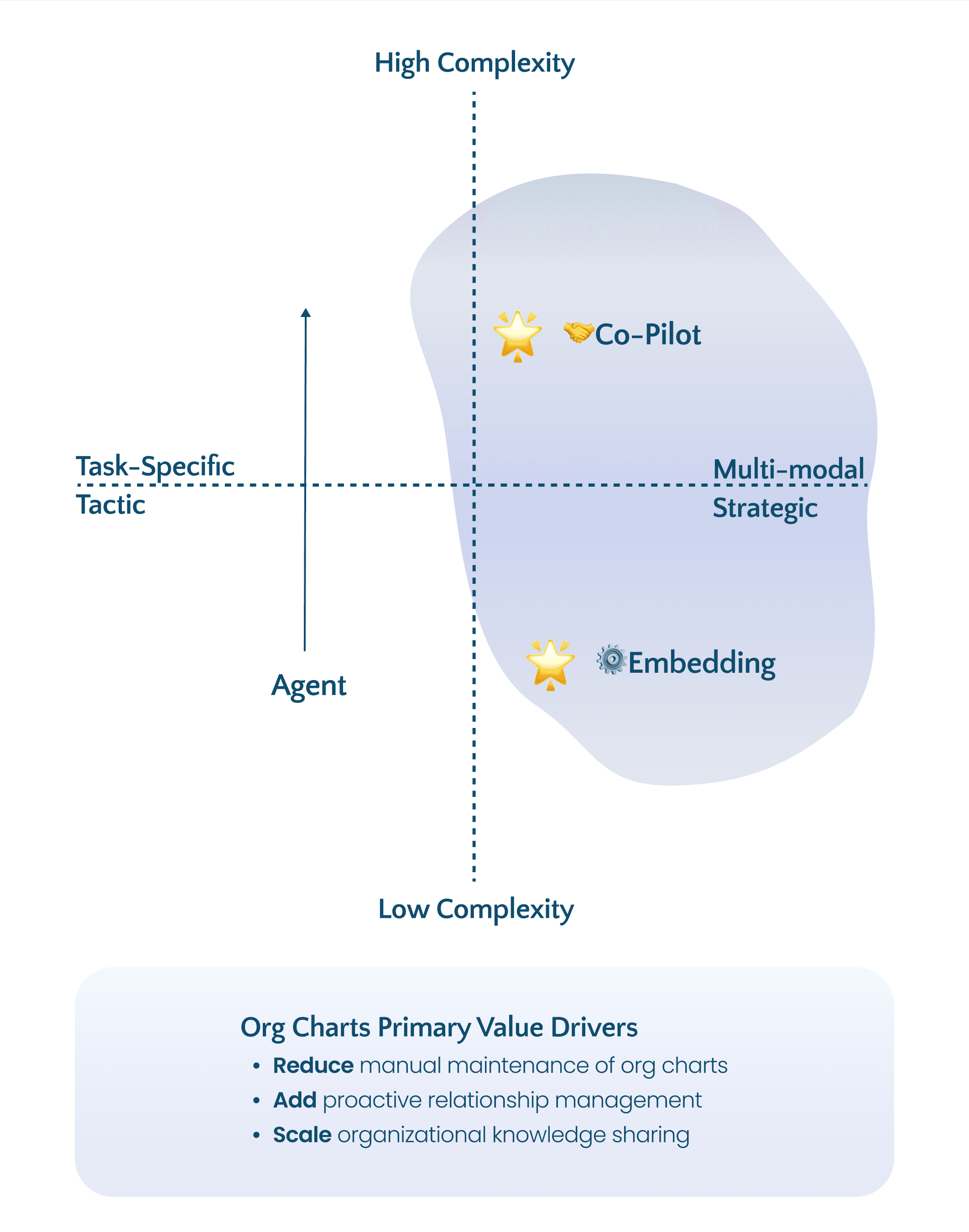
Re-evaluating Use Cases & Digging Deeper
Can AI add value to our use cases?
By thinking about AI's primary value drivers, I identified that business consultants with complex multi-modal data needs would benefit most from:
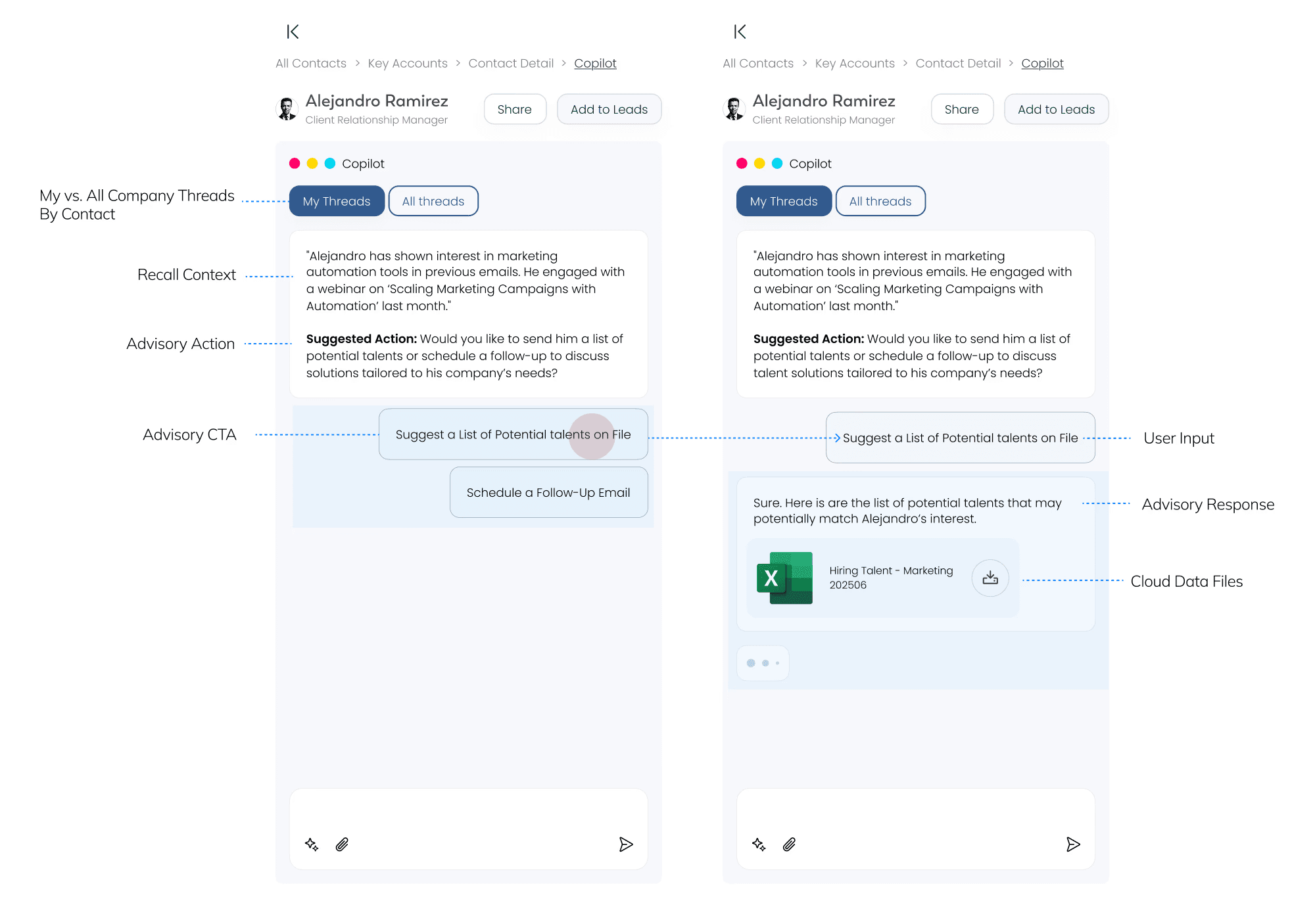
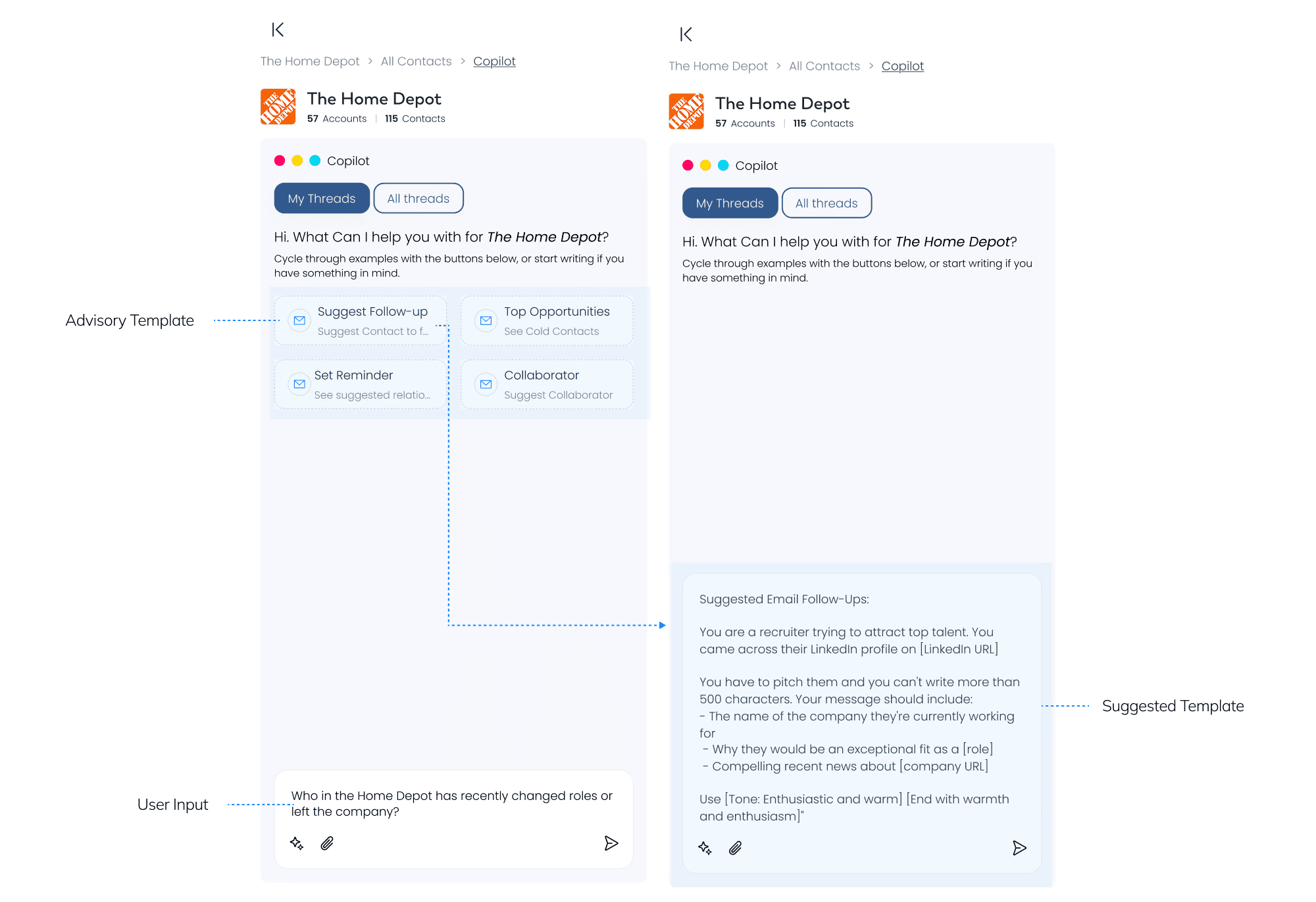
AI Co-Pilot: Suggests priority leads and follow-ups based on engagement history
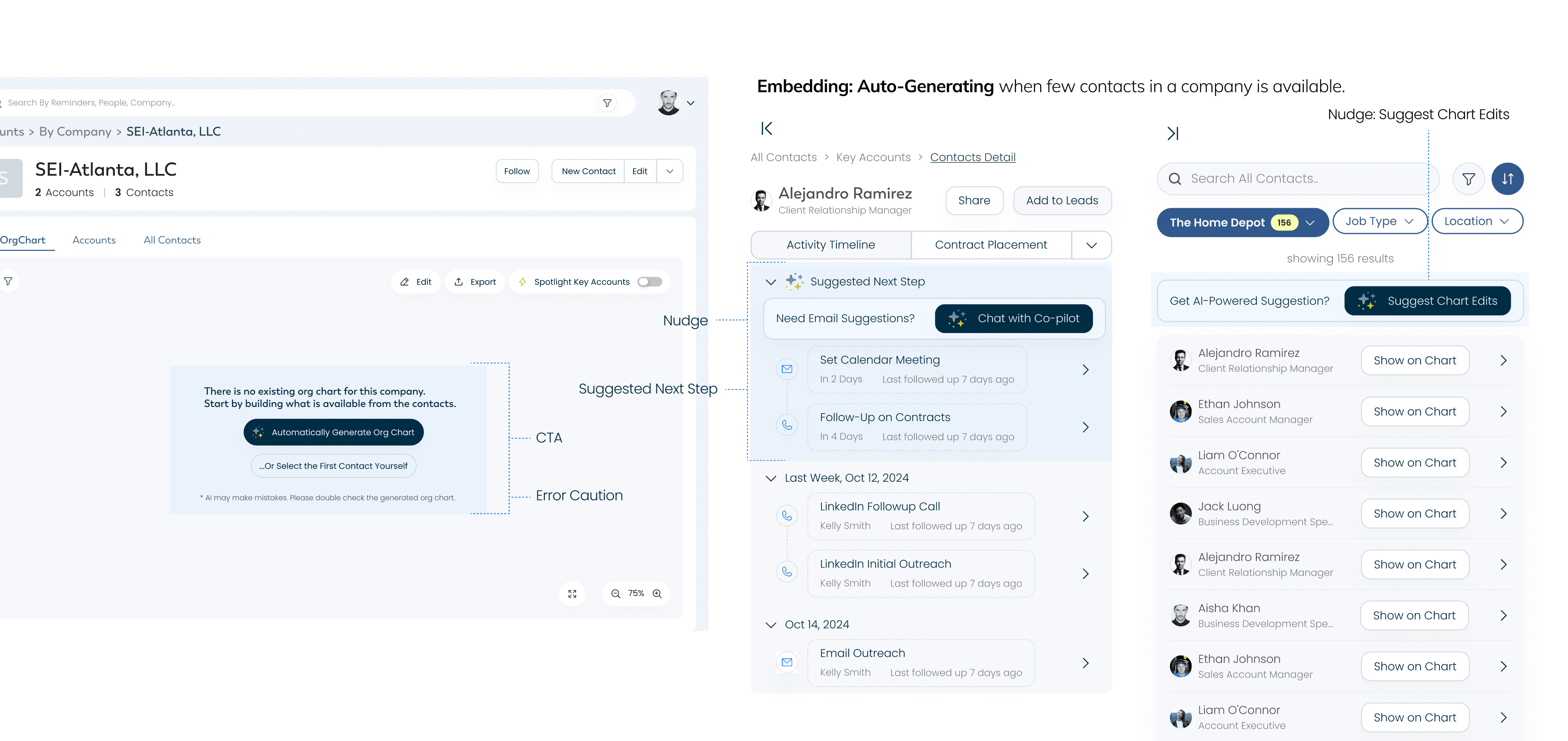
AI Embedding: Automates org chart creation from contacts and emails
Looking at Comparables & Best Resources in AI
What are some patterns that can be adapted?
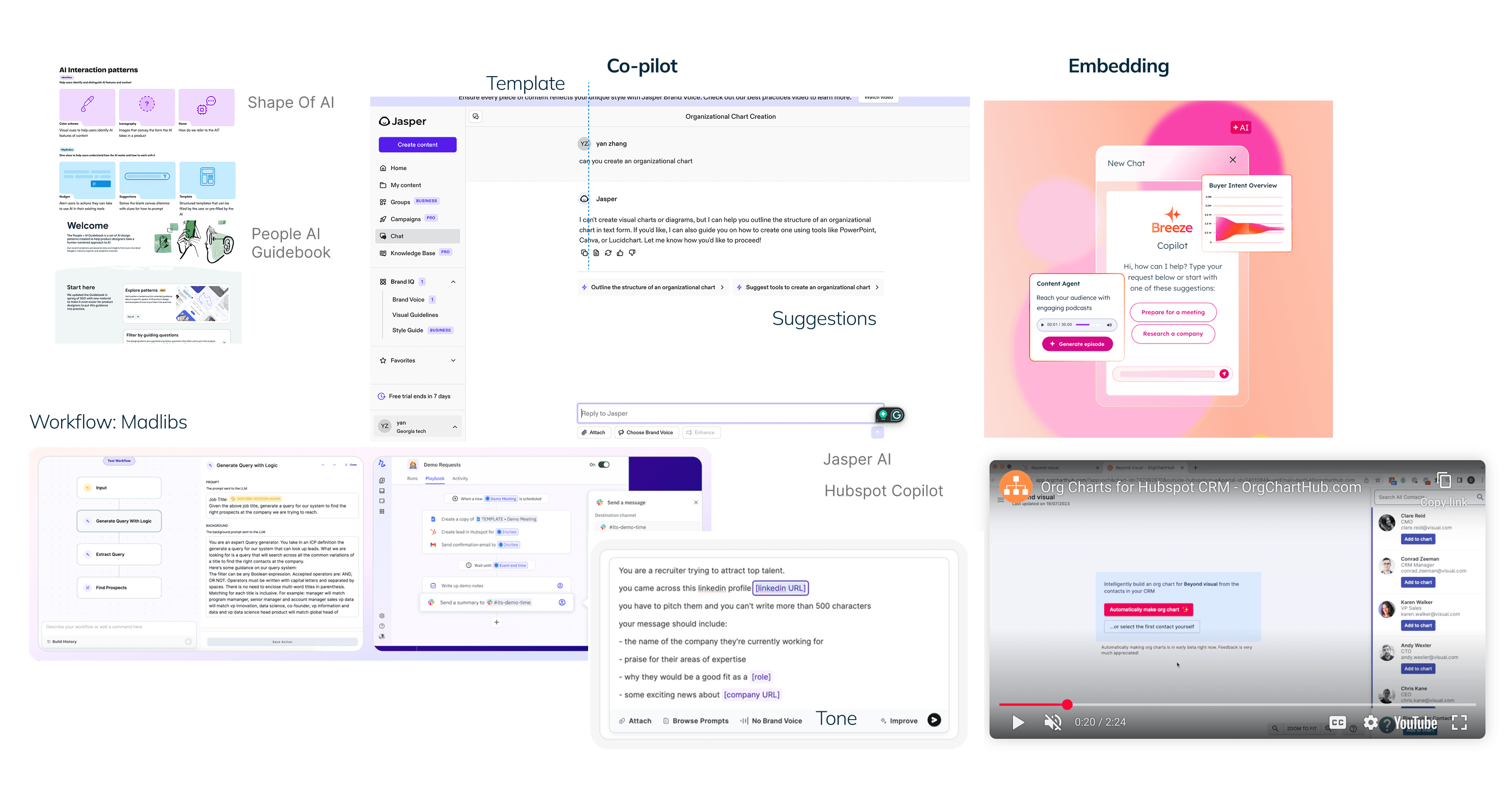
Use Cases of Embedding AI
Auto-Generation & Suggest Chart Edits to improve work efficiency
Use Cases of Copilot AI
Contact: Next-Step Suggestions
Use Cases of Copilot AI
Company: Follow-Up Template
Use Cases of Copilot AI
Madlibs for Saved Workflow, Automate Manual Process in Switching from Multiple Platforms
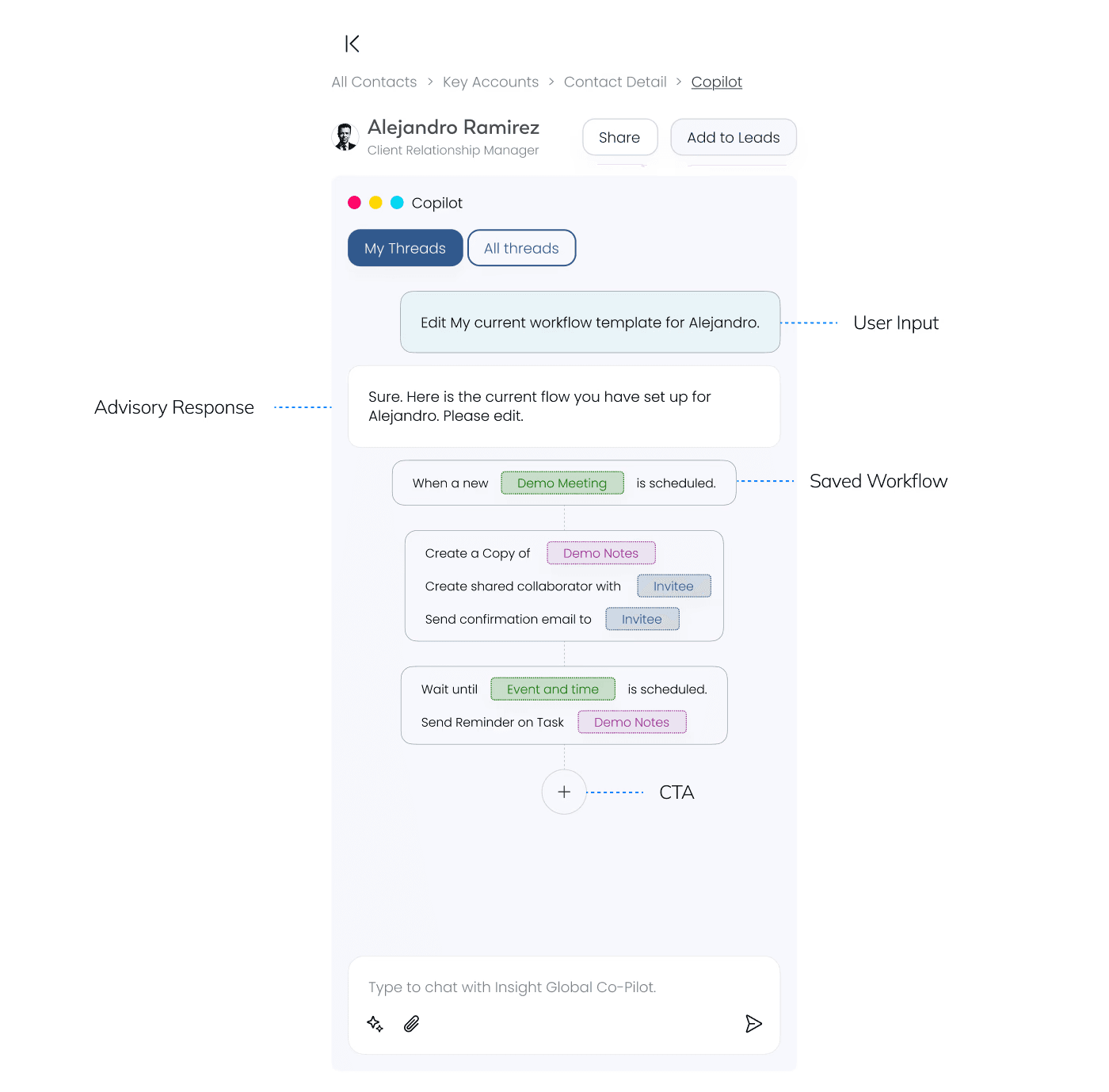
Pitching Values, Rather than Pushing for Implementation :
Since our stakeholders have limited AI familiarity, my goal through these designs is to demonstrate the concrete value through practical examples, so that they could easily visualize within our product context.
05. Project Recap:
EFFICIENCY
* ~ 1hr spent on Org Charts to ~ 3m56s
TRANSPARENCY & TRUST
*2 features on spotlighting and sharing key accounts
SATISFACTION
*feedback from 4 stakeholders, 4 AMs on SUS Questionnaire
CONCLUSION

Working with A Broad Scope but Restricted Access
We have experienced multiple switches between the key points of contact. Additionally, our access to Insight Global's CRM and internal tools like Hubspot has been restricted. We focused on interactions within the accessible parts of the system and validated our findings through market research.

Cross-Reference Data, Prioritize Key Flows instead of All

Show everything with stakeholders
In terms of stakeholder management, it can be more time-saving to show everything and be transparent at every stage of the design process. Stakeholders understand that the design process is not linear, so don’t be afraid to show high-fidelity designs during the ideation stages.