Lockcard 📖: Revamping the Design System
Context —
Component Libraries, Design Token
Role —
Design System Designer
With —
1 Founder + Designer, 1 Developer
Duration —
Sep 2024 - Dec 2024 (3 Months)
01. Project Overview
What does it feel like to work on an app that you use daily?
BACKGROUND
Context: A Vocab-Searching Dictionary… through Repetition Widget Learning 🏆
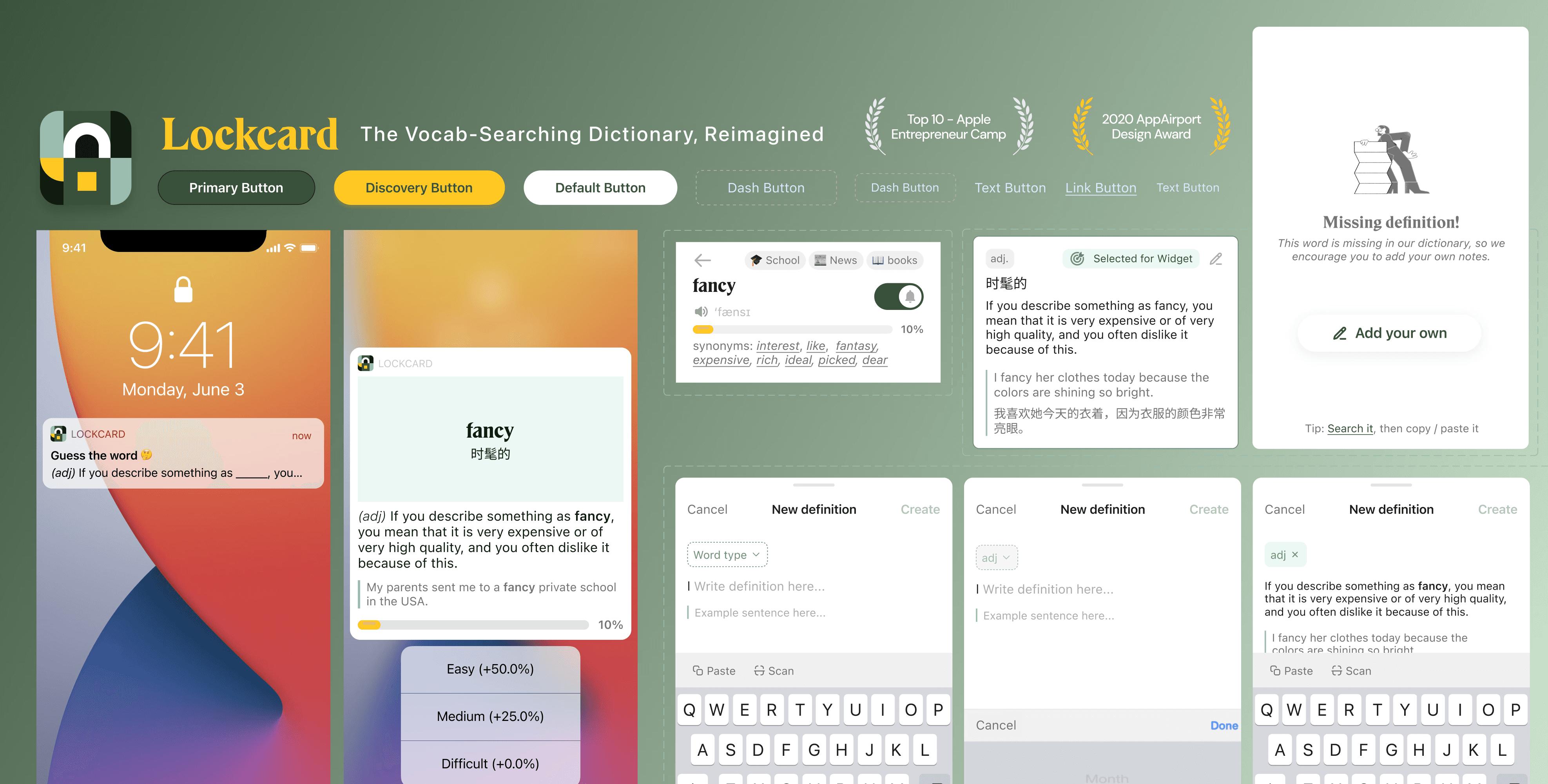
Lockcard is a recall app for searching and reviewing new English vocabulary through spaced repetition and micro-interactions in notifications and widgets. It has been on the App Store since 2020 and is a Top 10 app in the Apple Entrepreneur Camp.
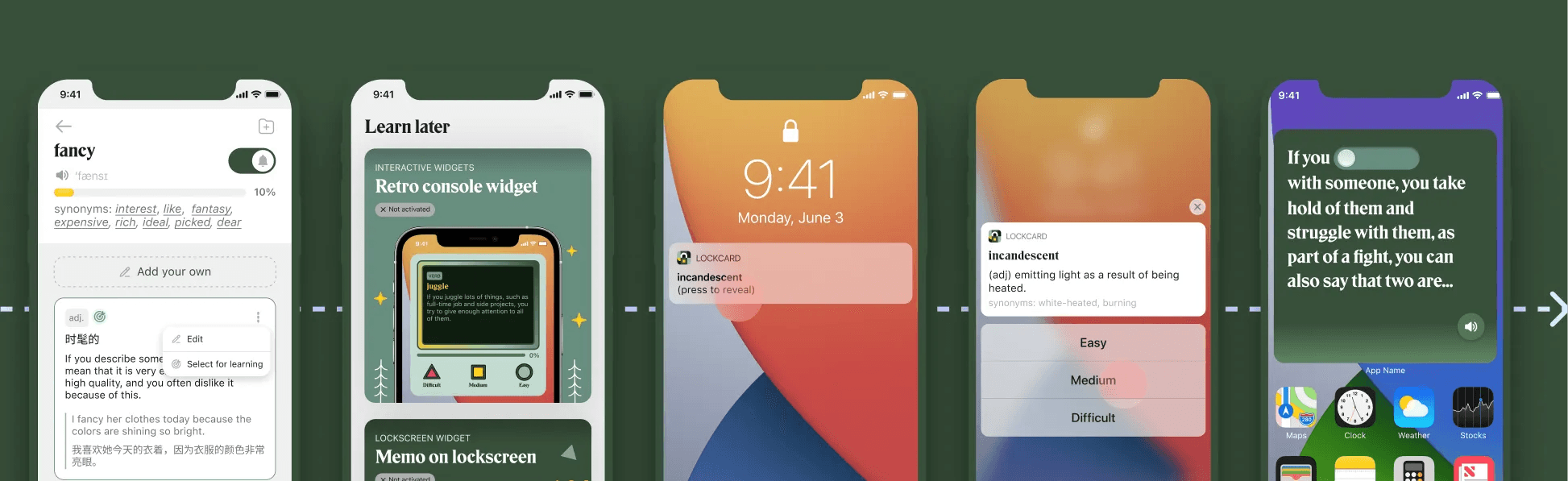
*key feature flow of Lockcard
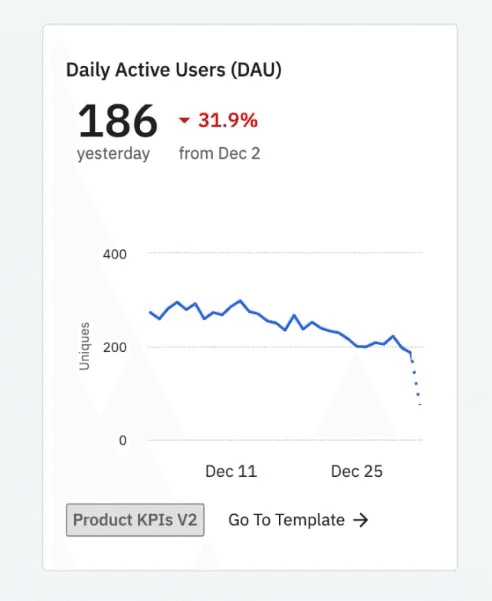
But…..Declining Daily Active Users (DAU) 🚩
Currently, Lockcard is struggling to keep its users after 3.5 years in the market. The declining daily active users indicates a need to uncover key touchpoints in the current user flow.
After onboarding with the founder, I learned that the first step is to elevate the brand image and audit the existing screens.
My Role: Design System + Usability Issues Revamp
As a user of the Lockcard app for over 2 years, I contacted the iOS app Founder to contribute. Over 3 months, I revamped the design system, identified existing usability issues, and handed off debugs for the developer to work on.
02. Lockcard: An Expanded Design System
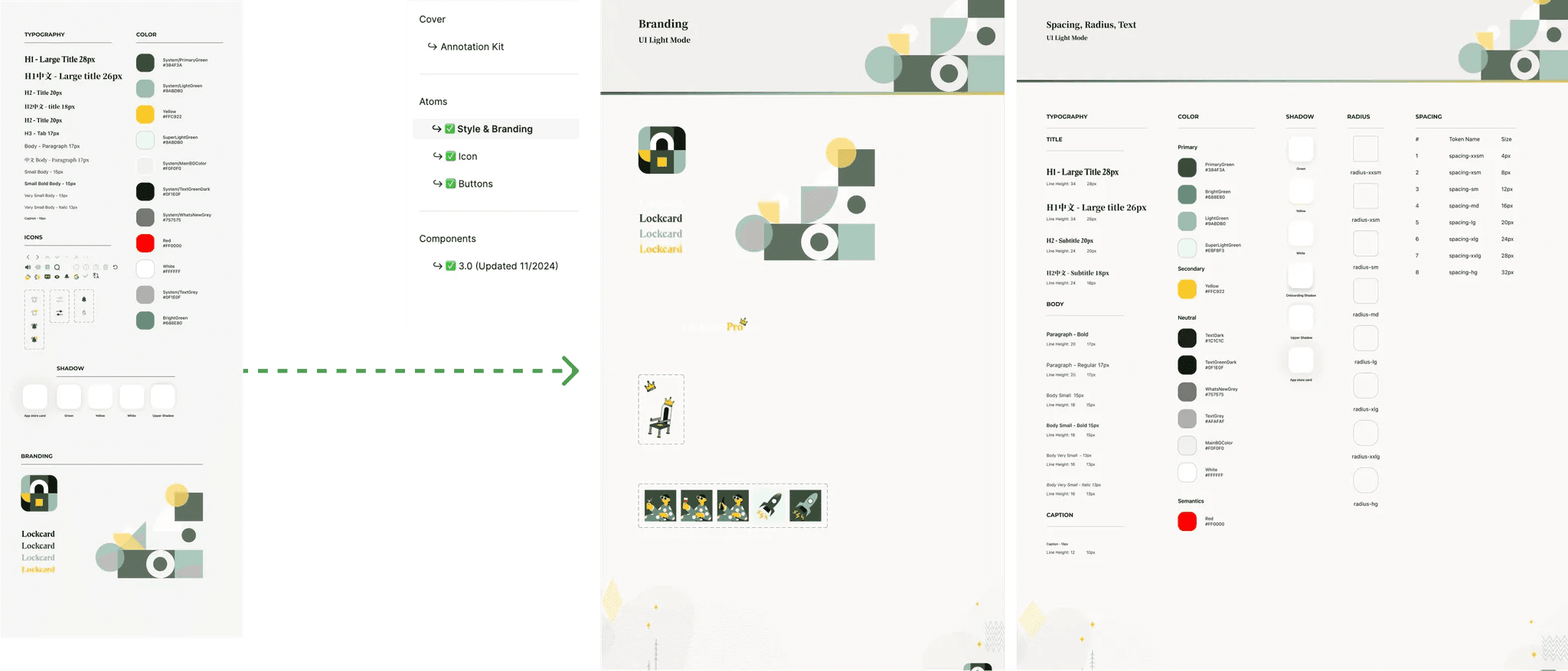
A New System to streamline design-dev consistency and future scalability.
SOLUTION 1
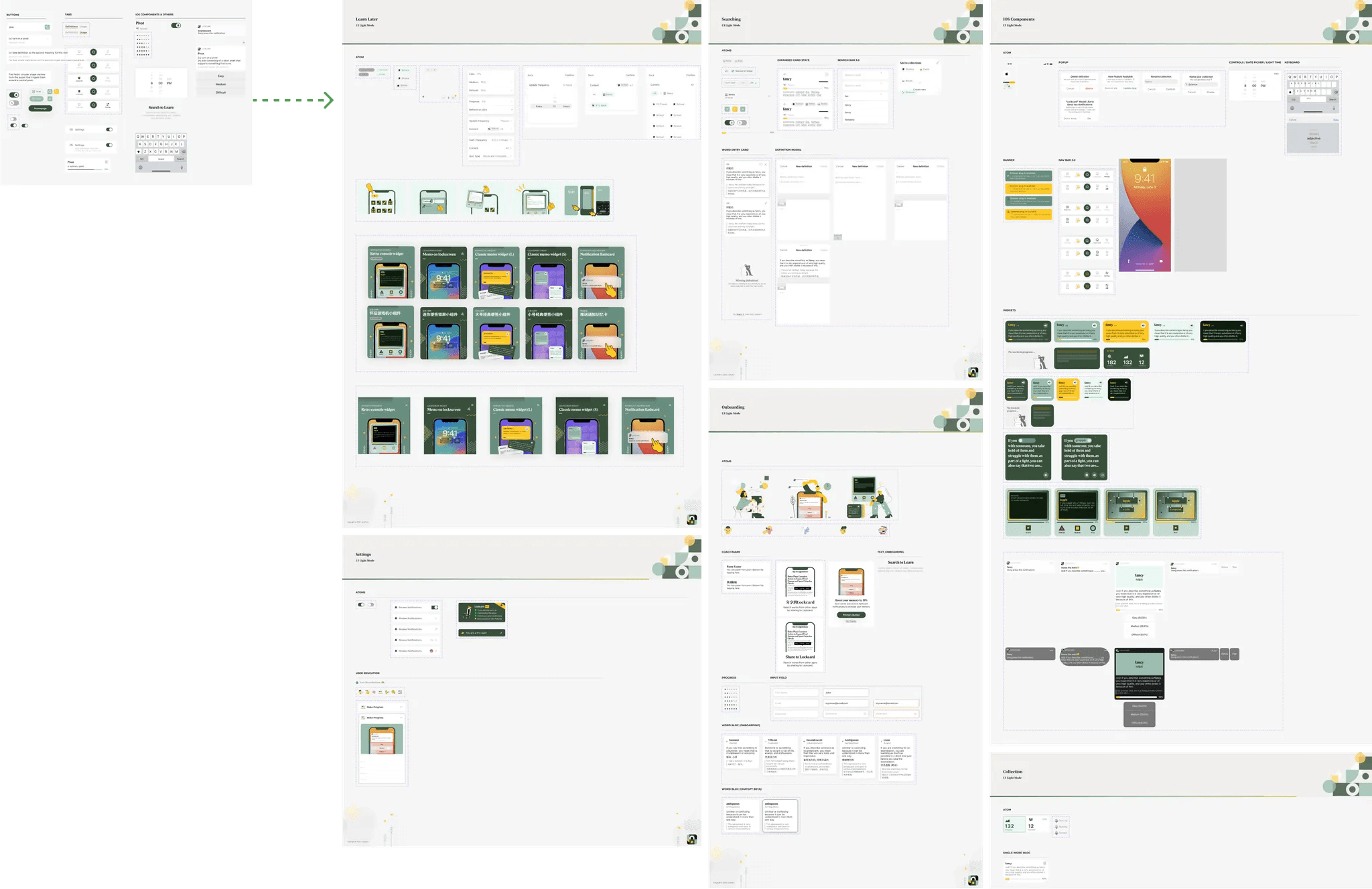
Expanded Style Dictionary with borders, spacings, and used colors
SOLUTION 2
Pre-built, Reusable Components, with nested instance and instance swap embedded
SOLUTION 3
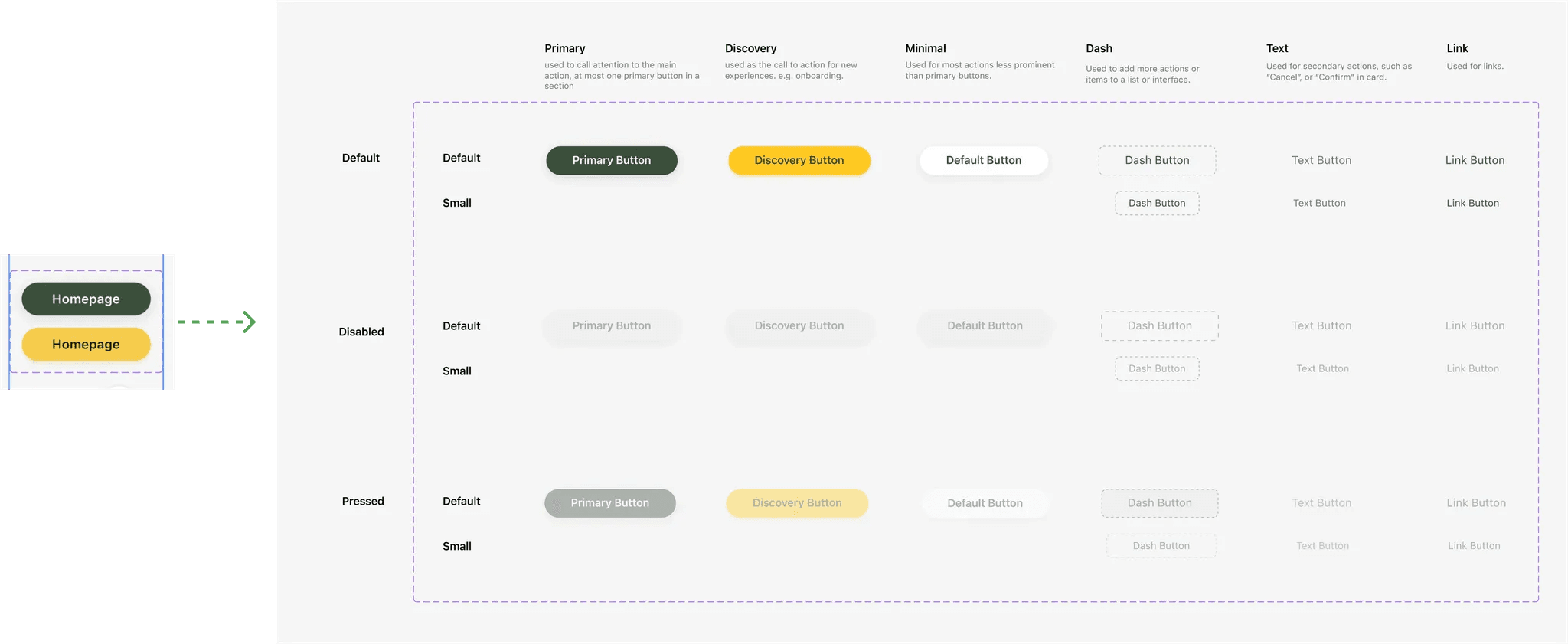
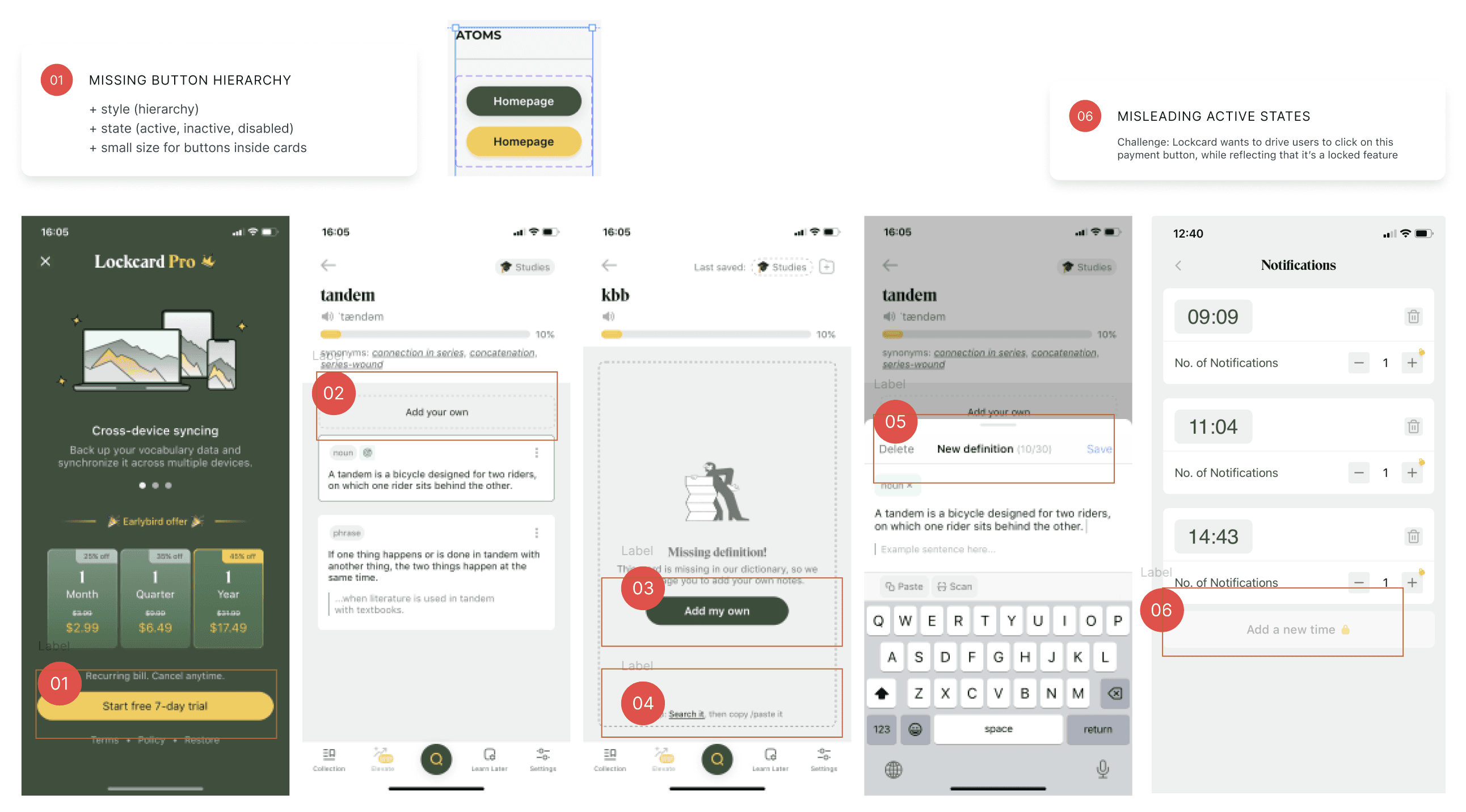
Buttons with Re-established Hierarchy of States, Usage, Size
03. The Problem Space
What are the problems that inspired the need for a re-organization of design system?
PROBLEM !
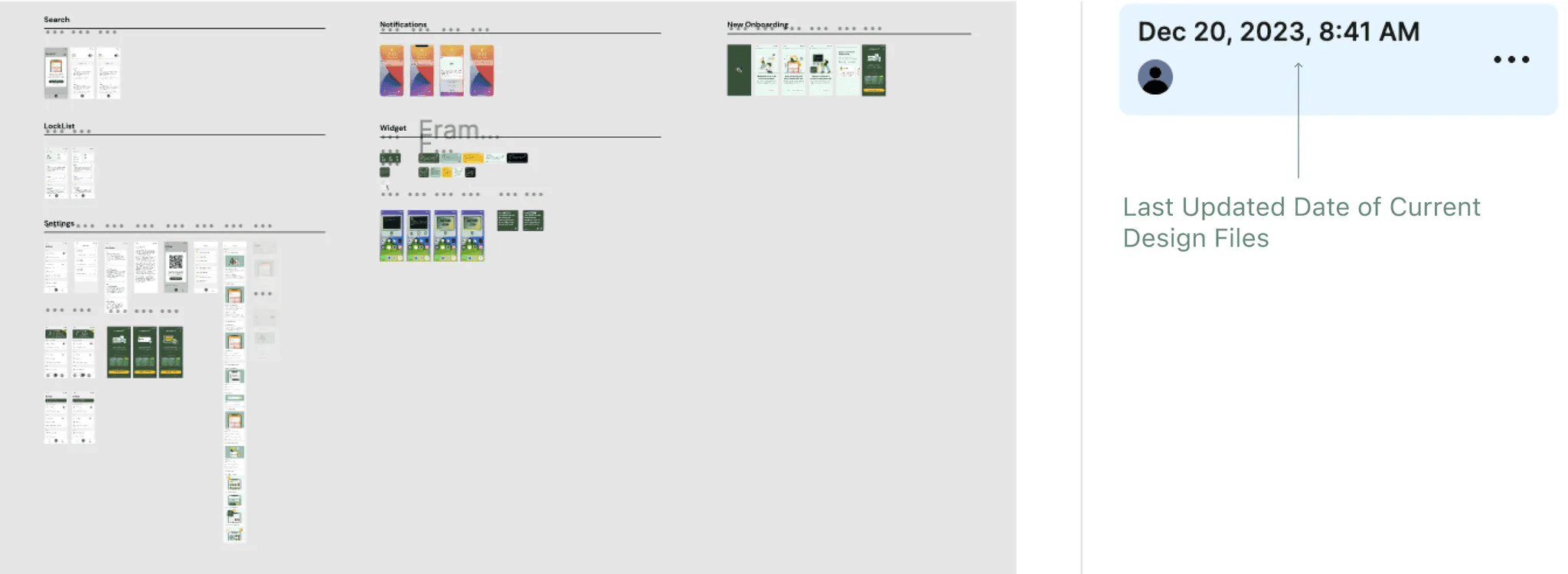
Outdated Design Files
Lockcard has been publishing new features, but the designs in Figma are outdated and scattered in different files. This makes it hard to keep track for iterations.
PROBLEM 2
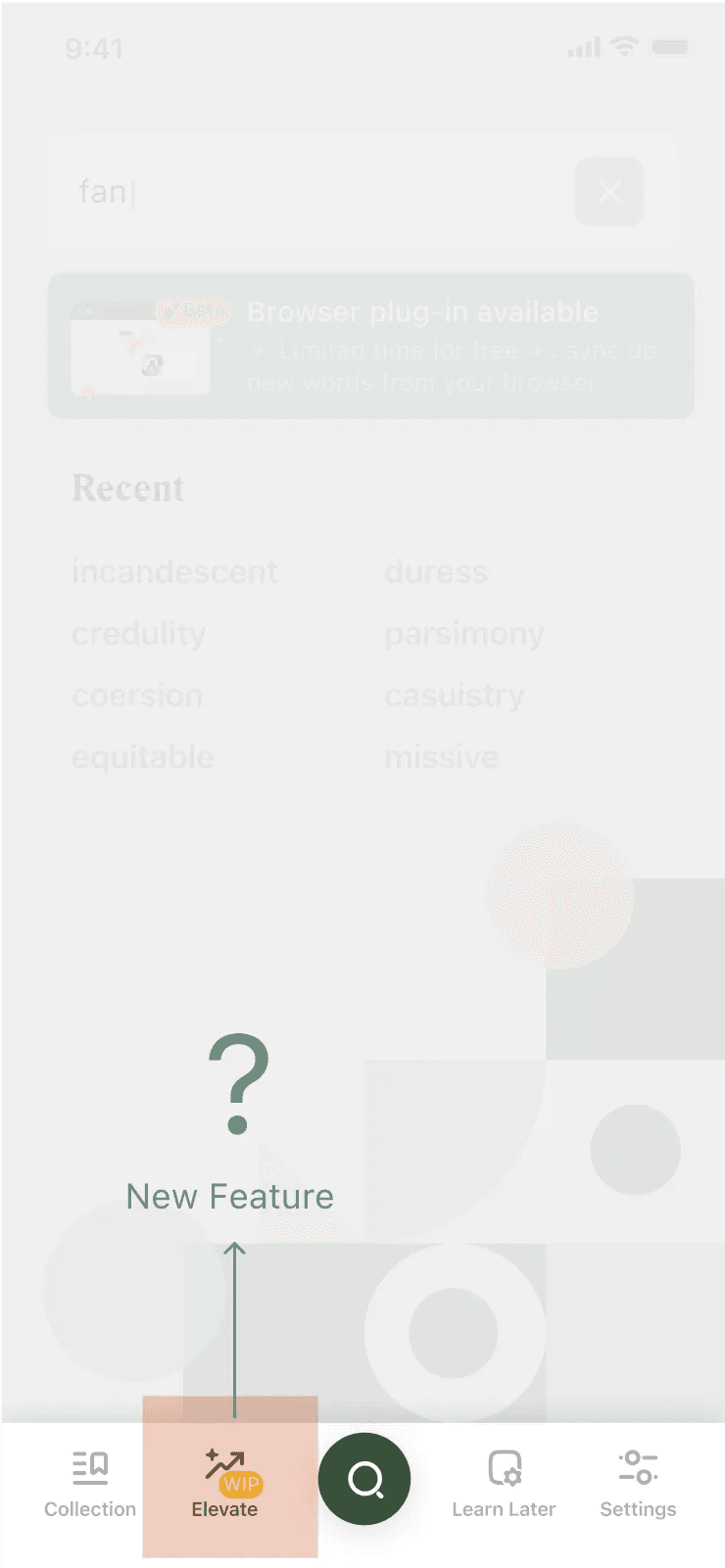
Future Scalability: New Features and Cross-Platform Expansion
Lockcard is developing elevation feature like AI memorization and chrome plug-ins. These additions require a scalable design approach for cross-device consistency. A design system ensures reduced friction in design implementation and efficiency, as well as future team expansions.
04. My Process
How did I discover, define, and ideate on the usability issues for design system revamp?
DISCOVERY
🚩 4.1 Noticing patterns while auditing the current screens
My onboarding task was to organize the current screens and reconnect the existing components. During this process, I began to notice a pattern of design inconsistencies in colors, buttons, and layouts.
DISCOVERY 1
Too Many States, Inconsistent Usage
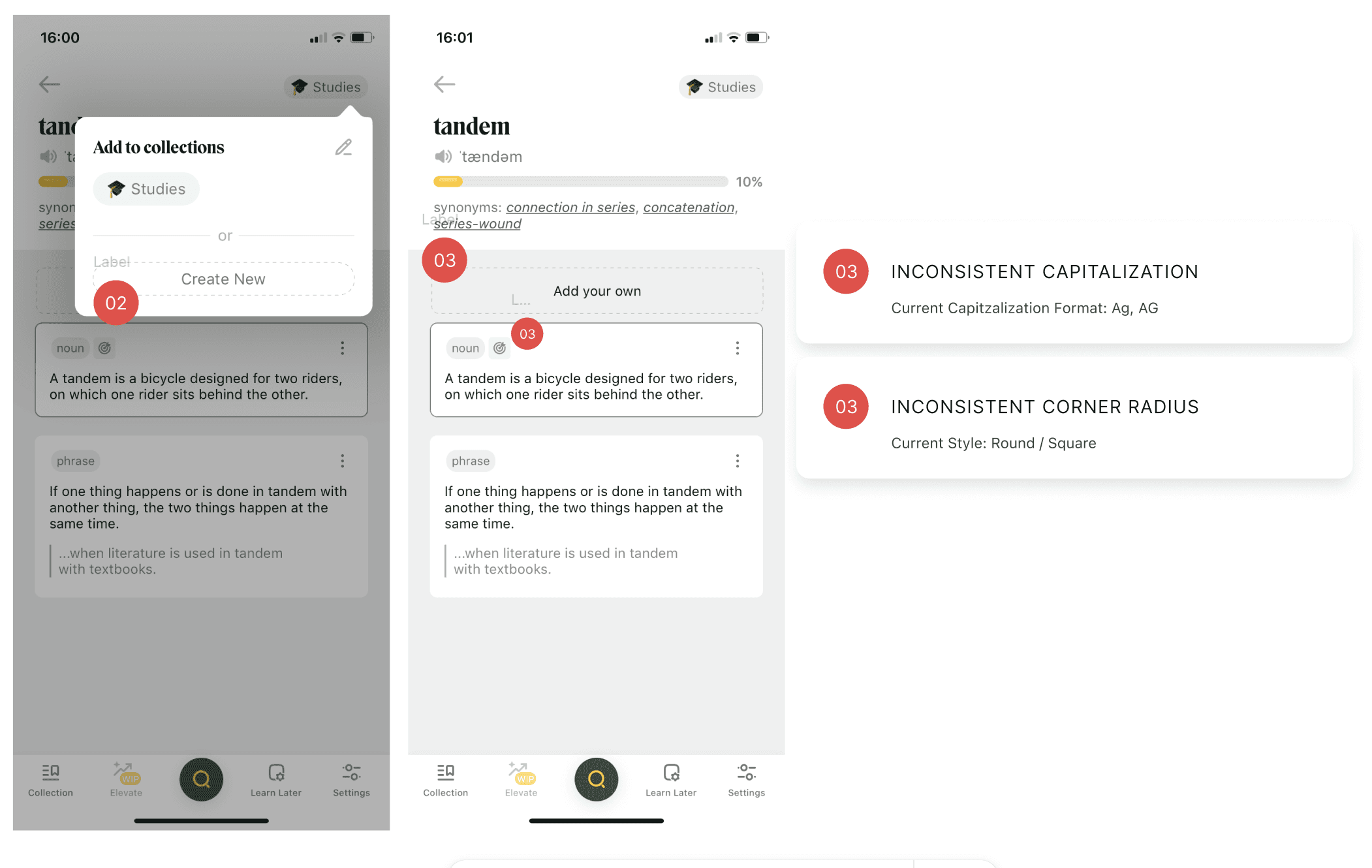
While auditing the screens, I noticed that more than 6 different button styles exist in the current designs, some with different corner radiuses. However, there are only two buttons in the design system.
DISCOVERY 2
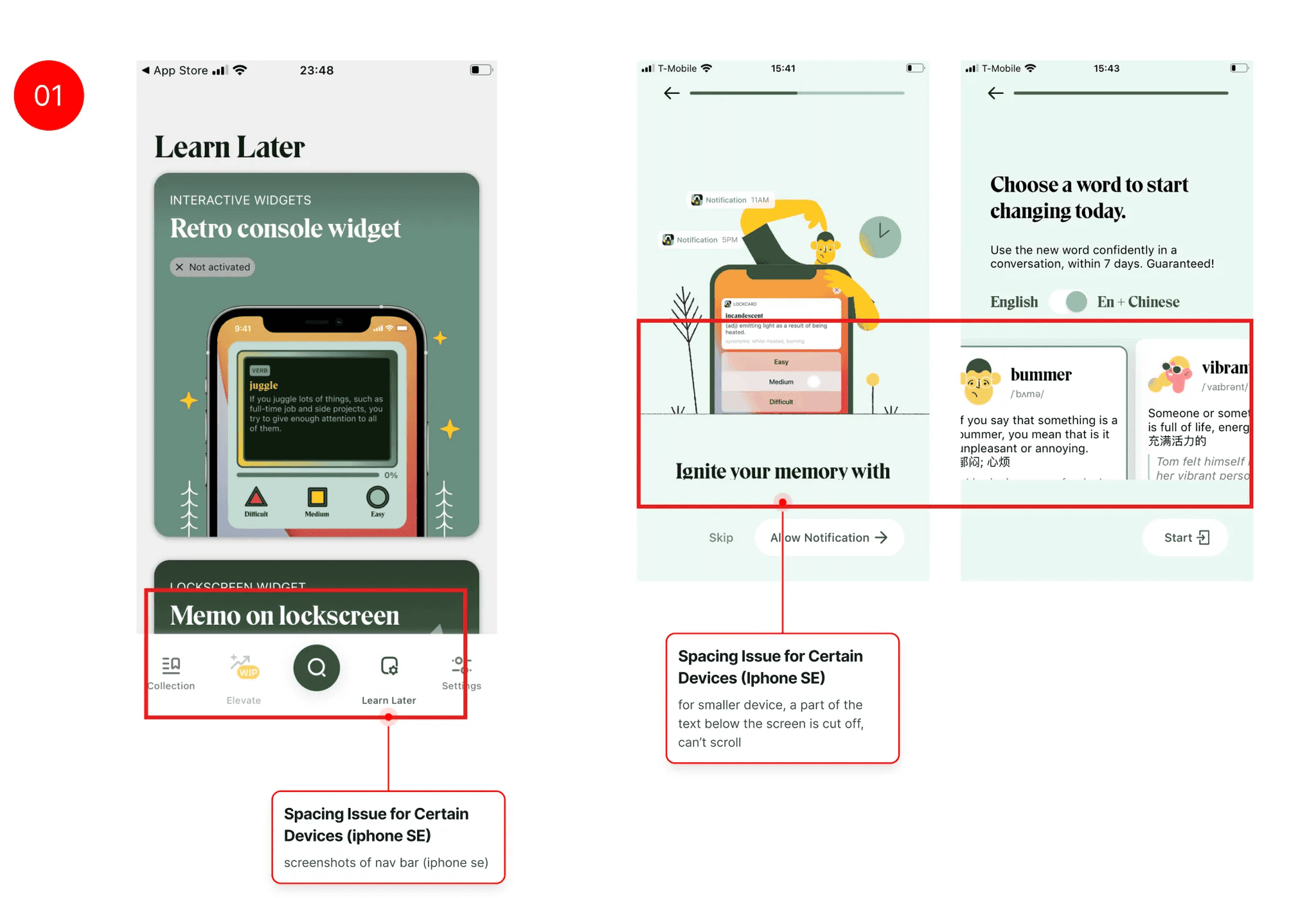
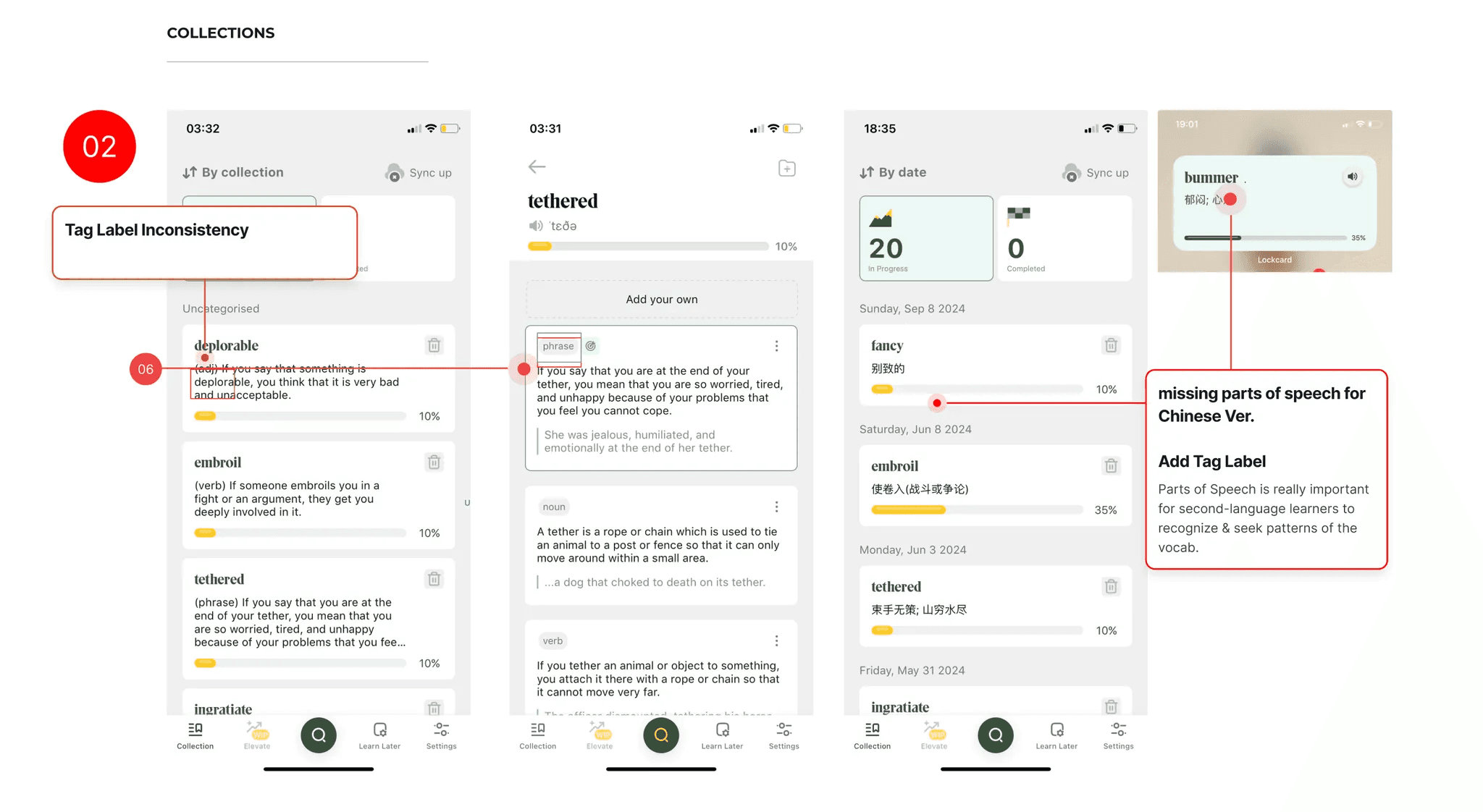
Designed vs. Developed Inconsistency
Spacing Issues for Small Devices
b. Labels and Parts of Speech Inconsistency
b. Increments and Numbers Misaligned
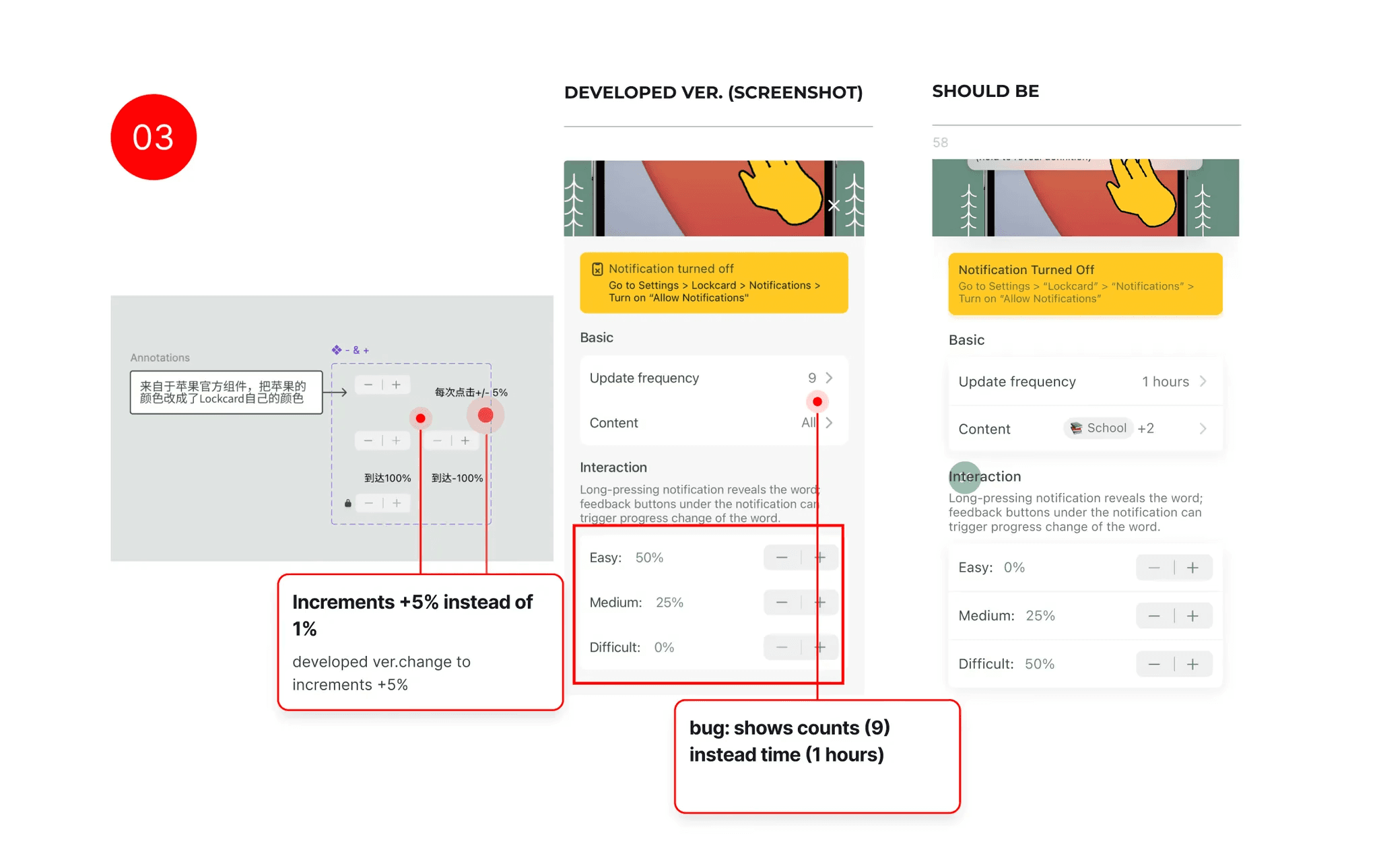
DEFINE
I set two primary guiding principles:
♾️ Habit Formation
Facilitate engagement hooks that help users form habits in and outside the app.
🛝 Reduce Frictions
Reduce the likelihood of user abandonment due to unintuitive flows.
💡
How can I build a design token system that supports scalability and consistency for future features, and is understandable by the designer and developers?
BUILDING
4.2 Learning the Basics of a Design System
BUILDING BLOCK 1
Foundations & Core components
When I started, I found inspiration in Atlassian, Google, and Palantir's design systems. However, they served more as conceptual guides due to their large database. What really helped me was incorporating Atomic Design principles of Atoms, Molecules, and Organisms:
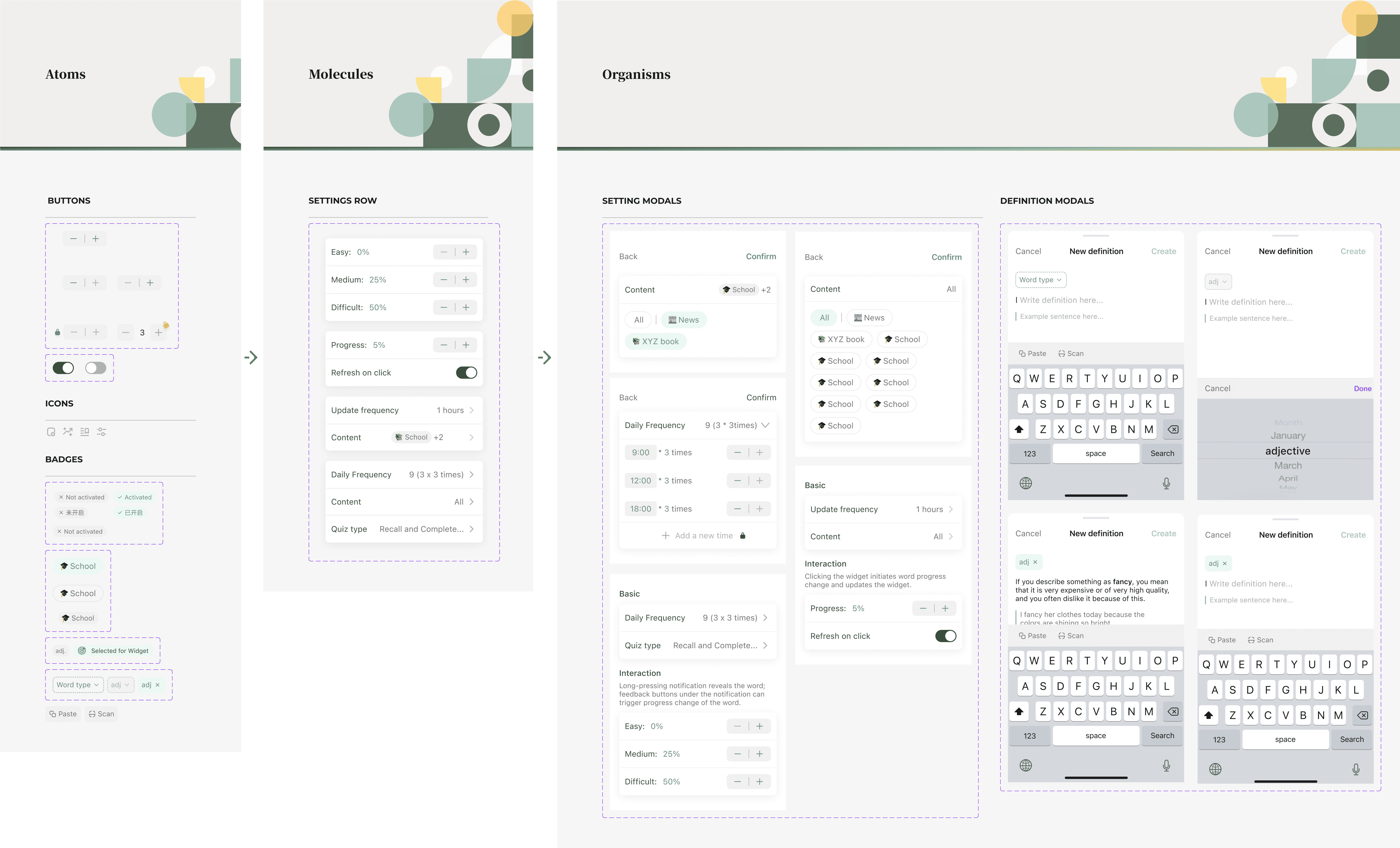
BUILDING BLOCK 2
Patterns & Usage
Based on Lockcard’s context use for different tabs and IOS-embedded widgets, I categorized components based on tabs for easily scannable layouts.
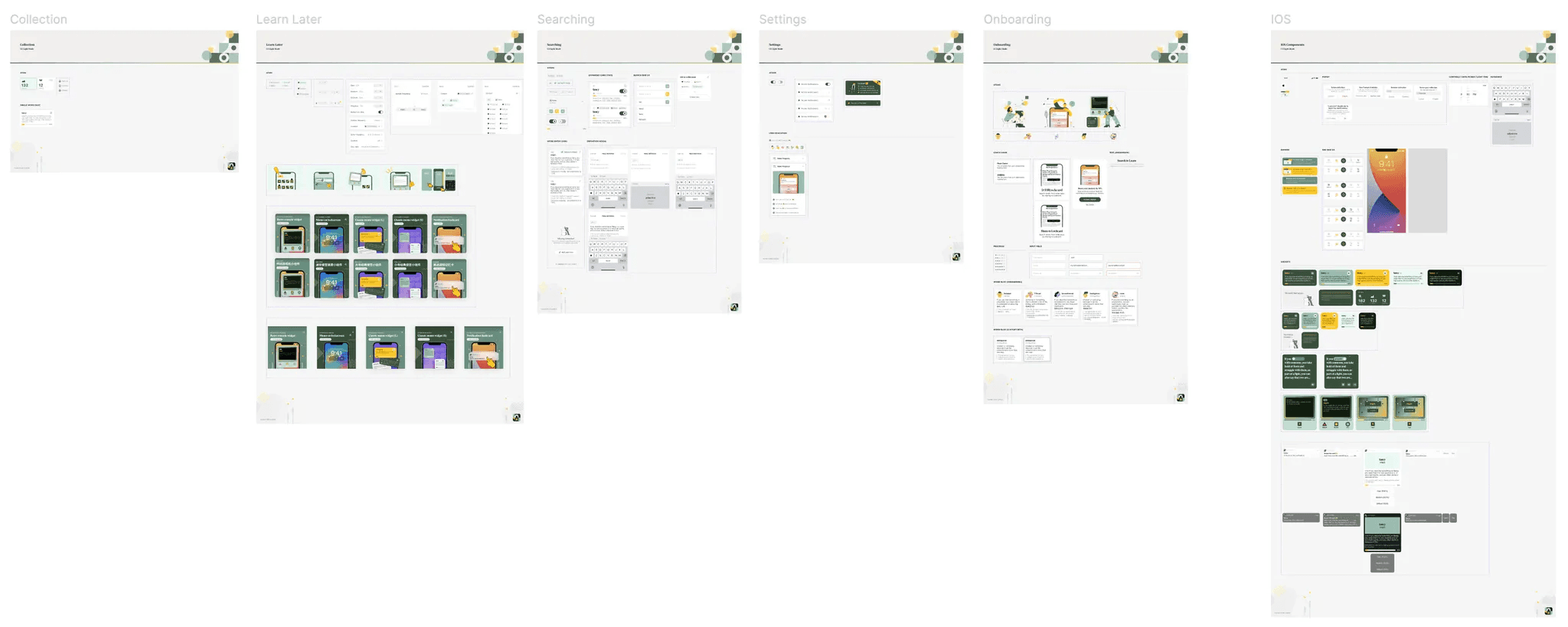
BUILDING BLOCK 3
Variables
I also learned to use variables from 0-1 for color tokens, typography, spacing, and shadows/elevations. These are particularly valuable for future dark mode implementations.
Despite initial concerns about having a token for only one developer, we determined that variables can serve as naming references and color usage, which would codebase maintainability.
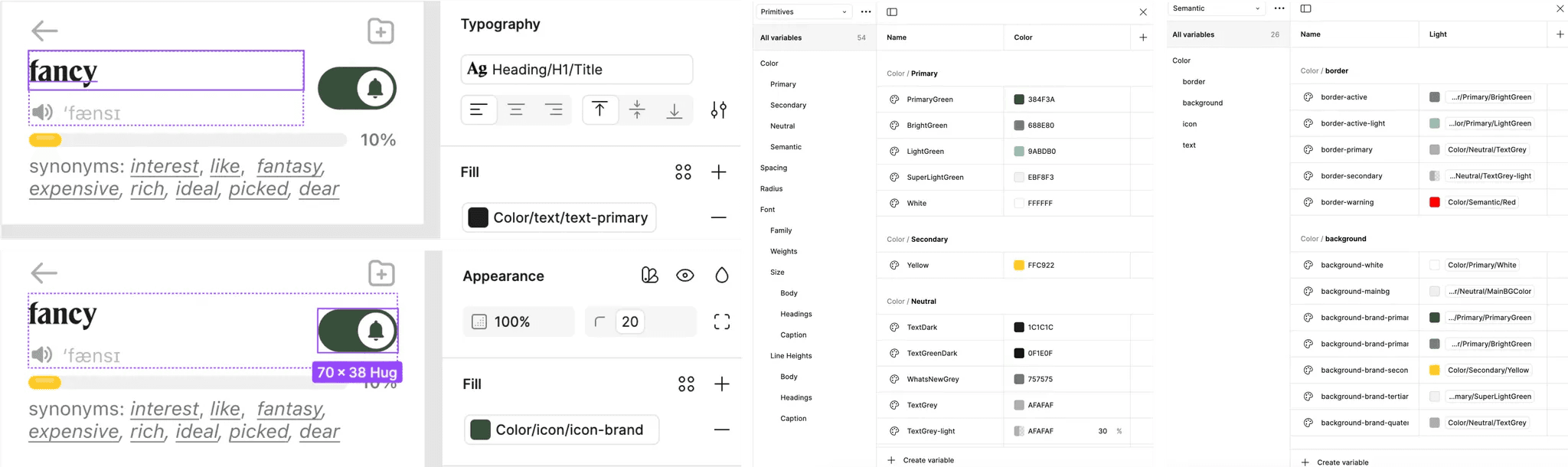
BUILDING
4.3 Prototype: Keeping it simple yet scalable
I learned to use nested components and properties to simplify variants. It’s still an on going learning experience to identify the reusable components vs. the specific ones for edge cases.
Nested Components
I keep small components reusable so I can nest them in larger components and facilitate easy swapping. This makes designing a lot faster!
A peak at how I set up my components. →
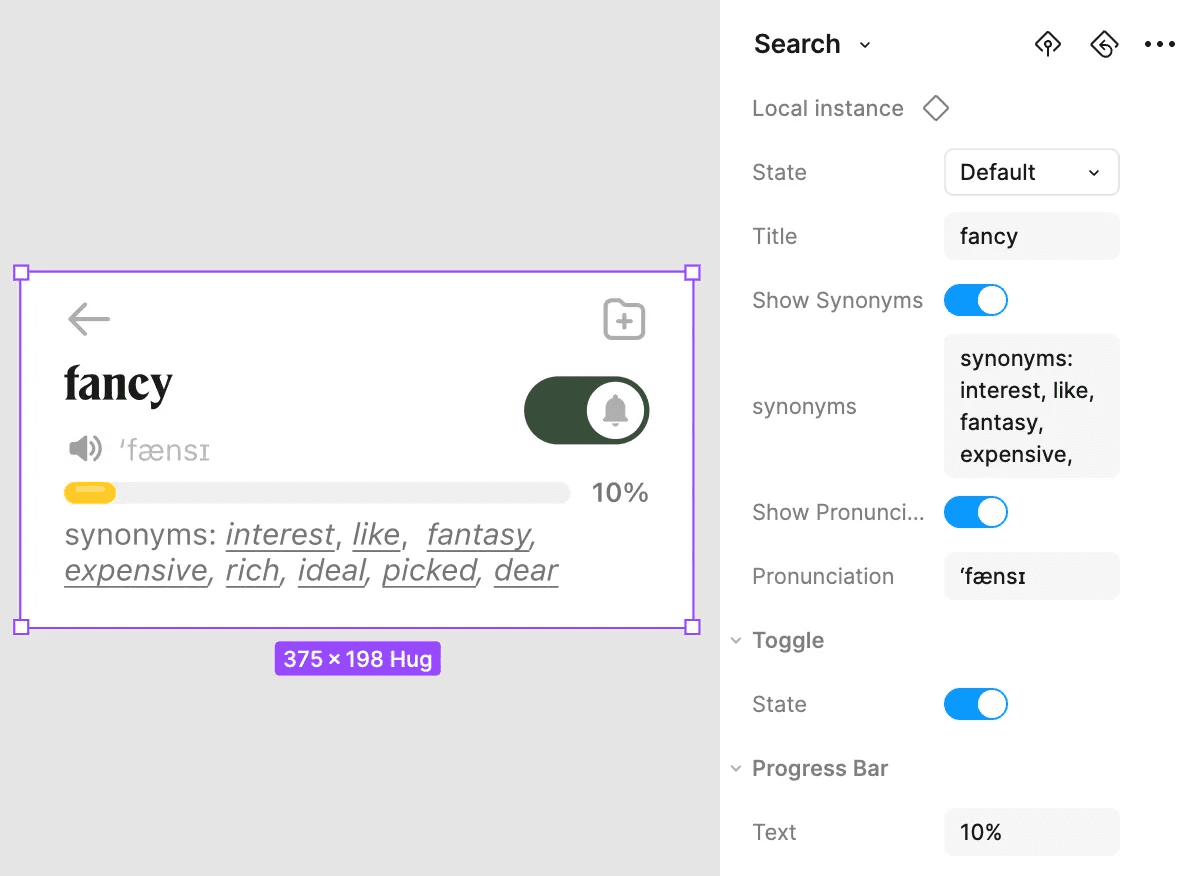
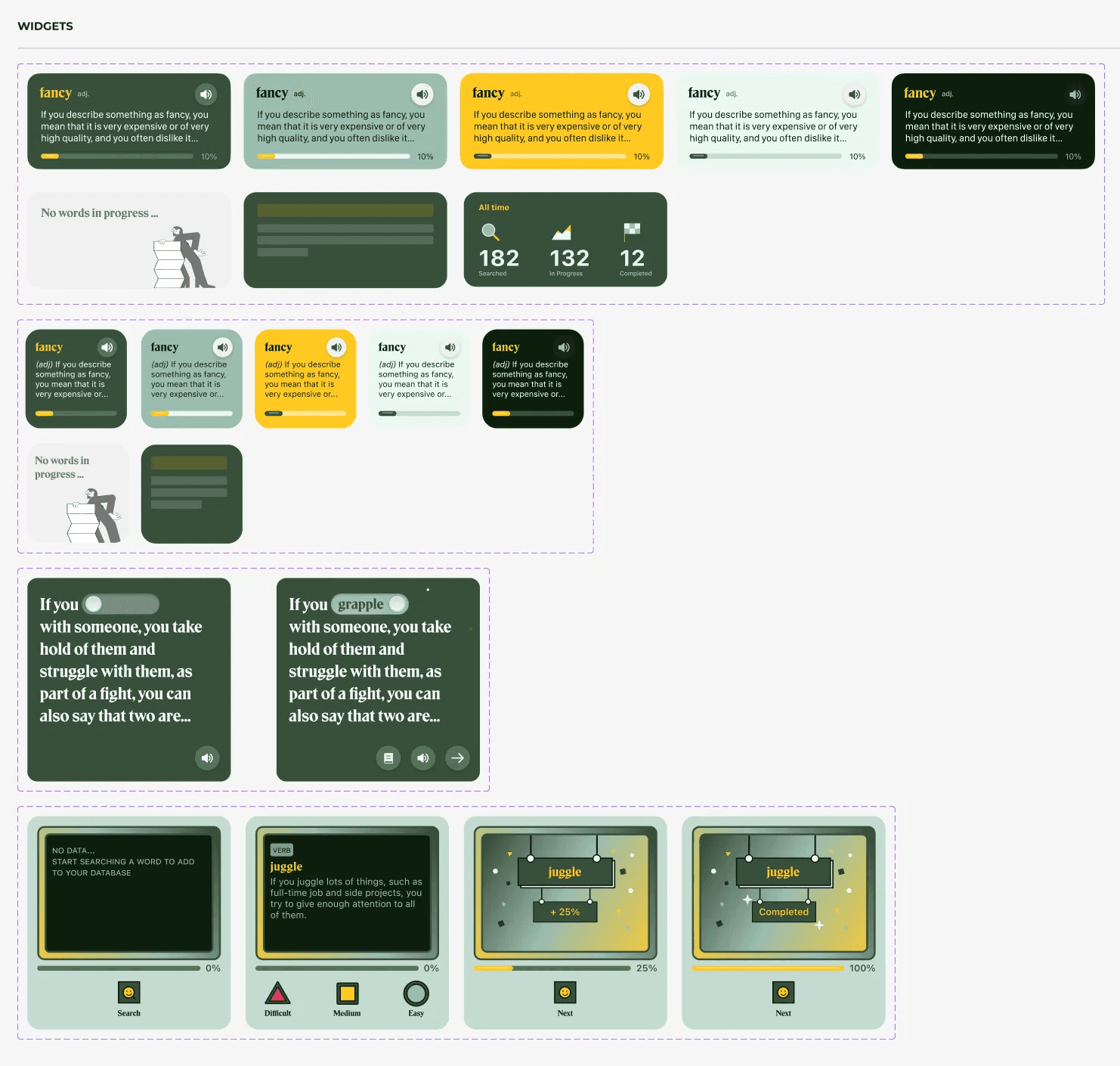
Multiple variants
I created multiple variants, which allowed me to prototype different states directly.
BUILDING
4.4 Challenging the Existing Designs
Additionally, I identified several usability issues that needed attention. As I started building the components, I began to critically evaluate how I could challenge the current designs.
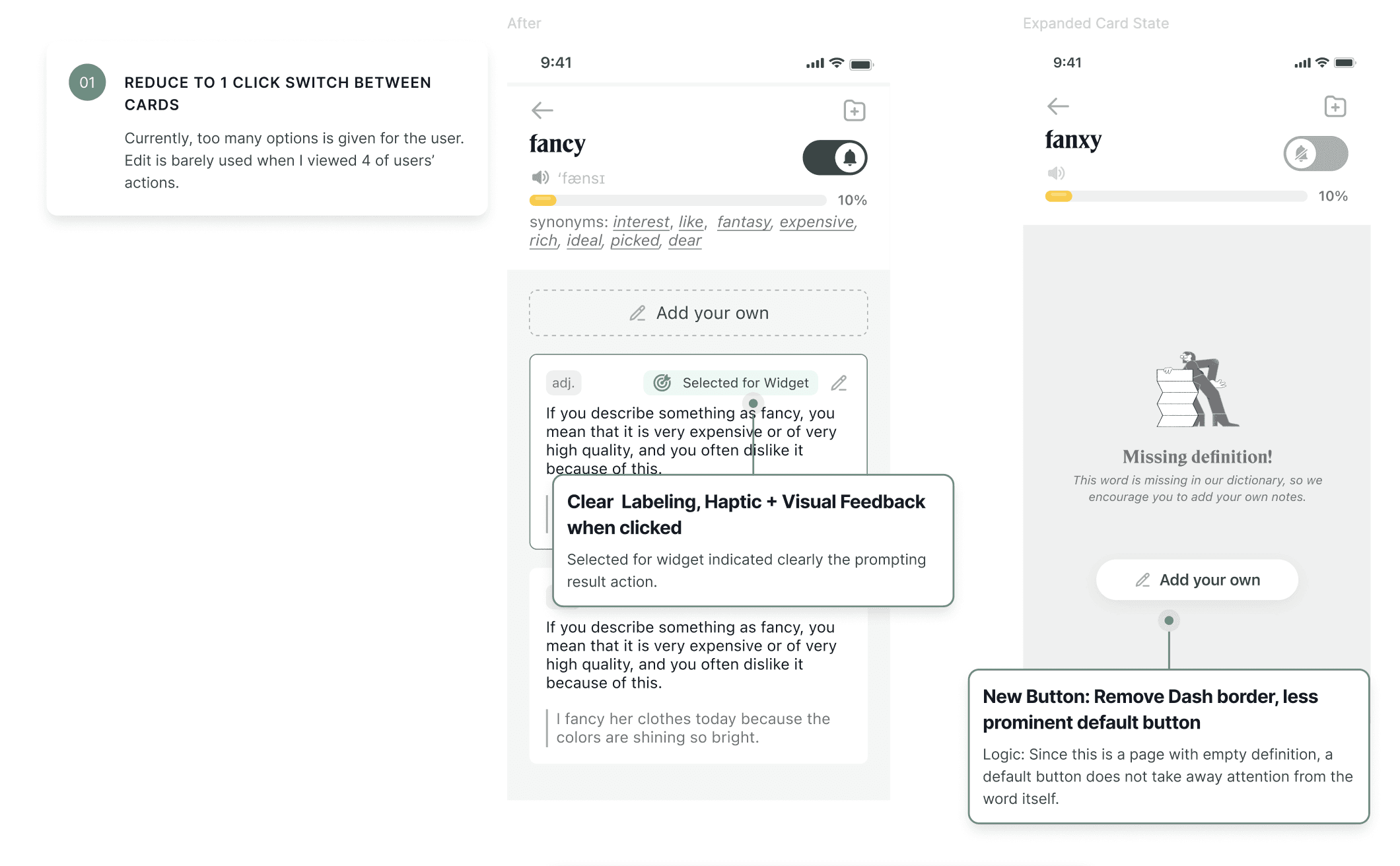
Main Card Usability Revamp
The most important function of the Lockcard App is to search for a word, being able to edit the definition and select widgets for learning. However, after testing with 4 first-time users, consistent frustrations were noted.of
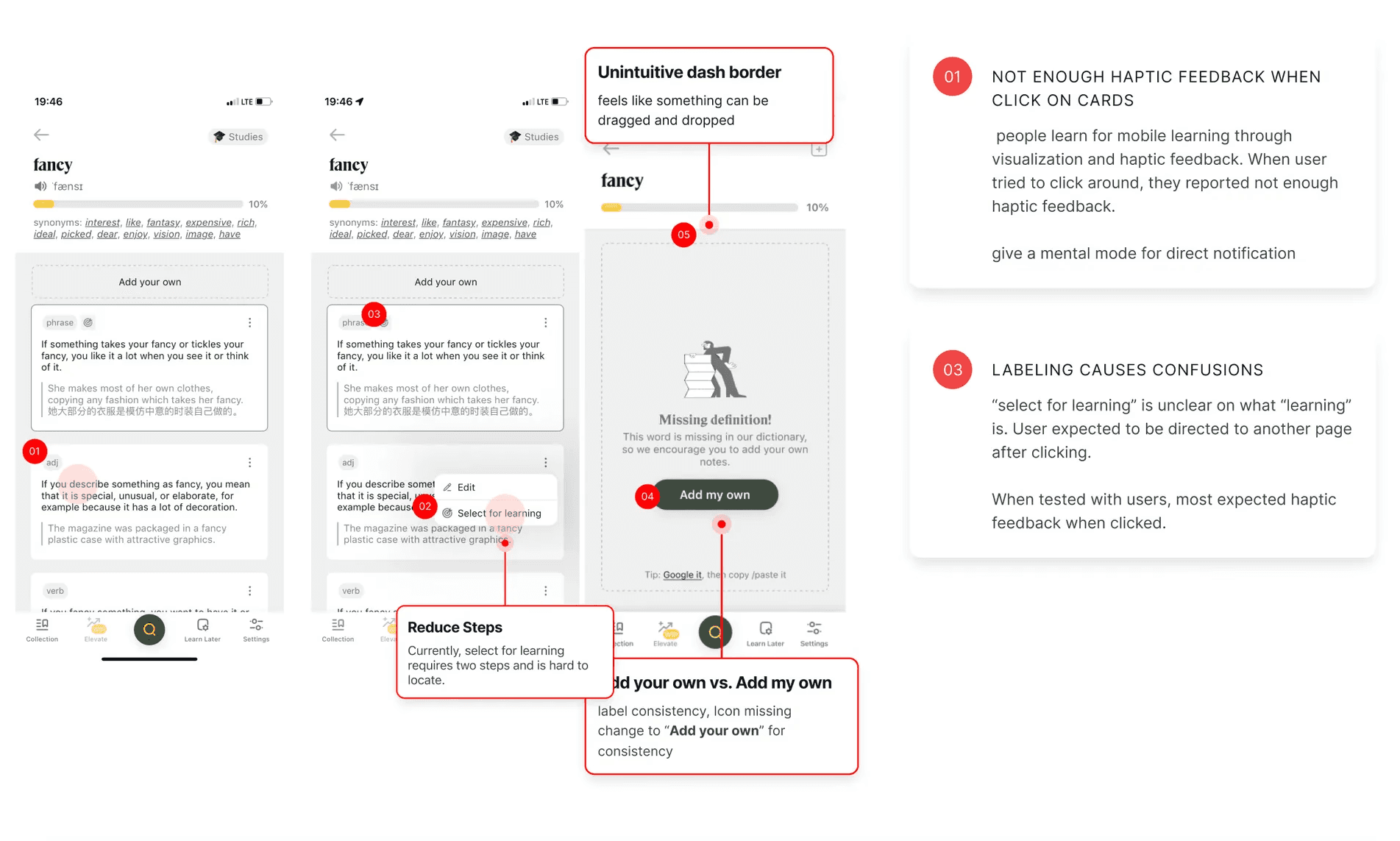
After
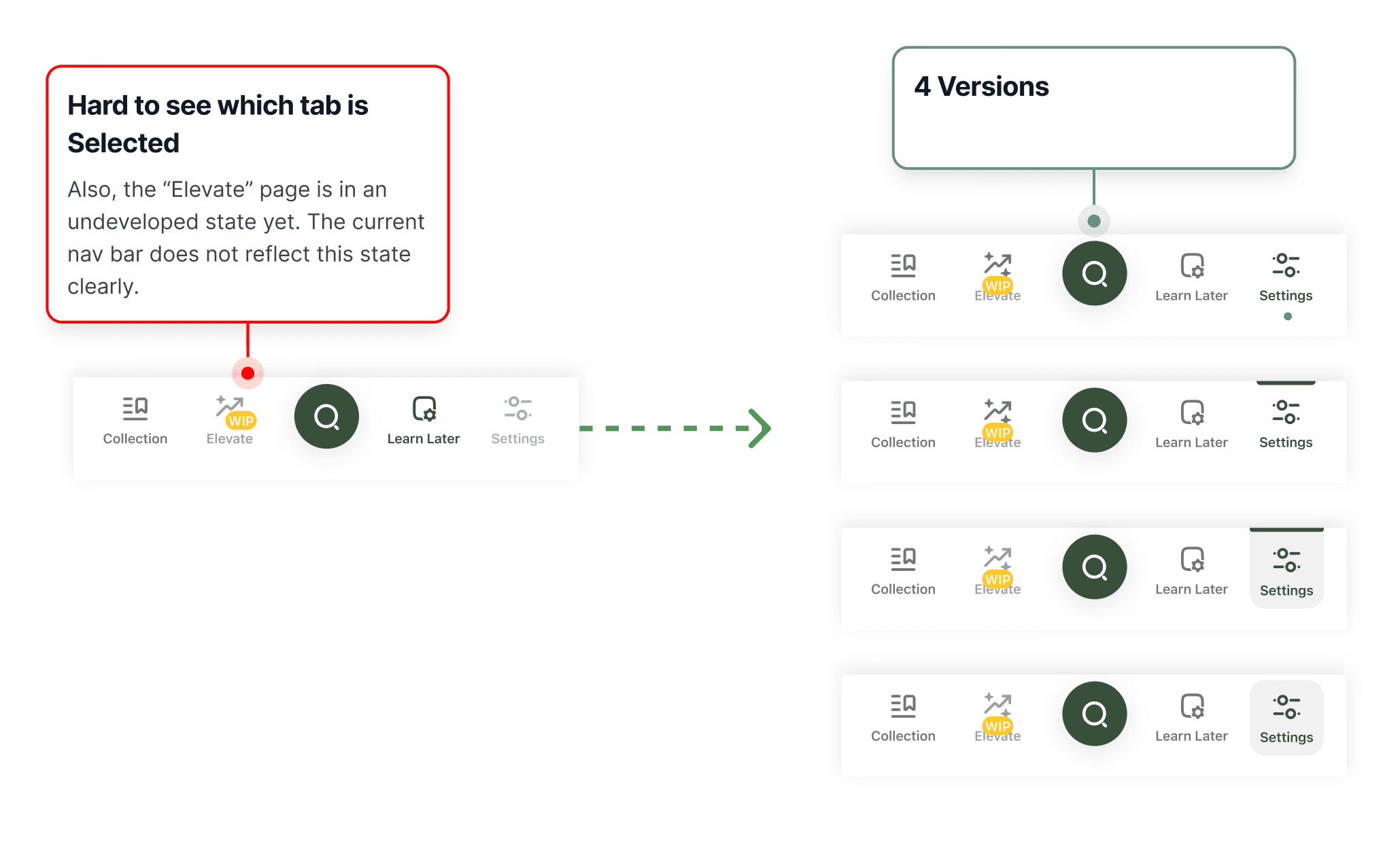
Navigation Bar Visibility
I find it hard to see the variance of differnet tabs solely by looking at the navigation bar. I looked at existing mobile products and proposed four visual solutions, with the 1st one being the most preferred by the founder.
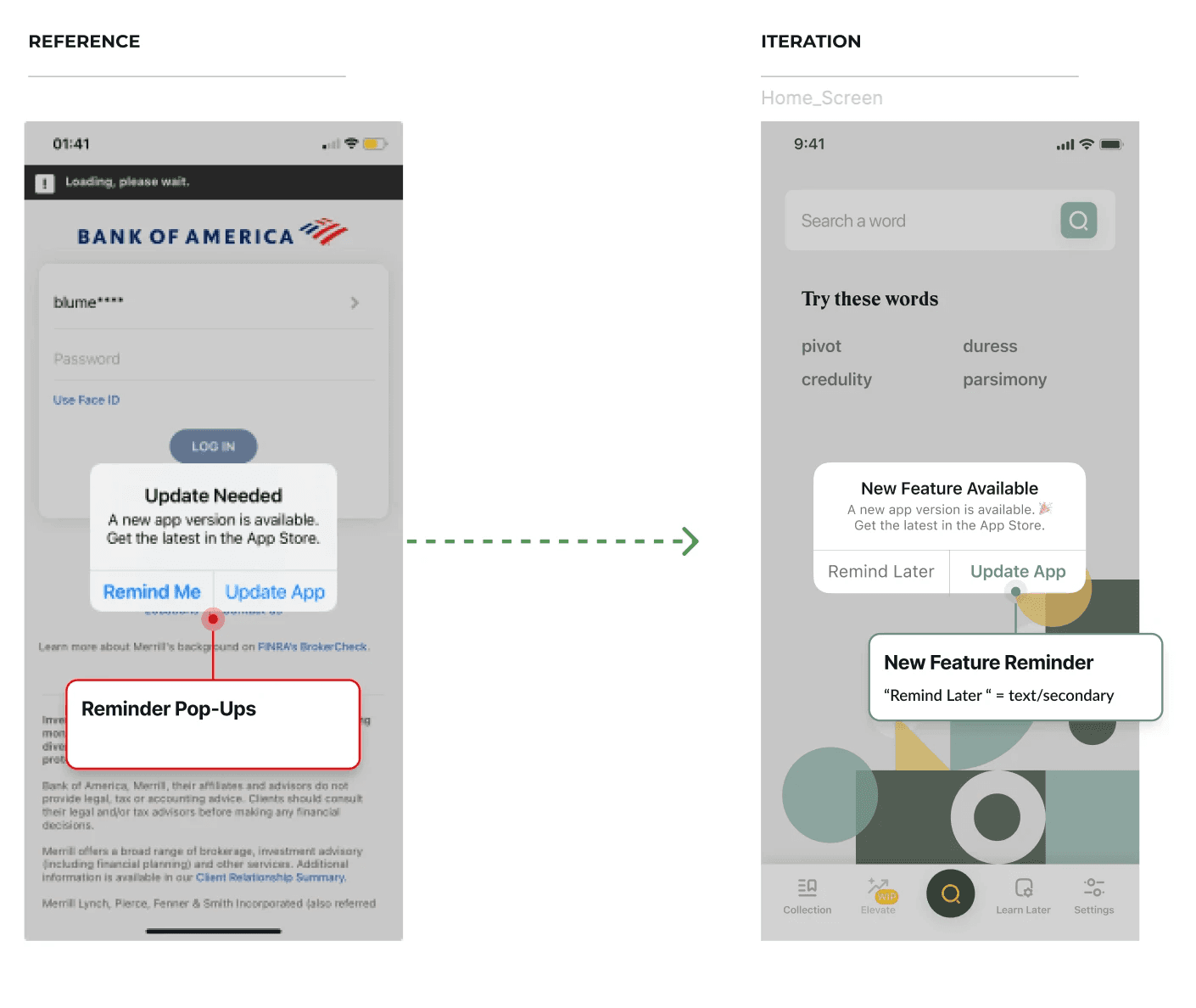
In-App Notification Triggers
One thing I noticed as a Lockcard user was that the app doesn’t send new update reminders. I was using the old version and unaware of updates until I onboarded the team.
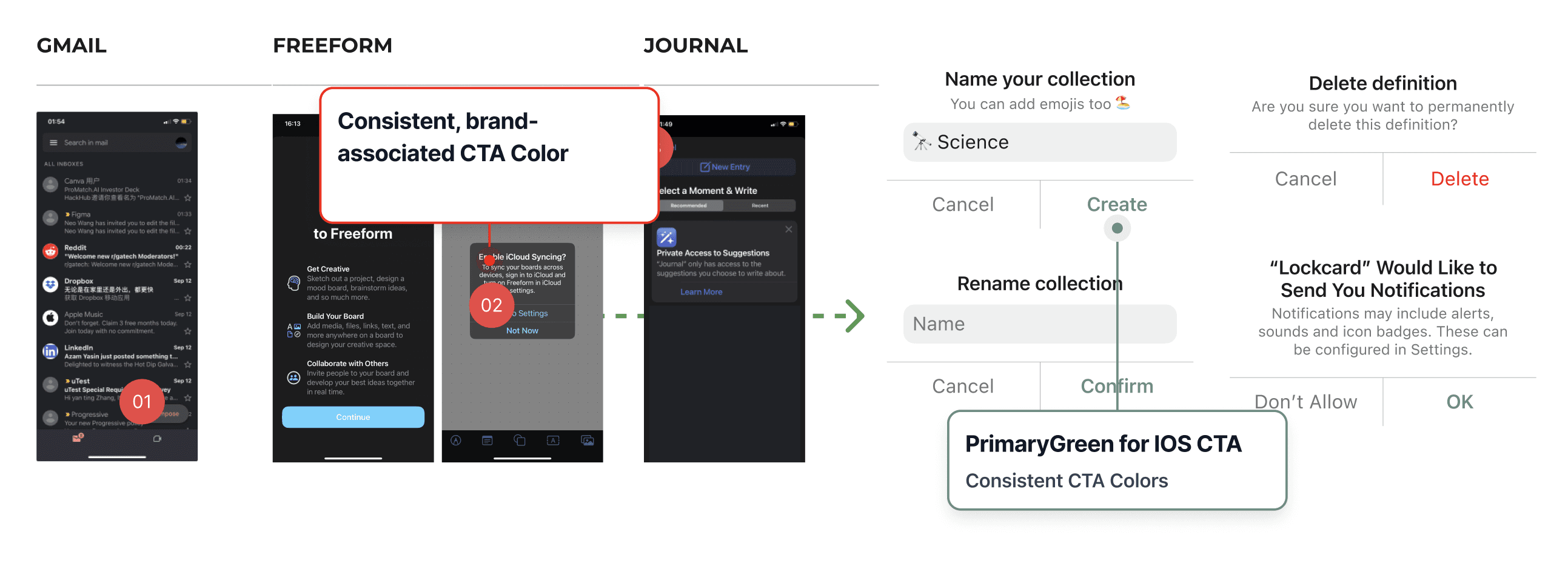
3.5 Brand-Associated Color
I also proposed to use the main brand green for the CTA to evoke a playful yet consistent feeling.
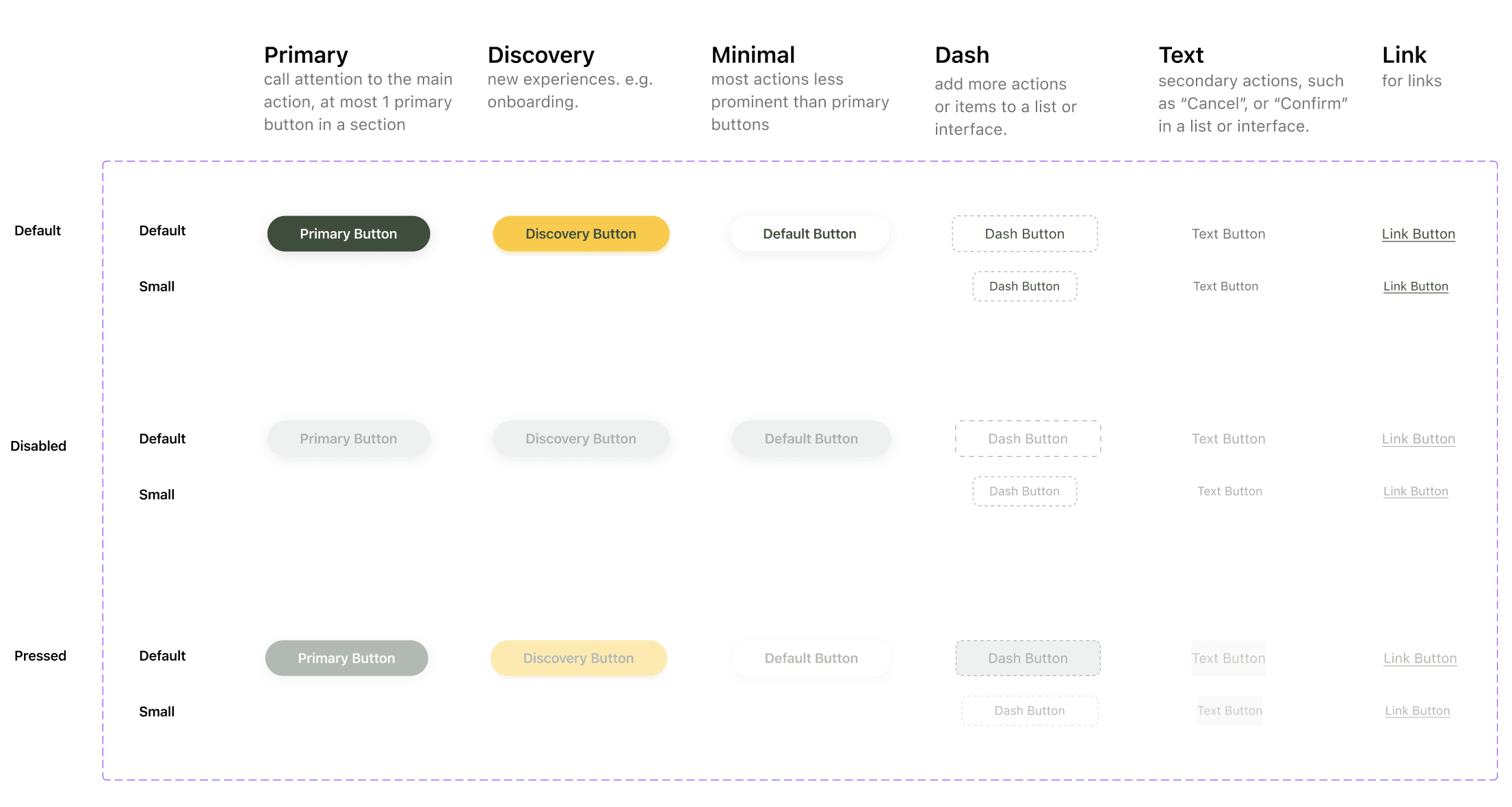
Button State Hierarchy
After looking at Atlassian, Palantir, and Tencent's design systems, I defined the buttons by their usage and created a new default, text, and link button.
5. Active vs. Inactive States Visibility
I also provided suggestions on active tabs misleading as disabled states.
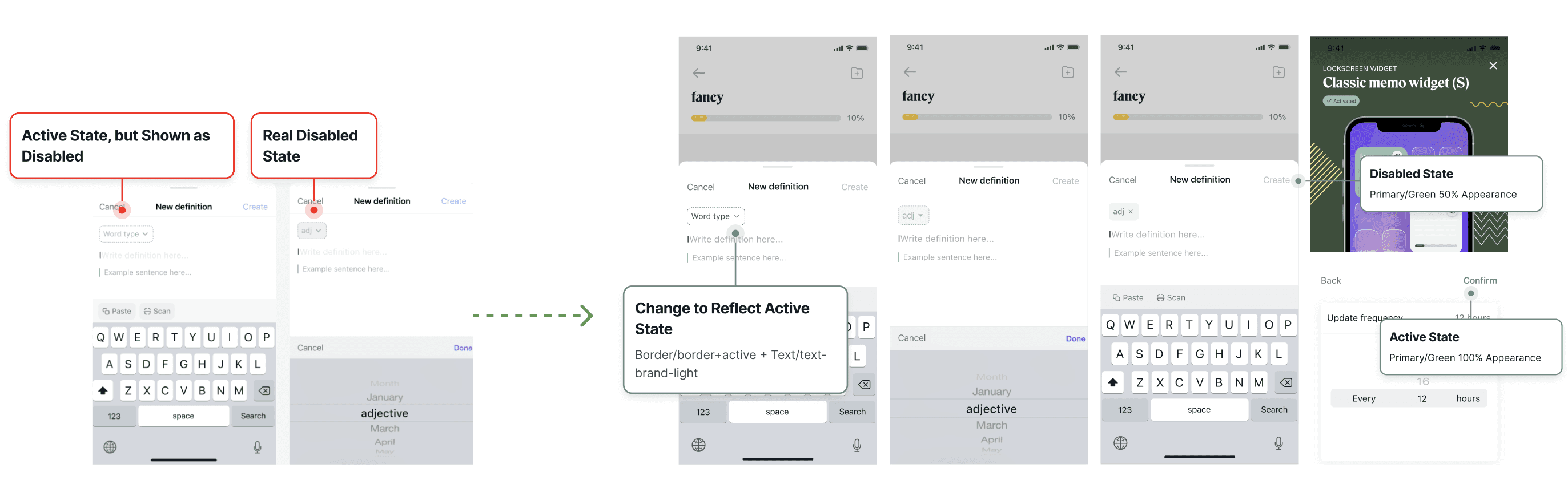
🙌 After discussions with the founder and the developer, all of these suggestions are taken into consideration for side-development in the future stages with the new feature.
05. 🙌 Wins:
But… did all of these effort bring something?
LESS DEV TIME
Coded design is a lot more consistent
*feedback from the developer
FASTER ITERATIONS
Reduced design debt and outdated elements
*feedback from the founding designer
CONCLUSION
Lessons Learned
🧑🤝🧑 Collaboration for Team Adoption: The Hardest Part
Creating a design system is just the beginning; the real challenge lies in motivating the team to adopt and maintain it. As a design system designer, balancing encouraging teams’ creativity while guiding them to work within the system's established components requires ongoing communication efforts.
✍️ Details and details: Refine down to the pixel level!
I discovered that clear and recognizable app icons enhance app branding, and there are unified design rules that govern icon creation, such as consistent stroke weights and corner radii.
Lastly, I'd like to extend special thanks to the Lockcard founder, Xinyi, for trusting me and mentoring me during my task of organizing the design system.
CONCLUSION
Next Step…
Aligning with Existing Codebase
My next step would be to work more with developers to ensure design system naming conventions match the existing Github codebase.
Documentations
As the design system grows, I hope to create more standardized assets that can be reused in many ways. I hope to break down the the components and document them with how the component behaves within the context of any frameworks that the developers are using (E.g. Bootstrap).
Collect Feedbacks for Future Iterations
As the design team grows bigger, I hope to collect feedback from a designer’s perspective on how the system has improved their workflow. And on the flip side, I’d love to collect feedback on how the design system can be improved to better serve the purposes of the design team (i.e. what’s the best way to document components and display guides and instructions).